Leistung
HinweisBildrate: im Mittel 60 fps, p5 59.9 · Lange Aufgaben: 1 Aufgaben, insgesamt 52 ms, längste 52 ms · Quelltext gzip 11 KB · Zur Laufzeit 159 KB
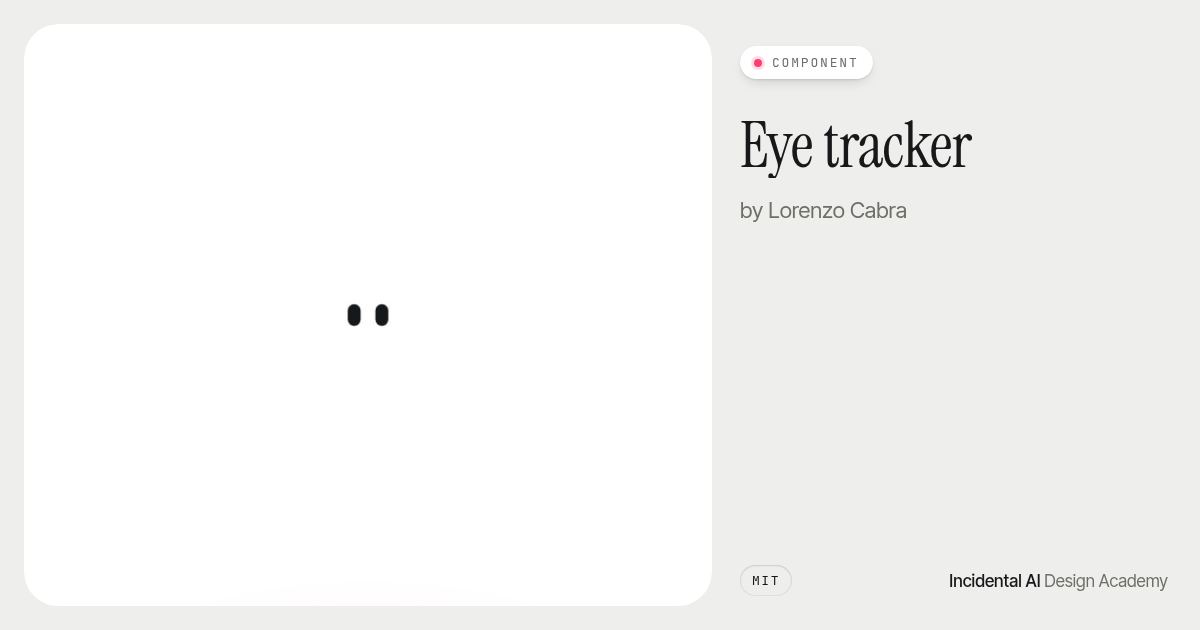
Eye trackerMITMusterBencho
Muster-React-Komponente von Lorenzo Cabra. Unverändert aus Bencho unter der MIT-Lizenz übernommen und hier live gezeigt.
Qualitaetsbericht
Note und Punktzahl stammen aus automatischen Prüfungen beim Build oder Test. Wurde eine Prüfung nicht ausgeführt, steht dort Nicht geprüft — Zahlen werden nie erfunden.
Bildrate: im Mittel 60 fps, p5 59.9 · Lange Aufgaben: 1 Aufgaben, insgesamt 52 ms, längste 52 ms · Quelltext gzip 11 KB · Zur Laufzeit 159 KB
Probleme 0 · Screenreader: Hinweis
Beruecksichtigt reduzierte Bewegung
Kein Ueberlauf
Bildrate und lange Aufgaben wurden in headless Chromium mit Software-WebGL gemessen. Sie eignen sich nur zum Vergleich zwischen Komponenten auf dieser Website und stehen nicht für echte Geräte.
Keine axe-core-Verstöße.

Geprueft am 15. Nov. 2026 · Die Zahlen stammen aus einem automatischen Skript, nicht aus handgeschriebenen Beispielen.
In Originalgröße dargestellt.
Die Kopie beginnt mit dem Lizenzhinweis. Behalte ihn, wenn du den Code nutzt.
<div id="root"></div>:root{--bg:#f6f4f0;--ink:#17181a;--background:40 20% 96%;--foreground:24 10% 8%;--card:0 0% 100%}html,body{min-height:100%;margin:0;background:var(--bg);color:var(--ink)}html,body{height:100%;overflow:hidden}body{display:grid;place-items:center}#root{display:grid;place-items:center;max-width:100%;max-height:100%;box-sizing:border-box;padding:16px;color:hsl(var(--foreground))}#root.full{width:100%;height:100%;padding:0}@media(prefers-reduced-motion:reduce){*,*::before,*::after{animation-play-state:paused!important;transition-duration:0s!important}}
/*
MIT License
Copyright (c) 2026 Lorenzo Cabra
Permission is hereby granted, free of charge, to any person obtaining a copy
of this software and associated documentation files (the "Software"), to deal
in the Software without restriction, including without limitation the rights
to use, copy, modify, merge, publish, distribute, sublicense, and/or sell
copies of the Software, and to permit persons to whom the Software is
furnished to do so, subject to the following conditions:
The above copyright notice and this permission notice shall be included in all
copies or substantial portions of the Software.
THE SOFTWARE IS PROVIDED "AS IS", WITHOUT WARRANTY OF ANY KIND, EXPRESS OR
IMPLIED, INCLUDING BUT NOT LIMITED TO THE WARRANTIES OF MERCHANTABILITY,
FITNESS FOR A PARTICULAR PURPOSE AND NONINFRINGEMENT. IN NO EVENT SHALL THE
AUTHORS OR COPYRIGHT HOLDERS BE LIABLE FOR ANY CLAIM, DAMAGES OR OTHER
LIABILITY, WHETHER IN AN ACTION OF CONTRACT, TORT OR OTHERWISE, ARISING FROM,
OUT OF OR IN CONNECTION WITH THE SOFTWARE OR THE USE OR OTHER DEALINGS IN THE
SOFTWARE.
---
Not covered by this licence: the Bencho name and the goat mark, and the
photographs shown on bencho.dev (none are included here). Third-party
material keeps its own licence; see THIRD_PARTY.md.
Icon substitution (this copy only): lucide-react (ISC) was replaced with @tabler/icons-react (MIT).
Sample photographs were replaced with Incidental AI assets. The Bencho name and goat mark are not licensed for marketing use.
*/
/* ── Bencho tokens ─────────────────────────────────────────
The custom properties the free blocks read, at the values
bencho.dev draws them with. Light by default; dark under
[data-theme="dark"] on any ancestor, or automatically with
the system setting unless [data-theme="light"] says otherwise.
Map these to your own theme rather than keeping two: a block
only ever reads the names, never the values. */
:root {
--font-ui: "Inter", "Helvetica Neue", Helvetica, Arial, sans-serif;
--bg: #ffffff;
--board: #ffffff;
--card: #f7f7f6;
--surface: #f7f7f6;
--surface-2: #f1f1f0;
--surface-3: #ecebe7;
--ink: #17181a;
--ink-rgb: 23, 24, 26;
--ink-2: #3c3b37;
--ink-3: #5c5b56;
--ink-4: #6f6e68;
--ink-5: #85847e;
--on-ink: #ffffff;
--on-ink-rgb: 255, 255, 255;
--slab: #17181a;
--on-slab: #ffffff;
--slab-dark: #0e0f11;
--fill-slab: #ffffff;
--fill-on: #17181a;
--fill-on-rgb: 23, 24, 26;
--pane: var(--fill-slab);
--pane-edge: rgba(23, 24, 26, 0.08);
--pane-thumb: rgba(23, 24, 26, 0.07);
--inlay: rgba(255, 255, 255, 0.55);
--inlay-hi: rgba(23, 24, 26, 0.09);
--elev-rgb: 255, 255, 255;
--glass-rgb: 255, 255, 255;
--shadow-rgb: 23, 24, 26;
--wash: 0.06;
--pick: #0d99ff;
--signal: #2231dd;
--focus: #2231dd;
--ok: #15803d;
--ember: #b8431c;
color-scheme: light;
}
[data-theme="dark"] {
--bg: #000000;
--board: #1a1a1a;
--card: #0a0a0a;
--surface: #0f0f0f;
--surface-2: #181818;
--surface-3: #202020;
--ink: #ffffff;
--ink-rgb: 255, 255, 255;
--ink-2: #b4b4b4;
--ink-3: #9a9a9a;
--ink-4: #828282;
--ink-5: #6b6b6b;
--on-ink: #000000;
--on-ink-rgb: 0, 0, 0;
--slab: #1a1a1a;
--on-slab: #ffffff;
--slab-dark: #262626;
--fill-slab: #262626;
--fill-on: #ffffff;
--fill-on-rgb: 255, 255, 255;
--pane-edge: rgba(255, 255, 255, 0.08);
--pane-thumb: rgba(255, 255, 255, 0.07);
--inlay: rgba(255, 255, 255, 0.1);
--inlay-hi: rgba(255, 255, 255, 0.09);
--elev-rgb: 32, 32, 32;
--shadow-rgb: 0, 0, 0;
--wash: 0.09;
--pick: #3aa9ff;
--ok: #34d17a;
color-scheme: dark;
}
@media (prefers-color-scheme: dark) {
:root:not([data-theme="light"]) {
--bg: #000000;
--board: #1a1a1a;
--card: #0a0a0a;
--surface: #0f0f0f;
--surface-2: #181818;
--surface-3: #202020;
--ink: #ffffff;
--ink-rgb: 255, 255, 255;
--ink-2: #b4b4b4;
--ink-3: #9a9a9a;
--ink-4: #828282;
--ink-5: #6b6b6b;
--on-ink: #000000;
--on-ink-rgb: 0, 0, 0;
--slab: #1a1a1a;
--on-slab: #ffffff;
--slab-dark: #262626;
--fill-slab: #262626;
--fill-on: #ffffff;
--fill-on-rgb: 255, 255, 255;
--pane-edge: rgba(255, 255, 255, 0.08);
--pane-thumb: rgba(255, 255, 255, 0.07);
--inlay: rgba(255, 255, 255, 0.1);
--inlay-hi: rgba(255, 255, 255, 0.09);
--elev-rgb: 32, 32, 32;
--shadow-rgb: 0, 0, 0;
--wash: 0.09;
--pick: #3aa9ff;
--ok: #34d17a;
color-scheme: dark;
}
}
/* Watcher.css */
/*
MIT License
Copyright (c) 2026 Lorenzo Cabra
Permission is hereby granted, free of charge, to any person obtaining a copy
of this software and associated documentation files (the "Software"), to deal
in the Software without restriction, including without limitation the rights
to use, copy, modify, merge, publish, distribute, sublicense, and/or sell
copies of the Software, and to permit persons to whom the Software is
furnished to do so, subject to the following conditions:
The above copyright notice and this permission notice shall be included in all
copies or substantial portions of the Software.
THE SOFTWARE IS PROVIDED "AS IS", WITHOUT WARRANTY OF ANY KIND, EXPRESS OR
IMPLIED, INCLUDING BUT NOT LIMITED TO THE WARRANTIES OF MERCHANTABILITY,
FITNESS FOR A PARTICULAR PURPOSE AND NONINFRINGEMENT. IN NO EVENT SHALL THE
AUTHORS OR COPYRIGHT HOLDERS BE LIABLE FOR ANY CLAIM, DAMAGES OR OTHER
LIABILITY, WHETHER IN AN ACTION OF CONTRACT, TORT OR OTHERWISE, ARISING FROM,
OUT OF OR IN CONNECTION WITH THE SOFTWARE OR THE USE OR OTHER DEALINGS IN THE
SOFTWARE.
---
Not covered by this licence: the Bencho name and the goat mark, and the
photographs shown on bencho.dev (none are included here). Third-party
material keeps its own licence; see THIRD_PARTY.md.
Icon substitution (this copy only): lucide-react (ISC) was replaced with @tabler/icons-react (MIT).
Sample photographs were replaced with Incidental AI assets. The Bencho name and goat mark are not licensed for marketing use.
*/
/* ══ Eye tracker ═══════════════════════════════════════════
See lab/Watcher.tsx. The frame holds the largest ball the
Size knob allows, so the wall never rescales it. */
.eyt {
width: 200px;
height: 200px;
display: grid;
place-items: center;}
.eyt-ball {
width: var(--eyt-size, 100px);
height: var(--eyt-size, 100px);
overflow: visible;}
/* the ball is the Fill's own slab and the eyes its ink: white
with dark eyes on a light fill, near-black with light eyes on
a dark one */
.eyt-body { fill: var(--fill-slab, #ffffff); }
.eyt-eye { fill: var(--fill-on, #0b0b0d); }
/* a press on the toy opens a chat bubble off its lower right: the
pet's bubble, its square corner pointing back at the face */
.eyt { position: relative; }
/* a press gives a little under the finger and springs back out */
.eyt-ball[data-poke] {
cursor: pointer;
transform-origin: center;
transition: scale 420ms cubic-bezier(0.24, 1.34, 0.38, 1);
-webkit-tap-highlight-color: transparent;}
.eyt-ball[data-poke]:active { scale: 0.96; transition-duration: 160ms; transition-timing-function: ease; }
.eyt-say {
position: absolute;
left: calc(50% + var(--eyt-size, 100px) * 0.36);
top: calc(50% + var(--eyt-size, 100px) * 0.3);
display: inline-flex;
align-items: center;
gap: 2px;
min-height: 34px;
padding: 0 16px;
border-radius: 6px 14px 14px 14px;
background: var(--tint, #3b5bff);
box-shadow: inset 0 -1.5px 0 rgba(0, 0, 0, 0.1);
color: #ffffff;
font-family: var(--font-ui);
font-size: 13px;
font-weight: 400;
white-space: nowrap;
transform-origin: top left;
opacity: 0;
scale: 0.85;
pointer-events: none;
transition: opacity 160ms ease, scale 220ms cubic-bezier(0.24, 1.34, 0.38, 1), background-color 220ms ease;
letter-spacing: 0em;}
.eyt-say[data-on] { opacity: 1; scale: 1; }
.eyt-caret {
width: 1.5px;
height: 13px;
border-radius: 1px;
background: var(--fill-slab, var(--card));
animation: pet-caret 1s steps(1) infinite;}
.logo-test .eyt { width: auto; height: auto; }
.logo-test .eyt-body { fill: var(--ink); }
.logo-test .eyt-eye { fill: var(--bg); }
/* the circle and pill in dark mode match the hexagon: a lifted
dark body with the eyes kept white */
[data-theme="dark"] .logo-test .eyt-body { fill: #2b2c30; /* the hexagon's body; site chrome, not a block: keep off the system snap */ }
[data-theme="dark"] .logo-test .eyt-eye { fill: #fbfbfa; }
.bench-lock-face .eyt { position: relative; width: 96px; height: 96px; }
.bench-lock-face .eyt-body { fill: transparent; }
.bench-lock-face .eyt-eye { fill: #fff; }
@keyframes pet-caret {
50% { opacity: 0; }}
// bencho source (MIT). npm i motion react · Tailwind CSS v4

// ── blocks/eye-tracker/Watcher.tsx  (https://github.com/cabralorenzo/bencho/blob/c65992417427bb09e661674ffa800bef29adef49/blocks/eye-tracker/Watcher.tsx)
/*
MIT License

Copyright (c) 2026 Lorenzo Cabra

Permission is hereby granted, free of charge, to any person obtaining a copy
of this software and associated documentation files (the "Software"), to deal
in the Software without restriction, including without limitation the rights
to use, copy, modify, merge, publish, distribute, sublicense, and/or sell
copies of the Software, and to permit persons to whom the Software is
furnished to do so, subject to the following conditions:

The above copyright notice and this permission notice shall be included in all
copies or substantial portions of the Software.

THE SOFTWARE IS PROVIDED "AS IS", WITHOUT WARRANTY OF ANY KIND, EXPRESS OR
IMPLIED, INCLUDING BUT NOT LIMITED TO THE WARRANTIES OF MERCHANTABILITY,
FITNESS FOR A PARTICULAR PURPOSE AND NONINFRINGEMENT. IN NO EVENT SHALL THE
AUTHORS OR COPYRIGHT HOLDERS BE LIABLE FOR ANY CLAIM, DAMAGES OR OTHER
LIABILITY, WHETHER IN AN ACTION OF CONTRACT, TORT OR OTHERWISE, ARISING FROM,
OUT OF OR IN CONNECTION WITH THE SOFTWARE OR THE USE OR OTHER DEALINGS IN THE
SOFTWARE.

---

Not covered by this licence: the Bencho name and the goat mark, and the
photographs shown on bencho.dev (none are included here). Third-party
material keeps its own licence; see THIRD_PARTY.md.

Icon substitution (this copy only): lucide-react (ISC) was replaced with @tabler/icons-react (MIT).
Sample photographs were replaced with Incidental AI assets. The Bencho name and goat mark are not licensed for marketing use.
*/
import { useEffect, useId, useLayoutEffect, useRef, useState } from "react";

/* ══ Eye tracker ═══════════════════════════════════════════
   A ball with two eyes that watches your cursor, wherever it is
   on the page.

   ── THE EYES ARE ON THE BALL, NOT IN FRONT OF IT ───────────
   The easy version slides two shapes toward the pointer, and it
   reads as stickers on a disc. Here each eye is a point on the
   sphere's surface: looking left turns the ball, so an eye
   travels along the curve, and the one heading for the rim
   moves less and narrows as it turns away from you while the
   other swings wide. That foreshortening is the whole trick —
   it is what makes a flat circle read as something round.

   One turn (yaw and pitch) is the state, sprung toward where
   the pointer is; both eyes are read off it, so they can never
   disagree. It relaxes back to facing you when the pointer
   leaves the window, and it blinks on its own now and then.

   Written straight to the DOM every frame, never through state:
   a pointer move is not a render. */

/* ── inlined from lab/spring ──────────────────────── */
/* ── one spring, for everything that settles ───────────────
   The maths was already on this bench twice, copied by hand:
   Humidity's wheel and Brightness's column both accumulate
   velocity toward a target, damp it, and snap when both the
   delta and the velocity fall under 0.02. Two copies is a
   coincidence; five would be a policy, so it comes out here
   before the elastic blocks are written against it.

   The two shipped copies are deliberately NOT refactored onto
   this. They work, they are tuned, and rewriting the innards
   of two live components to prove a point about duplication
   is how a good afternoon becomes a bad one. This is the one
   new code uses.

   Frames, not milliseconds. `dt` is expressed in sixtieths of
   a second and the damping is RAISED to it rather than
   multiplied by it, so a dropped frame decays the same amount
   of energy as the two frames it replaced. Multiplying is the
   version that makes a spring behave differently on a busy
   page, which is the hardest kind of bug to see.

   The loop parks itself the moment the value has settled.
   CLAUDE.md is not complimentary about the one permanent
   requestAnimationFrame already on this bench and there is no
   case for five more. */

/* Read once, the way the wheel and the pill nav do. A
   preference, not a live input. */
const stillness = () =>
  typeof window !== "undefined" &&
  !!window.matchMedia?.("(prefers-reduced-motion: reduce)").matches;

const R = 50; /* the ball's radius, in the 100-unit viewBox */

/* ── the eyes: a style, and where they rest ─────────────────
   Every style is two rounded rectangles, the same size as each
   other — the difference between styles is only their width,
   height and corner — so they all ride the same sphere and
   blink the same way. Any difference in SIZE between the two is
   depth, worked out from the turn, never drawn in.

   The face goes where you are: straight on, centred and level
   when you are on top of it, and it comes back to centre when
   the pointer leaves the window. */
type Eye = { w: number; h: number; r: number };

const STYLES: Record<string, Eye> = {
  Slant: { w: 9, h: 15, r: 4.5 },
  Dots: { w: 11, h: 11, r: 5.5 },
  Squares: { w: 12, h: 12, r: 3.5 },
};
/* half the gap between the eyes, as a fraction of the radius */
const GAP = 0.19;
/* how far a look to a corner tilts the pair, in degrees at the
   rim — a glance up and right leans them back, like the logo */
const TILT = 64;

const clamp = (v: number, a: number, b: number) => Math.min(b, Math.max(a, v));

/* ── it talks back when you poke it ─────────────────────────
   A press on the toy (never on the mark) opens a little chat
   bubble off its lower right — the pet's bubble, same shape and
   tints — types one short line into it a letter at a time,
   holds it to be read, and folds it away. Never the same line
   twice running. */
const LINES = [
  "Hey, I see you.",
  "Boop.",
  "That tickles.",
  "Hi there!",
  "Stop poking me.",
  "I'm watching you.",
  "Again? Okay.",
  "You found me.",
];
const TINTS = ["#3b5bff", "#179c52", "#e0307f"];
const KEY_MS = 38;
const HOLD_MS = 1500;

/* ── the body, in three shapes ──────────────────────────────
   The eyes are worked out on a sphere whatever the body is, so
   the turn reads the same on all three; the body is only the
   outline they are clipped to. The cube is a soft square, the
   pill lies on its side — both keep the eyes' resting spot
   inside them. */
const SHAPES: Record<string, string> = {
  Ball: "M50 0 A50 50 0 1 1 49.99 0 Z",
  /* a smaller circle, the same area as the hexagon, for the mark
     that changes between the two */
  Circle: "M50 7 A43 43 0 1 1 49.99 7 Z",
  Cube: "M30 6 H70 A24 24 0 0 1 94 30 V70 A24 24 0 0 1 70 94 H30 A24 24 0 0 1 6 70 V30 A24 24 0 0 1 30 6 Z",
  Pill: "M34 17 H66 A33 33 0 0 1 66 83 H34 A33 33 0 0 1 34 17 Z",
  /* six sides with softened corners: stood on a point, and lying
     on a flat side */
  Hexagon: "M59.53 8.50 L81.18 21.00 Q90.70 26.50 90.70 37.50 L90.70 62.50 Q90.70 73.50 81.18 79.00 L59.53 91.50 Q50.00 97.00 40.47 91.50 L18.82 79.00 Q9.30 73.50 9.30 62.50 L9.30 37.50 Q9.30 26.50 18.82 21.00 L40.47 8.50 Q50.00 3.00 59.53 8.50 Z",
  "Hex flat": "M91.50 59.53 L79.00 81.18 Q73.50 90.70 62.50 90.70 L37.50 90.70 Q26.50 90.70 21.00 81.18 L8.50 59.53 Q3.00 50.00 8.50 40.47 L21.00 18.82 Q26.50 9.30 37.50 9.30 L62.50 9.30 Q73.50 9.30 79.00 18.82 L91.50 40.47 Q97.00 50.00 91.50 59.53 Z",
};

/* ── morphing between shapes ────────────────────────────────
   The shapes are written as different kinds of path — arcs for
   the ball and the pill, lines and curves for the hexagon — so
   they cannot be tweened as they are. Each is read instead as
   its distance from the centre at a set of evenly spaced angles
   (they are all star-shaped about the centre, so a ray from the
   middle crosses each edge once), and a morph is those distances
   eased from one set to the other and drawn back out as a path.
   Measured once per shape, off the browser's own hit-testing,
   and kept. */
const RAYS = 120;
const radii = new Map<string, number[]>();

function measure(shape: string): number[] {
  const hit = radii.get(shape);
  if (hit) return hit;
  const ns = "http://www.w3.org/2000/svg";
  const svg = document.createElementNS(ns, "svg");
  svg.setAttribute("viewBox", "0 0 100 100");
  svg.style.cssText = "position:absolute;width:0;height:0;overflow:hidden";
  const path = document.createElementNS(ns, "path");
  path.setAttribute("d", SHAPES[shape] ?? SHAPES.Ball);
  svg.appendChild(path);
  document.body.appendChild(svg);
  const pt = svg.createSVGPoint();
  const out: number[] = [];
  for (let i = 0; i < RAYS; i++) {
    const a = (i / RAYS) * Math.PI * 2 - Math.PI / 2;
    let lo = 0, hi = 60;
    for (let k = 0; k < 16; k++) {
      const mid = (lo + hi) / 2;
      pt.x = 50 + Math.cos(a) * mid;
      pt.y = 50 + Math.sin(a) * mid;
      if (path.isPointInFill(pt)) lo = mid; else hi = mid;
    }
    out.push(lo);
  }
  svg.remove();
  radii.set(shape, out);
  return out;
}

function outline(r: number[]): string {
  let d = "";
  r.forEach((v, i) => {
    const a = (i / r.length) * Math.PI * 2 - Math.PI / 2;
    d += `${i ? "L" : "M"}${(50 + Math.cos(a) * v).toFixed(2)} ${(50 + Math.sin(a) * v).toFixed(2)}`;
  });
  return d + "Z";
}

export function Watcher({
  /* how far the ball turns toward the pointer, 0..100 */
  follow = 60,
  /* how much the turn overshoots and settles, 0..100 */
  bounce = 30,
  size = 100,
  shape = "Cube",
  eyes: look = "Slant",
  /* the eyes' size against the body; a small mark wants them
     bigger than a big one does to read at all */
  eyeScale = 1,
  /* the eyes' width on its own, for a thinner or fuller stroke */
  eyeWidth = 1,
  /* how round the eyes' corners are, 1 fully round; below 1 they
     start to square off */
  eyeRound = 1,
  /* the eyes' height on its own */
  eyeHeight = 1,
  /* a mark rather than a toy: it ignores the pointer, looks
     straight ahead, glances somewhere every five seconds and
     blinks every two */
  idle = false,
  /* the box it watches inside, as a selector; left unset it is the
     card, stage or board it sits in */
  within,
}: {
  follow?: number;
  bounce?: number;
  size?: number;
  shape?: string;
  eyes?: string;
  eyeScale?: number;
  eyeWidth?: number;
  eyeRound?: number;
  eyeHeight?: number;
  idle?: boolean;
  within?: string;
} = {}) {
  const still = stillness();
  const box = useRef<HTMLDivElement>(null);
  const [typed, setTyped] = useState("");
  const [talking, setTalking] = useState(false);
  const [tint, setTint] = useState(TINTS[0]);
  const turn = useRef(0);
  const lastLine = useRef(-1);
  useEffect(() => () => { turn.current++; }, []);
  const poke = async () => {
    if (idle) return;
    const mine = ++turn.current;
    const pool = LINES.map((_, i) => i).filter((i) => i !== lastLine.current);
    const i = pool[Math.floor(Math.random() * pool.length)];
    lastLine.current = i;
    const line = LINES[i];
    const wait = (ms: number) => new Promise((r) => setTimeout(r, ms));
    setTint(TINTS[Math.floor(Math.random() * TINTS.length)]);
    setTyped("");
    setTalking(true);
    for (let k = 1; k <= line.length; k++) {
      await wait(KEY_MS + Math.random() * 30);
      if (mine !== turn.current) return;
      setTyped(line.slice(0, k));
    }
    await wait(HOLD_MS);
    if (mine !== turn.current) return;
    setTalking(false);
  };
  const eyes = useRef<(SVGGElement | null)[]>([]);
  const knobs = useRef({ follow, bounce, eyeScale });
  knobs.current = { follow, bounce, eyeScale };
  const base = STYLES[look] ?? STYLES.Slant;
  const eye = {
    w: base.w * eyeScale * eyeWidth,
    h: base.h * eyeScale * eyeHeight,
    r: base.r * eyeScale * eyeWidth * eyeRound,
  };
  const eyeNow = useRef(eye);
  eyeNow.current = eye;

  useEffect(() => {
    const el = box.current;
    if (!el) return;
    /* where the face is on the ball (fractions of the radius),
       its speed, and where it is heading — one spring on a point,
       read as a turn when the eyes are drawn */
    const t = { x: 0, y: 0, vx: 0, vy: 0, tx: 0, ty: 0 };
    let raf = 0;
    let prev = 0;
    let blink = 0;
    let nextBlink = performance.now() + 2200;

    const draw = (now: number) => {
      /* a blink is 160ms down and up, as a squash on each eye */
      let lid = 1;
      if (now > nextBlink) {
        blink = now;
        nextBlink = now + (idle ? 2000 : 2600 + Math.random() * 3200);
      }
      const since = now - blink;
      if (since < 160) lid = 1 - 0.9 * Math.sin((since / 160) * Math.PI);

      /* the turn that brings the front of the ball to the face's
         spot: yaw about the vertical, pitch about the horizontal */
      const as = (v: number) => Math.asin(clamp(v, -0.92, 0.92));
      const yaw = as(t.x);
      const pitch = -as(t.y);
      const cy = Math.cos(yaw), sy = Math.sin(yaw);
      const cp = Math.cos(pitch), sp = Math.sin(pitch);
      /* the pair leans with a diagonal look and stands level on
         the axes: up-right and down-left lean one way, the other
         two the other, nothing straight on */
      const tilt = TILT * t.x * t.y;
      /* bigger eyes stand a little further apart */
      const g0 = GAP * Math.max(1, knobs.current.eyeScale * 0.8);

      [-g0, g0].forEach((x0, i) => {
        const g = eyes.current[i];
        if (!g) return;
        /* the eye as a point on the unit sphere, either side of
           the front, turned with the ball */
        const z0 = Math.sqrt(1 - x0 * x0);
        const x1 = x0 * cy + z0 * sy;
        const z1 = -x0 * sy + z0 * cy;
        const y2 = -z1 * sp;
        const z2 = z1 * cp;
        /* depth: the eye nearer the rim is further from you, so it
           is smaller all over and narrower still across the turn */
        const near = clamp(z2, 0, 1);
        const k = 0.45 + 0.55 * near;
        const sx = k * (0.7 + 0.3 * near);
        /* ── the size is written as a size, never as a scale ──
           A scale stretches the corner with the shape: an eye
           narrowed for depth or squashed by a blink had elliptical
           corners, rounder on one side than the other. Writing the
           width and height directly keeps every corner the same
           radius, clamped so it never exceeds half a side. */
        const e0 = eyeNow.current;
        const w = e0.w * sx;
        const h = Math.max(0.6, e0.h * k * lid);
        const rect = g.firstElementChild as SVGRectElement | null;
        if (rect) {
          rect.setAttribute("x", (-w / 2).toFixed(2));
          rect.setAttribute("y", (-h / 2).toFixed(2));
          rect.setAttribute("width", w.toFixed(2));
          rect.setAttribute("height", h.toFixed(2));
          rect.setAttribute("rx", Math.min(e0.r, w / 2, h / 2).toFixed(2));
        }
        g.setAttribute(
          "transform",
          `translate(${(50 + x1 * R).toFixed(2)} ${(50 + y2 * R).toFixed(2)}) rotate(${tilt.toFixed(2)})`,
        );
        g.style.opacity = z2 < 0.05 ? "0" : "1";
      });
    };

    /* ── it only runs while it can be seen ───────────────────
       Off screen or in a background tab the loop stops; it starts
       again the moment the ball comes back into view */
    let seen = true;
    const tick = (now: number) => {
      if (!seen || document.hidden) { raf = 0; prev = 0; return; }
      const dt = prev ? Math.min(2.5, (now - prev) / 16.67) : 1;
      prev = now;
      if (still) {
        t.x = t.tx;
        t.y = t.ty;
      } else {
        /* one spring for both axes; Bounce loosens the damping */
        const k = 0.06;
        const d = 0.34 - (clamp(knobs.current.bounce, 0, 100) / 100) * 0.22;
        t.vx += ((t.tx - t.x) * k - t.vx * d) * dt;
        t.vy += ((t.ty - t.y) * k - t.vy * d) * dt;
        t.x += t.vx * dt;
        t.y += t.vy * dt;
      }
      draw(now);
      raf = requestAnimationFrame(tick);
    };
    raf = requestAnimationFrame(tick);
    const resume = () => { if (!raf && seen && !document.hidden) raf = requestAnimationFrame(tick); };
    const io = new IntersectionObserver(([e]) => { seen = e.isIntersecting; resume(); });
    io.observe(el);
    document.addEventListener("visibilitychange", resume);
    const unwatch = () => { io.disconnect(); document.removeEventListener("visibilitychange", resume); };

    /* ── the face goes where you are ──────────────────────────
       A spot out along the pointer's direction, further the
       further away you are — so on top of it the face is dead
       centre, and off in a corner it is out by that corner's
       rim, turned, one eye smaller and the pair leaning. */
    /* ── only while you are in its card ─────────────────────
       It watches the pointer while the pointer is inside the
       card, stage or board it sits in, and faces front again the
       moment you leave — a wall of these all turning after a
       cursor crossing the page read as noise. The reach is
       measured against that card, so the eyes arrive at the rim
       as you arrive at its edge. */
    const frame = el.closest<HTMLElement>(within ?? ".bench-card, .dtl-block, .board, .sf-thumb") ?? el;
    const aim = (e: PointerEvent) => {
      const f = frame.getBoundingClientRect();
      if (e.clientX < f.left || e.clientX > f.right || e.clientY < f.top || e.clientY > f.bottom) {
        t.tx = 0;
        t.ty = 0;
        return;
      }
      const r = el.getBoundingClientRect();
      const dx = e.clientX - (r.left + r.width / 2);
      const dy = e.clientY - (r.top + r.height / 2);
      const d = Math.hypot(dx, dy) || 1;
      const reach = Math.max(60, Math.min(f.width, f.height) * 0.28);
      const far = Math.min(0.85, Math.tanh(d / reach) * (clamp(knobs.current.follow, 0, 100) / 100) * 1.5);
      t.tx = (dx / d) * far;
      t.ty = (dy / d) * far;
    };
    const rest = () => { t.tx = 0; t.ty = 0; };

    /* ── idle: straight ahead, and now and then a glance ──────
       Every 5 seconds it looks off in a random direction,
       holds it for a moment, and comes back to centre. */
    if (idle) {
      let glance = 0;
      const look = () => {
        const a = Math.random() * Math.PI * 2;
        const far = 0.45 + Math.random() * 0.25;
        t.tx = Math.cos(a) * far;
        t.ty = Math.sin(a) * far;
        glance = window.setTimeout(() => {
          rest();
          glance = window.setTimeout(look, 5000 - 900);
        }, 900);
      };
      glance = window.setTimeout(look, 5000);
      return () => {
        cancelAnimationFrame(raf);
        unwatch();
        window.clearTimeout(glance);
      };
    }

    window.addEventListener("pointermove", aim, { passive: true });
    document.documentElement.addEventListener("pointerleave", rest);
    return () => {
      cancelAnimationFrame(raf);
      unwatch();
      window.removeEventListener("pointermove", aim);
      document.documentElement.removeEventListener("pointerleave", rest);
    };
  }, [still, idle, within]);

  const s = clamp(size, 16, 180);
  const body = SHAPES[shape] ?? SHAPES.Ball;
  const clip = `eyt-clip-${useId().replace(/:/g, "")}`;

  /* ── a change of shape is a morph, not a swap ─────────────
     The first shape is drawn from its own path; every change
     after that eases the outline across in about half a second,
     with a little overshoot so it lands. Both the body and the
     clip the eyes sit in are written each frame. */
  const bodyEl = useRef<SVGPathElement>(null);
  const clipEl = useRef<SVGPathElement>(null);
  const shown = useRef<number[] | null>(null);
  const from = useRef(shape);
  useLayoutEffect(() => {
    if (from.current === shape) return;
    const start = shown.current ?? measure(from.current);
    const end = measure(shape);
    from.current = shape;
    if (still) {
      shown.current = end;
      const d = outline(end);
      bodyEl.current?.setAttribute("d", d);
      clipEl.current?.setAttribute("d", d);
      return;
    }
    const t0 = performance.now();
    const ms = 520;
    let raf = 0;
    const step = (now: number) => {
      const u = Math.min(1, (now - t0) / ms);
      /* ease out with a touch of overshoot */
      const c = 1.3;
      const e = 1 + (c + 1) * Math.pow(u - 1, 3) + c * Math.pow(u - 1, 2);
      const r = start.map((a, i) => a + (end[i] - a) * e);
      shown.current = r;
      const d = outline(r);
      bodyEl.current?.setAttribute("d", d);
      clipEl.current?.setAttribute("d", d);
      if (u < 1) raf = requestAnimationFrame(step);
    };
    raf = requestAnimationFrame(step);
    return () => cancelAnimationFrame(raf);
  }, [shape, still]);
  return (
    <div
      className="eyt"
      ref={box}
      style={{ "--eyt-size": `${s}px` } as React.CSSProperties}
      role="img"
      aria-label="A ball with two eyes that follows the cursor"
    >
      <svg
        className="eyt-ball"
        viewBox="0 0 100 100"
        data-poke={idle ? undefined : true}
        onClick={poke}
      >
        <defs>
          <clipPath id={clip}>
            <path ref={clipEl} d={shown.current ? outline(shown.current) : body} />
          </clipPath>
        </defs>
        <path ref={bodyEl} className="eyt-body" d={shown.current ? outline(shown.current) : body} />
        <g clipPath={`url(#${clip})`}>
        {[0, 1].map((i) => (
          <g key={i} ref={(n) => { eyes.current[i] = n; }}>
            <rect
              className="eyt-eye"
              x={-eye.w / 2}
              y={-eye.h / 2}
              width={eye.w}
              height={eye.h}
              rx={eye.r}
            />
          </g>
        ))}
        </g>
      </svg>
      {idle ? null : (
        <span
          className="eyt-say"
          data-on={talking || undefined}
          aria-live="polite"
          style={{ "--tint": tint } as React.CSSProperties}
        >
          <span>{typed}</span>
          <span className="eyt-caret" />
        </span>
      )}
    </div>
  );
}
Regler · HTML · CSS · JS
Bearbeite den Code und stimme ihn mit den Reglern ab. Die Vorschau aktualisiert sich beim Tippen.

Diese Komponente läuft aus einem fertigen Bundle, daher ist ihr Skript hier schreibgeschützt. Bearbeite HTML und CSS; der vollständige Quellcode steht im Tab Code.
Bearbeite jede Komponente live, stimme sie mit Reglern ab, lade den vollständigen Quellcode herunter und kopiere die erweiterten Prompts.
49 $ einmaligPlatzhalterpreis
Testmodus: Es wird nichts wirklich bezahlt.
Kostenlos: Vorschau, Kopier-Buttons und Lektionsnotizen.
Ein wiederholtes Motiv bringt Textur, ohne mit dem Text zu konkurrieren.
Hero-Hintergründe, Abschnittstrenner und leere Flächen.
Skaliere die Kachel, senke den Kontrast und wähle zwei Farben.
Füge die Komponente „Eye tracker“ aus Bencho (github.com/cabralorenzo/bencho) (MIT) in meine React- und Tailwind-CSS-App ein. Quelldatei: https://github.com/cabralorenzo/bencho/blob/c65992417427bb09e661674ffa800bef29adef49/blocks/eye-tracker/Watcher.tsx. Ein wiederholtes Motiv bringt Textur, ohne mit dem Text zu konkurrieren. Einsatz: Hero-Hintergründe, Abschnittstrenner und leere Flächen. Einstellbare Werte: Skaliere die Kachel, senke den Kontrast und wähle zwei Farben. Unterstütze helles und dunkles Theme und beachte prefers-reduced-motion. Behalte den MIT-Lizenzhinweis bei.
Ein längerer Prompt mit Schritten für Feinabstimmung, Barrierefreiheit und Einbindung.
 Lucas Bassetti
 csemszepp
 MikeAndrewDesigner
 Lucas Bassetti
 Lucas Bassetti
 Lucas Bassetti
 Lucas Bassetti
 Animata