Rendimiento
Requiere atenciónFrecuencia de fotogramas: 29.8 fps de media, p5 12 · Tareas largas: 1 tareas, 100 ms en total, la más larga 100 ms · Código gzip 2.5 KB · En ejecución 241 KB
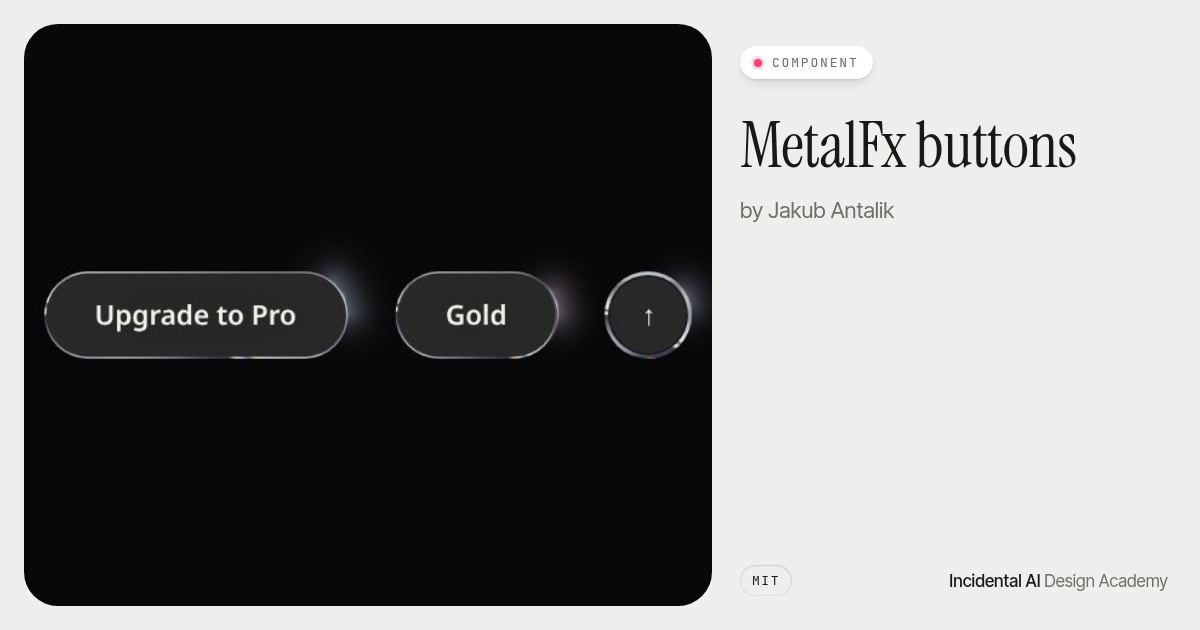
MetalFx buttonsMITEfecto de autorLibraries.dev · collected
Informe de calidad
La nota y la puntuación proceden de comprobaciones automáticas hechas en la compilación o en las pruebas. Si una comprobación no se ejecutó, se marca Como no comprobada: nunca se inventan cifras.
Frecuencia de fotogramas: 29.8 fps de media, p5 12 · Tareas largas: 1 tareas, 100 ms en total, la más larga 100 ms · Código gzip 2.5 KB · En ejecución 241 KB
Problemas 0 · Lector de pantalla: Requiere atención
Respeta el movimiento reducido
Sin desbordamiento
La frecuencia de fotogramas y las tareas largas se midieron en Chromium sin interfaz, con WebGL por software. Solo son comparables entre componentes de este sitio y no representan un dispositivo real.
No hay incumplimientos de axe-core.

Comprobado el 15 nov 2026 · Las cifras salen de un script automatico, no de ejemplos escritos a mano.
Se muestra a tamaño real.
La copia empieza con el aviso de licencia. Consérvalo al usar el código.
<div id="root"></div>:root{--bg:#f3f0ea;--ink:#17181a}:root[data-theme=dark]{--bg:#08080a;--ink:#f3f1ec}html,body{height:100%;margin:0;background:var(--bg);color:var(--ink);overflow:hidden}body{display:grid;place-items:center}#root{display:grid;place-items:center;max-width:100%;box-sizing:border-box}button:focus-visible,input:focus-visible{outline:2px solid #fe3d70;outline-offset:4px}@media(prefers-reduced-motion:reduce){*,*::before,*::after{animation-play-state:paused!important;transition:none!important}}// fx-runtime.js: load before the demo (sets window.FX: theme, reduced motion)
/* Incidental AI Design Academy fx runtime (MIT). Theme from #dark/#light, reduced motion, visibility pause.
Small 2D canvases (≤640×640 device px, by backing size or on-screen box, when the context is created) are CPU-backed via willReadFrequently: sprite-heavy
components redraw many small canvases per frame, and GPU-backed readback/compositing of tiny canvases is the slow path. */
(function(){[window.HTMLCanvasElement,window.OffscreenCanvas].forEach(function(C){if(!C)return;var g=C.prototype.getContext;C.prototype.getContext=function(t,o){var a=this.width*this.height;if(this.isConnected&&this.getBoundingClientRect){var r=this.getBoundingClientRect(),p=window.devicePixelRatio||1;a=Math.max(a,r.width*r.height*p*p)}if(t==='2d'&&a<=409600){var x={};if(o)for(var k in o)x[k]=o[k];if(x.willReadFrequently===undefined)x.willReadFrequently=true;return g.call(this,t,x)}return g.apply(this,arguments)}})})();
(function(){var d=document.documentElement,q=function(){var h=location.hash.slice(1);if(h==='dark'||h==='light')d.dataset.theme=h;else if(!d.dataset.theme)d.dataset.theme=d.getAttribute('data-default')||'dark'};q();addEventListener('hashchange',function(){q();dispatchEvent(new Event('fx-theme'))});
var m=matchMedia('(prefers-reduced-motion: reduce)');window.FX={rm:m.matches,dark:function(){return d.dataset.theme==='dark'},loop:function(f){var on=true,t0=performance.now(),id=0;function step(t){f((t-t0)/1000);if(on&&!FX.rm)id=requestAnimationFrame(step)}if(FX.rm){f(2.2);addEventListener('fx-theme',function(){f(2.2)});return}id=requestAnimationFrame(step);document.addEventListener('visibilitychange',function(){if(document.hidden){on=false;cancelAnimationFrame(id)}else if(!on){on=true;id=requestAnimationFrame(step)}})}};
m.addEventListener&&m.addEventListener('change',function(){location.reload()})})();
// _mount.jsx
// Demo harness (MIT, Incidental AI). Mounts a demo and re-renders on theme change.
import React, { useEffect, useState } from 'react';
import { createRoot } from 'react-dom/client';
export function useTheme() { const [d, setD] = useState(window.FX.dark()); useEffect(() => { const f = () => setD(window.FX.dark()); addEventListener('fx-theme', f); return () => removeEventListener('fx-theme', f); }, []); return d ? 'dark' : 'light'; }
export function mount(App) { createRoot(document.getElementById('root')).render(<App />); }
export const rm = () => window.FX.rm;
// Reduced motion for packages without a pause prop: let them paint a few frames, then hold that still frame.
export function freezeUnderReducedMotion(ms = 700) { if (!window.FX.rm) return; const raf = window.requestAnimationFrame.bind(window), t0 = performance.now(); window.requestAnimationFrame = f => performance.now() - t0 < ms ? raf(f) : 0; }
// demo.jsx (npm i metal-fx react react-dom)
import React from 'react'; import { MetalFx } from 'metal-fx'; import { mount, useTheme, rm } from './_mount.jsx';
mount(function App() { const th = useTheme(), d = th === 'dark';
const b = { border: 0, borderRadius: 999, padding: '14px 28px', font: '600 15px system-ui,sans-serif', cursor: 'pointer', background: d ? '#101013' : '#fff', color: d ? '#f3f1ec' : '#17181a' };
return <div style={{ display: 'flex', gap: 26, alignItems: 'center', flexWrap: 'wrap', justifyContent: 'center', maxWidth: '100vw', padding: 16, boxSizing: 'border-box' }}>
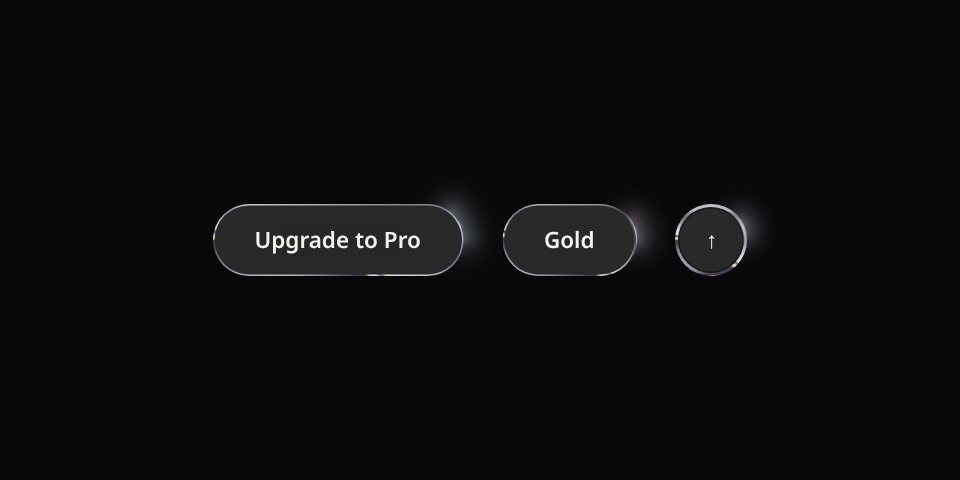
<MetalFx variant="button" preset="chromatic" theme={th} paused={rm()}><button type="button" style={b}>Upgrade to Pro</button></MetalFx>
<MetalFx variant="button" preset="gold" theme={th} paused={rm()}><button type="button" style={b}>Gold</button></MetalFx>
<MetalFx variant="circle" preset="silver" theme={th} paused={rm()}><button type="button" aria-label="Send" style={{ ...b, padding: 0, width: 48, height: 48 }}>↑</button></MetalFx>
</div>; });Controles · HTML · CSS · JS
Edita el código y ajústalo con los controles. La vista previa se actualiza mientras escribes.
Este componente se ejecuta desde un paquete compilado, así que su script es de solo lectura aquí. Edita el HTML y el CSS; el código completo está en la pestaña Código.
Edita cada componente en directo, ajústalo con controles, descarga el código completo y copia los prompts avanzados.
49 $ pago únicoPrecio provisional
Modo de prueba: no se cobra nada real.
Gratis: vista previa, botones de copiar y notas de la lección.
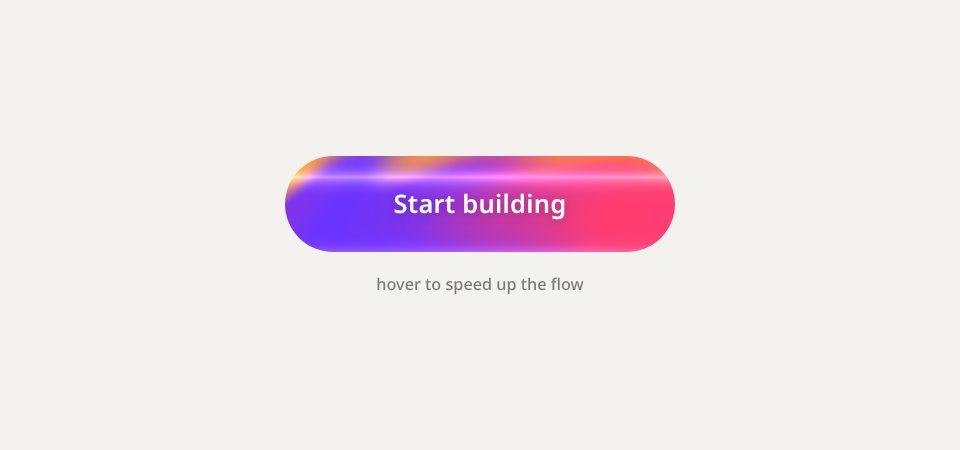
Un anillo de metal líquido curva la luz alrededor del borde del botón.
Botones de mejora, acciones premium y botones de envío.
Ajusta variant, preset (chromatic, silver o gold), strength y theme.
Añade el efecto «Botones MetalFx» a mi app React con el paquete npm MIT metal-fx. Un anillo de metal líquido curva la luz alrededor del borde del botón. Úsalo para: Botones de mejora, acciones premium y botones de envío. Ajustes: Ajusta variant, preset (chromatic, silver o gold), strength y theme. Admite temas claro y oscuro, respeta prefers-reduced-motion y conserva el aviso de licencia MIT del paquete.
Un prompt más largo con pasos de ajuste, accesibilidad e integración.
 Incidental AI
 Incidental AI
 Jakub Antalik
 Incidental AI
 Incidental AI
 Jakub Antalik
 Incidental AI
 Incidental AI