Performance
À surveillerFréquence d'images: 60 i/s en moyenne, p5 59.9 · Tâches longues: 0 tâches, 0 ms au total, plus longue 0 ms · Source gzip 8.3 KB · À l'exécution 157 KB
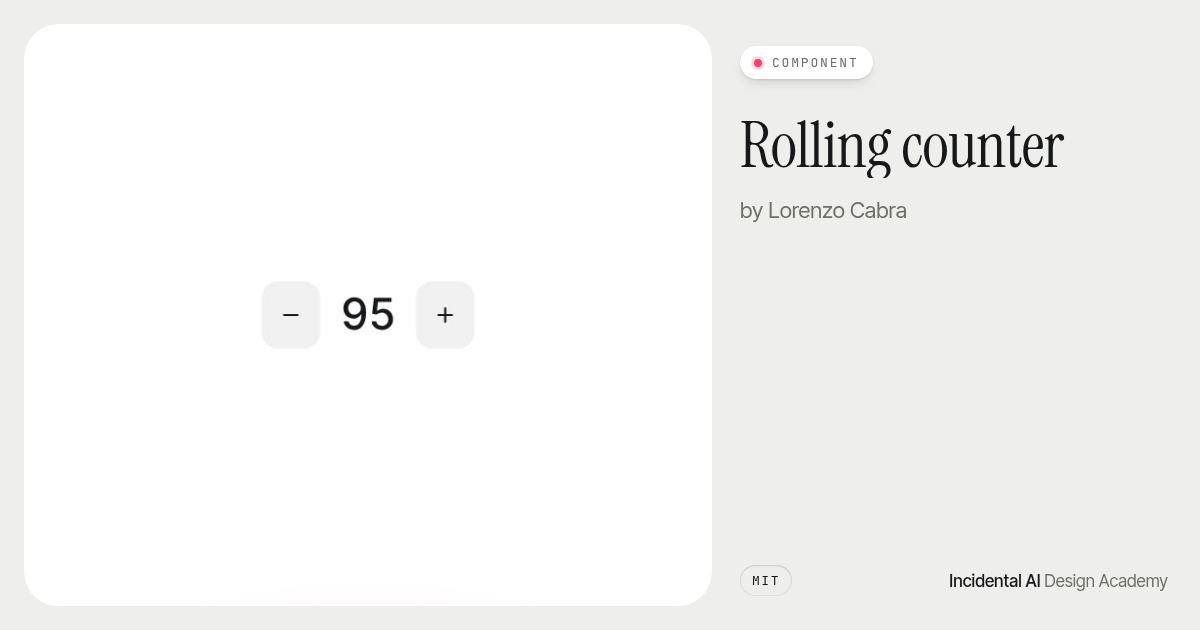
Rolling counterMITEffet de texteBencho
Composant React Effet de texte par Lorenzo Cabra. Repris sans modification depuis Bencho sous licence MIT et présenté ici en direct.
Rapport qualite
La note et le score proviennent de contrôles automatiques lancés à la compilation ou aux tests. Si un contrôle n'a pas été exécuté, il est indiqué Non testé — aucun chiffre n'est inventé.
Fréquence d'images: 60 i/s en moyenne, p5 59.9 · Tâches longues: 0 tâches, 0 ms au total, plus longue 0 ms · Source gzip 8.3 KB · À l'exécution 157 KB
Problemes 0 · Lecteur d'écran: À surveiller
Pas de mouvement continu
Pas de debordement
La fréquence d'images et les tâches longues ont été mesurées dans Chromium sans interface, avec un WebGL logiciel. Elles ne sont comparables qu'entre composants de ce site, et ne représentent pas un appareil réel.
Sans objet : aucune animation visible au repos. Les animations déclenchées au survol n'ont pas été testées.
Aucune violation axe-core.

Controle le 15 nov. 2026 · Les chiffres viennent d'un script automatique, pas d'exemples ecrits a la main.
Affiché à taille réelle.
La copie commence par la notice de licence. Gardez-la lorsque vous utilisez le code.
<div id="root"></div>:root{--bg:#f6f4f0;--ink:#17181a;--background:40 20% 96%;--foreground:24 10% 8%;--card:0 0% 100%}html,body{min-height:100%;margin:0;background:var(--bg);color:var(--ink)}html,body{height:100%;overflow:hidden}body{display:grid;place-items:center}#root{display:grid;place-items:center;max-width:100%;max-height:100%;box-sizing:border-box;padding:16px;color:hsl(var(--foreground))}#root.full{width:100%;height:100%;padding:0}@media(prefers-reduced-motion:reduce){*,*::before,*::after{animation-play-state:paused!important;transition-duration:0s!important}}
/*
MIT License
Copyright (c) 2026 Lorenzo Cabra
Permission is hereby granted, free of charge, to any person obtaining a copy
of this software and associated documentation files (the "Software"), to deal
in the Software without restriction, including without limitation the rights
to use, copy, modify, merge, publish, distribute, sublicense, and/or sell
copies of the Software, and to permit persons to whom the Software is
furnished to do so, subject to the following conditions:
The above copyright notice and this permission notice shall be included in all
copies or substantial portions of the Software.
THE SOFTWARE IS PROVIDED "AS IS", WITHOUT WARRANTY OF ANY KIND, EXPRESS OR
IMPLIED, INCLUDING BUT NOT LIMITED TO THE WARRANTIES OF MERCHANTABILITY,
FITNESS FOR A PARTICULAR PURPOSE AND NONINFRINGEMENT. IN NO EVENT SHALL THE
AUTHORS OR COPYRIGHT HOLDERS BE LIABLE FOR ANY CLAIM, DAMAGES OR OTHER
LIABILITY, WHETHER IN AN ACTION OF CONTRACT, TORT OR OTHERWISE, ARISING FROM,
OUT OF OR IN CONNECTION WITH THE SOFTWARE OR THE USE OR OTHER DEALINGS IN THE
SOFTWARE.
---
Not covered by this licence: the Bencho name and the goat mark, and the
photographs shown on bencho.dev (none are included here). Third-party
material keeps its own licence; see THIRD_PARTY.md.
Icon substitution (this copy only): lucide-react (ISC) was replaced with @tabler/icons-react (MIT).
Sample photographs were replaced with Incidental AI assets. The Bencho name and goat mark are not licensed for marketing use.
*/
/* ── Bencho tokens ─────────────────────────────────────────
The custom properties the free blocks read, at the values
bencho.dev draws them with. Light by default; dark under
[data-theme="dark"] on any ancestor, or automatically with
the system setting unless [data-theme="light"] says otherwise.
Map these to your own theme rather than keeping two: a block
only ever reads the names, never the values. */
:root {
--font-ui: "Inter", "Helvetica Neue", Helvetica, Arial, sans-serif;
--bg: #ffffff;
--board: #ffffff;
--card: #f7f7f6;
--surface: #f7f7f6;
--surface-2: #f1f1f0;
--surface-3: #ecebe7;
--ink: #17181a;
--ink-rgb: 23, 24, 26;
--ink-2: #3c3b37;
--ink-3: #5c5b56;
--ink-4: #6f6e68;
--ink-5: #85847e;
--on-ink: #ffffff;
--on-ink-rgb: 255, 255, 255;
--slab: #17181a;
--on-slab: #ffffff;
--slab-dark: #0e0f11;
--fill-slab: #ffffff;
--fill-on: #17181a;
--fill-on-rgb: 23, 24, 26;
--pane: var(--fill-slab);
--pane-edge: rgba(23, 24, 26, 0.08);
--pane-thumb: rgba(23, 24, 26, 0.07);
--inlay: rgba(255, 255, 255, 0.55);
--inlay-hi: rgba(23, 24, 26, 0.09);
--elev-rgb: 255, 255, 255;
--glass-rgb: 255, 255, 255;
--shadow-rgb: 23, 24, 26;
--wash: 0.06;
--pick: #0d99ff;
--signal: #2231dd;
--focus: #2231dd;
--ok: #15803d;
--ember: #b8431c;
color-scheme: light;
}
[data-theme="dark"] {
--bg: #000000;
--board: #1a1a1a;
--card: #0a0a0a;
--surface: #0f0f0f;
--surface-2: #181818;
--surface-3: #202020;
--ink: #ffffff;
--ink-rgb: 255, 255, 255;
--ink-2: #b4b4b4;
--ink-3: #9a9a9a;
--ink-4: #828282;
--ink-5: #6b6b6b;
--on-ink: #000000;
--on-ink-rgb: 0, 0, 0;
--slab: #1a1a1a;
--on-slab: #ffffff;
--slab-dark: #262626;
--fill-slab: #262626;
--fill-on: #ffffff;
--fill-on-rgb: 255, 255, 255;
--pane-edge: rgba(255, 255, 255, 0.08);
--pane-thumb: rgba(255, 255, 255, 0.07);
--inlay: rgba(255, 255, 255, 0.1);
--inlay-hi: rgba(255, 255, 255, 0.09);
--elev-rgb: 32, 32, 32;
--shadow-rgb: 0, 0, 0;
--wash: 0.09;
--pick: #3aa9ff;
--ok: #34d17a;
color-scheme: dark;
}
@media (prefers-color-scheme: dark) {
:root:not([data-theme="light"]) {
--bg: #000000;
--board: #1a1a1a;
--card: #0a0a0a;
--surface: #0f0f0f;
--surface-2: #181818;
--surface-3: #202020;
--ink: #ffffff;
--ink-rgb: 255, 255, 255;
--ink-2: #b4b4b4;
--ink-3: #9a9a9a;
--ink-4: #828282;
--ink-5: #6b6b6b;
--on-ink: #000000;
--on-ink-rgb: 0, 0, 0;
--slab: #1a1a1a;
--on-slab: #ffffff;
--slab-dark: #262626;
--fill-slab: #262626;
--fill-on: #ffffff;
--fill-on-rgb: 255, 255, 255;
--pane-edge: rgba(255, 255, 255, 0.08);
--pane-thumb: rgba(255, 255, 255, 0.07);
--inlay: rgba(255, 255, 255, 0.1);
--inlay-hi: rgba(255, 255, 255, 0.09);
--elev-rgb: 32, 32, 32;
--shadow-rgb: 0, 0, 0;
--wash: 0.09;
--pick: #3aa9ff;
--ok: #34d17a;
color-scheme: dark;
}
}
/* Counter.css */
/*
MIT License
Copyright (c) 2026 Lorenzo Cabra
Permission is hereby granted, free of charge, to any person obtaining a copy
of this software and associated documentation files (the "Software"), to deal
in the Software without restriction, including without limitation the rights
to use, copy, modify, merge, publish, distribute, sublicense, and/or sell
copies of the Software, and to permit persons to whom the Software is
furnished to do so, subject to the following conditions:
The above copyright notice and this permission notice shall be included in all
copies or substantial portions of the Software.
THE SOFTWARE IS PROVIDED "AS IS", WITHOUT WARRANTY OF ANY KIND, EXPRESS OR
IMPLIED, INCLUDING BUT NOT LIMITED TO THE WARRANTIES OF MERCHANTABILITY,
FITNESS FOR A PARTICULAR PURPOSE AND NONINFRINGEMENT. IN NO EVENT SHALL THE
AUTHORS OR COPYRIGHT HOLDERS BE LIABLE FOR ANY CLAIM, DAMAGES OR OTHER
LIABILITY, WHETHER IN AN ACTION OF CONTRACT, TORT OR OTHERWISE, ARISING FROM,
OUT OF OR IN CONNECTION WITH THE SOFTWARE OR THE USE OR OTHER DEALINGS IN THE
SOFTWARE.
---
Not covered by this licence: the Bencho name and the goat mark, and the
photographs shown on bencho.dev (none are included here). Third-party
material keeps its own licence; see THIRD_PARTY.md.
Icon substitution (this copy only): lucide-react (ISC) was replaced with @tabler/icons-react (MIT).
Sample photographs were replaced with Incidental AI assets. The Bencho name and goat mark are not licensed for marketing use.
*/
/* ══ Rolling counter ═════════════════════════════════════ */
.rct {
font-family: var(--font-ui);
/* positioned so the canvas's grab halo does not paint over
the buttons — see the note on .gen */
position: relative;
display: flex;
align-items: center;
gap: 0;
/* 5px round each key — above, below and at the box's end —
and the corner is the box's less that same 5, so the keys
sit concentric in it at any Corner */
padding: 5px;
border-radius: var(--rct-r);
background: var(--fill-slab, var(--card));
color: var(--fill-on, var(--ink));}
[data-stroke="on"] .rct { box-shadow: 0 0 0 1px var(--pane-edge); }
.rct-btn {
display: grid;
place-items: center;
width: 40px;
height: var(--rct-cell);
flex: none;
padding: 0;
border: 0;
border-radius: var(--rct-in);
background: color-mix(in srgb, var(--fill-on, #17181a) 6%, var(--fill-slab, #ffffff));
color: inherit;
cursor: pointer;
transition: scale 200ms cubic-bezier(0.3, 0.9, 0.4, 1), background-color 160ms ease;
-webkit-tap-highlight-color: transparent;}
.rct-btn:hover { background: color-mix(in srgb, var(--fill-on, #17181a) 10%, var(--fill-slab, #ffffff)); }
.rct-btn:active { scale: 0.9; transition-duration: 110ms; }
.rct-btn:focus-visible, .rct-num:focus-visible {
outline: none;
box-shadow: 0 0 0 2px var(--fill-slab, #ffffff), 0 0 0 4px var(--signal, #2231dd);}
/* the number hugs its digits and the buttons hug the number:
a column arriving or leaving animates its own width, so the
pill grows and shrinks with the count rather than keeping
room for five digits it is not showing */
.rct-num {
display: flex;
justify-content: center;
padding: 0 14px;
height: var(--rct-cell);
font-size: 30px;
font-weight: 500;
font-variant-numeric: tabular-nums;
letter-spacing: -0.02em;
line-height: var(--rct-cell);
cursor: ns-resize;
touch-action: none;
user-select: none;
border-radius: 8px;
/* rolling digits fade at the window's top and bottom edge */
mask-image: linear-gradient(transparent, #000 20%, #000 80%, transparent);}
.rct-pair { display: flex; }
.rct-col {
width: 0;
opacity: 0;
overflow: hidden;
height: var(--rct-cell);
transition: width 320ms cubic-bezier(0.3, 1.2, 0.4, 1), opacity 220ms ease;}
.rct-col[data-on] { width: 0.64em; opacity: 1; }
.rct-strip {
display: flex;
flex-direction: column;
align-items: center;
will-change: transform;}
.rct-strip > span { height: var(--rct-cell); }
.rct-sep {
width: 0;
opacity: 0;
overflow: hidden;
transition: width 320ms cubic-bezier(0.3, 1.2, 0.4, 1), opacity 220ms ease;}
.rct-sep[data-on] { width: 0.26em; opacity: 1; }
// bencho source (MIT). npm i @tabler/icons-react motion react · Tailwind CSS v4

// ── blocks/rolling-counter/Counter.tsx  (https://github.com/cabralorenzo/bencho/blob/c65992417427bb09e661674ffa800bef29adef49/blocks/rolling-counter/Counter.tsx)
/*
MIT License

Copyright (c) 2026 Lorenzo Cabra

Permission is hereby granted, free of charge, to any person obtaining a copy
of this software and associated documentation files (the "Software"), to deal
in the Software without restriction, including without limitation the rights
to use, copy, modify, merge, publish, distribute, sublicense, and/or sell
copies of the Software, and to permit persons to whom the Software is
furnished to do so, subject to the following conditions:

The above copyright notice and this permission notice shall be included in all
copies or substantial portions of the Software.

THE SOFTWARE IS PROVIDED "AS IS", WITHOUT WARRANTY OF ANY KIND, EXPRESS OR
IMPLIED, INCLUDING BUT NOT LIMITED TO THE WARRANTIES OF MERCHANTABILITY,
FITNESS FOR A PARTICULAR PURPOSE AND NONINFRINGEMENT. IN NO EVENT SHALL THE
AUTHORS OR COPYRIGHT HOLDERS BE LIABLE FOR ANY CLAIM, DAMAGES OR OTHER
LIABILITY, WHETHER IN AN ACTION OF CONTRACT, TORT OR OTHERWISE, ARISING FROM,
OUT OF OR IN CONNECTION WITH THE SOFTWARE OR THE USE OR OTHER DEALINGS IN THE
SOFTWARE.

---

Not covered by this licence: the Bencho name and the goat mark, and the
photographs shown on bencho.dev (none are included here). Third-party
material keeps its own licence; see THIRD_PARTY.md.

Icon substitution (this copy only): lucide-react (ISC) was replaced with @tabler/icons-react (MIT).
Sample photographs were replaced with Incidental AI assets. The Bencho name and goat mark are not licensed for marketing use.
*/
import { useEffect, useRef, useState } from "react";
import { IconMinus as Minus, IconPlus as Plus } from "@tabler/icons-react";

/* ══ Rolling counter ══════════════════════════════════════
   A number between a minus and a plus. Every digit is a strip
   of 0–9 behind a window, and changing the number rolls the
   strips to their new digits like an odometer.

   ── EACH COLUMN COUNTS, IT DOES NOT SHOW ───────────────
   A column's target is not its digit but the number of whole
   tens, hundreds… in the value: 1284 is 1284 for the ones
   column, 128 for the tens, 12 for the hundreds. So 9 → 10 is
   the ones column moving FORWARD one more step (9 → 0) and the
   tens moving forward one — never a strip running back down
   through eight digits to reach zero. The strip is 0–9 and a
   second 0, and where it sits is the count taken round ten.

   ── ONE SPRING PER COLUMN, AND THEY GO IN TURN ─────────
   A change reaches the ones first and each column to the left
   a little later — Stagger — so a carry reads as a carry,
   rippling up the number, rather than the whole row jumping.

   ── THREE WAYS TO CHANGE IT ────────────────────────────
   Press a button for one step; hold it and it repeats, faster
   and in bigger steps the longer you hold. Or take the number
   itself and drag it up or down, a step every few pixels; let
   go while it is moving and it keeps rolling and runs down. */

/* ── inlined from lab/spring ──────────────────────── */
/* ── one spring, for everything that settles ───────────────
   The maths was already on this bench twice, copied by hand:
   Humidity's wheel and Brightness's column both accumulate
   velocity toward a target, damp it, and snap when both the
   delta and the velocity fall under 0.02. Two copies is a
   coincidence; five would be a policy, so it comes out here
   before the elastic blocks are written against it.

   The two shipped copies are deliberately NOT refactored onto
   this. They work, they are tuned, and rewriting the innards
   of two live components to prove a point about duplication
   is how a good afternoon becomes a bad one. This is the one
   new code uses.

   Frames, not milliseconds. `dt` is expressed in sixtieths of
   a second and the damping is RAISED to it rather than
   multiplied by it, so a dropped frame decays the same amount
   of energy as the two frames it replaced. Multiplying is the
   version that makes a spring behave differently on a busy
   page, which is the hardest kind of bug to see.

   The loop parks itself the moment the value has settled.
   CLAUDE.md is not complimentary about the one permanent
   requestAnimationFrame already on this bench and there is no
   case for five more. */

/* 0..100 into the two numbers a spring actually has.

   50 is what Humidity and Brightness were tuned at, which is
   the rule every elastic knob on this bench follows — see
   lab/motion. Turn the panel to the middle and nothing has
   changed.

   Both ends have to be usable, which is what fixes the range:
   at 0 it is slow and heavy and still arrives, at 100 it is
   quick with a visible overshoot, and nowhere in between does
   it ring for longer than it takes to read. */
/* The pair is chosen by DAMPING RATIO and then written back
   as stiffness and decay, because the ratio is the thing a
   person is actually setting and the two numbers on their own
   do not say what they add up to.

     zeta = -ln(d) / (2 * sqrt(k))

   The first version of this ran 0.06..0.26 stiffness against
   0.93..0.74 decay, which reads as a sensible spread and is
   not one: it puts zeta between 0.15 and 0.16 across the
   WHOLE range, so every setting overshot by about sixty per
   cent and the knob only changed how fast it did it. Pull's
   return went 130px past its own resting position and lifted
   the content off the top of the card.

     0   → zeta ~0.85, heavy, arrives without a ring
     50  → zeta ~0.41, near where Humidity and Brightness sit
     100 → zeta ~0.20, lively, two visible rebounds

   Both ends shippable, which is the constraint that fixed the
   numbers rather than taste. */
const springOf = (tune: number) => ({
  /* stiffness: how hard it is pulled toward the target */
  k: 0.08 + (tune / 100) * 0.16,
  /* decay, per frame: how much of the velocity survives */
  d: 0.62 + (tune / 100) * 0.2,
});

/* Read once, the way the wheel and the pill nav do. A
   preference, not a live input. */
const stillness = () =>
  typeof window !== "undefined" &&
  !!window.matchMedia?.("(prefers-reduced-motion: reduce)").matches;

const PLACES = 5;
const MAX = 10 ** PLACES - 1;
/* the window a digit is seen through, and the type in it */
const CELL = 46;
/* a step of drag, px */
const PX = 12;
/* the slab's inset round the buttons */
const PAD = 5;
/* the buttons are upright keys the full height of the inside of
   the box, the same height as the window the digits roll in, so
   every edge of the box is the same 5px from something */
const BTN = CELL;
const H = BTN + PAD * 2;

const clamp = (v: number, a: number, b: number) => Math.min(b, Math.max(a, v));

type Col = { pos: number; vel: number; target: number; due: number[]; next: number[] };

export function Counter({
  /* how lively a digit lands, 0..100 */
  bounce = 45,
  /* ms between one column moving and the next, 0..120 */
  stagger = 45,
  /* how much a spinning digit smears, 0..100 */
  blur = 50,
  /* the slab's corner, px */
  corner = 16,
  start = 95,
}: {
  bounce?: number;
  stagger?: number;
  blur?: number;
  corner?: number;
  start?: number;
} = {}) {
  const still = stillness();
  const [value, setValue] = useState(start);
  const val = useRef(start);
  const strips = useRef<(HTMLDivElement | null)[]>([]);
  const cols = useRef<Col[]>(
    Array.from({ length: PLACES }, (_, p) => {
      const n = Math.floor(start / 10 ** p);
      return { pos: n, vel: 0, target: n, due: [], next: [] };
    }),
  );
  const raf = useRef(0);
  const knobs = useRef({ bounce, stagger, blur });
  knobs.current = { bounce, stagger, blur };

  /* ── paint ─────────────────────────────────────────────── */
  const paint = () => {
    cols.current.forEach((c, p) => {
      const el = strips.current[p];
      if (!el) return;
      const m = ((c.pos % 10) + 10) % 10;
      const smear = Math.min(3, Math.abs(c.vel) * 2.4) * (knobs.current.blur / 50);
      el.style.transform = `translateY(${-m * CELL}px)`;
      el.style.filter = smear > 0.15 ? `blur(${smear.toFixed(2)}px)` : "";
    });
  };

  const run = () => {
    if (raf.current) return;
    let prev = 0;
    const tick = (t: number) => {
      const dt = prev ? clamp((t - prev) / 16.67, 0, 2.5) : 1;
      prev = t;
      const { k, d } = springOf(knobs.current.bounce);
      const now = performance.now();
      let busy = false;
      for (const c of cols.current) {
        /* targets that have waited their turn */
        while (c.due.length && c.due[0] <= now) {
          c.due.shift();
          c.target = c.next.shift()!;
        }
        if (c.due.length) busy = true;
        /* a column far from home jumps most of the way in whole
           turns first — it looks the same, and a flick does not
           leave the ones column spinning for a second */
        const gap = c.target - c.pos;
        if (Math.abs(gap) > 24) c.pos += Math.round((gap - Math.sign(gap) * 24) / 10) * 10;
        c.vel += (c.target - c.pos) * k * dt;
        c.vel *= Math.pow(d, dt);
        c.pos += c.vel * dt;
        if (Math.abs(c.target - c.pos) < 0.004 && Math.abs(c.vel) < 0.004) {
          c.pos = c.target;
          c.vel = 0;
        } else busy = true;
      }
      paint();
      raf.current = busy ? requestAnimationFrame(tick) : 0;
    };
    raf.current = requestAnimationFrame(tick);
  };

  useEffect(() => { paint(); }, [blur]);
  useEffect(() => () => { cancelAnimationFrame(raf.current); raf.current = 0; }, []);

  /* ── the one way the number changes ────────────────────── */
  const bump = (n: number) => {
    const v = clamp(val.current + n, 0, MAX);
    if (v === val.current) return;
    val.current = v;
    setValue(v);
    const now = performance.now();
    cols.current.forEach((c, p) => {
      const to = Math.floor(v / 10 ** p);
      if (still) {
        c.pos = c.target = to;
        c.vel = 0;
        c.due = [];
        c.next = [];
        return;
      }
      c.due.push(now + p * knobs.current.stagger);
      c.next.push(to);
    });
    if (still) paint();
    else run();
  };

  /* ── holding a button ──────────────────────────────────── */
  const hold = useRef({ t: 0, since: 0 });
  const release = () => {
    clearTimeout(hold.current.t);
    hold.current.t = 0;
  };
  useEffect(() => release, []);
  const press = (dir: 1 | -1) => {
    release();
    bump(dir);
    hold.current.since = performance.now();
    const repeat = () => {
      const held = performance.now() - hold.current.since;
      /* ones, then tens after a second and a half */
      bump(dir * (held > 1500 ? 10 : 1));
      hold.current.t = window.setTimeout(repeat, held > 900 ? 55 : 90);
    };
    hold.current.t = window.setTimeout(repeat, 380);
  };

  /* ── taking the number itself ──────────────────────────── */
  const drag = useRef<{ y: number; acc: number; v: number; t: number } | null>(null);
  const fling = useRef(0);
  useEffect(() => () => cancelAnimationFrame(fling.current), []);
  const steps = (acc: number) => {
    const n = acc > 0 ? Math.floor(acc / PX) : Math.ceil(acc / PX);
    if (n) bump(n);
    return acc - n * PX;
  };

  const onDown = (e: React.PointerEvent) => {
    cancelAnimationFrame(fling.current);
    try { e.currentTarget.setPointerCapture(e.pointerId); } catch { /* a scripted pointer */ }
    drag.current = { y: e.clientY, acc: 0, v: 0, t: performance.now() };
  };
  const onMove = (e: React.PointerEvent) => {
    const g = drag.current;
    if (!g) return;
    const now = performance.now();
    /* up is more */
    const dy = g.y - e.clientY;
    g.y = e.clientY;
    const dt = Math.max(1, now - g.t);
    g.t = now;
    g.v = g.v * 0.6 + (dy / dt) * 0.4;
    g.acc = steps(g.acc + dy);
  };
  const onUp = (e: React.PointerEvent) => {
    const g = drag.current;
    drag.current = null;
    try { e.currentTarget.releasePointerCapture(e.pointerId); } catch { /* never captured */ }
    if (!g || still) return;
    /* a hand that stopped before letting go threw nothing */
    let v = performance.now() - g.t > 90 ? 0 : g.v * 16.67;
    if (Math.abs(v) < 2) return;
    let acc = g.acc;
    const coast = () => {
      acc = steps(acc + v);
      v *= 0.94;
      if (Math.abs(v) > 0.4) fling.current = requestAnimationFrame(coast);
    };
    fling.current = requestAnimationFrame(coast);
  };

  const shown = Math.max(1, String(value).length);
  const r = clamp(corner, 0, H / 2);
  const inner = Math.max(0, r - PAD);

  return (
    <div
      className="rct"
      style={{ "--rct-r": `${r}px`, "--rct-in": `${inner}px`, "--rct-cell": `${CELL}px` } as React.CSSProperties}
    >
      <button
        type="button"
        className="rct-btn"
        aria-label="Less"
        onPointerDown={() => press(-1)}
        onPointerUp={release}
        onPointerLeave={release}
        onPointerCancel={release}
        onKeyDown={(e) => { if (e.key === "Enter" || e.key === " ") { e.preventDefault(); bump(-1); } }}
      >
        <Minus size={16} strokeWidth={2.2} />
      </button>

      <div
        className="rct-num"
        role="spinbutton"
        aria-valuenow={value}
        aria-valuemin={0}
        aria-valuemax={MAX}
        aria-label="Count. Drag up or down to change it."
        tabIndex={0}
        onKeyDown={(e) => {
          if (e.key === "ArrowUp") { e.preventDefault(); bump(1); }
          if (e.key === "ArrowDown") { e.preventDefault(); bump(-1); }
        }}
        onPointerDown={onDown}
        onPointerMove={onMove}
        onPointerUp={onUp}
        onPointerCancel={onUp}
      >
        {Array.from({ length: PLACES }, (_, i) => {
          const p = PLACES - 1 - i;
          return (
            <span key={p} className="rct-pair">
              <span className="rct-col" data-on={p < shown || undefined}>
                <span className="rct-strip" ref={(el) => { strips.current[p] = el as HTMLDivElement | null; }}>
                  {[0, 1, 2, 3, 4, 5, 6, 7, 8, 9, 0].map((d, j) => <span key={j}>{d}</span>)}
                </span>
              </span>
              {p === 3 && <span className="rct-sep" data-on={shown > 3 || undefined}>,</span>}
            </span>
          );
        })}
      </div>

      <button
        type="button"
        className="rct-btn"
        aria-label="More"
        onPointerDown={() => press(1)}
        onPointerUp={release}
        onPointerLeave={release}
        onPointerCancel={release}
        onKeyDown={(e) => { if (e.key === "Enter" || e.key === " ") { e.preventDefault(); bump(1); } }}
      >
        <Plus size={16} strokeWidth={2.2} />
      </button>
    </div>
  );
}
Réglages · HTML · CSS · JS
Modifiez le code et ajustez-le avec les réglages. L'aperçu se met à jour pendant la saisie.
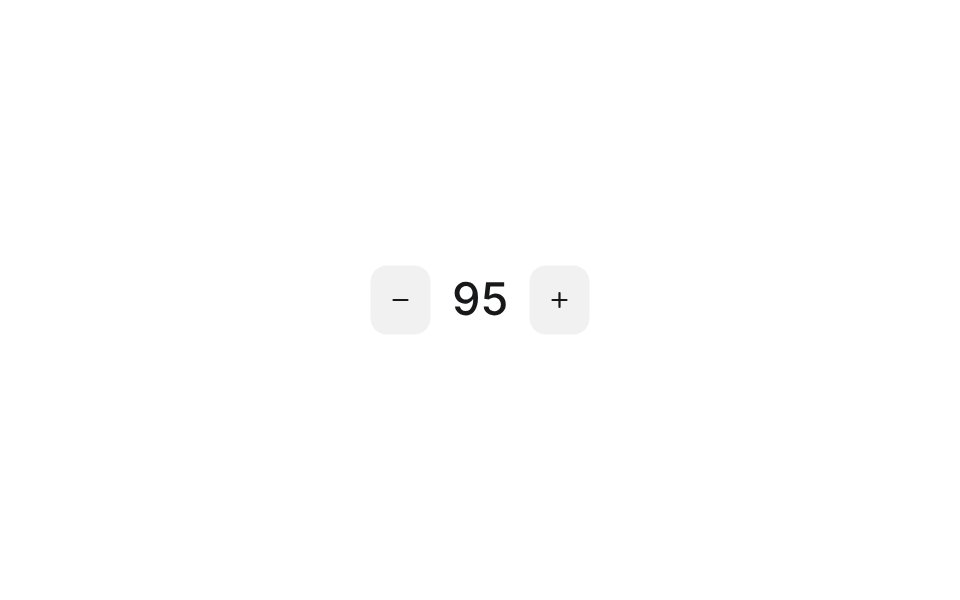
Ce composant tourne depuis un bundle compilé : son script est en lecture seule ici. Modifiez le HTML et le CSS ; la source complète est dans l'onglet Code.
Modifiez chaque composant en direct, ajustez-le avec des réglages, téléchargez la source complète et copiez les prompts avancés.
49 $ en une foisPrix provisoire
Mode test : aucun paiement réel.
Gratuit : aperçu, boutons de copie et notes de leçon.
Un texte qui bouge attire l’œil sans image supplémentaire ; le mouvement suit les lettres, le message reste au premier plan.
Accroches, titres, compteurs et libellés courts qui méritent un instant d’attention.
Durée, décalage entre lettres ou mots, courbe d’accélération et couleurs des dégradés ou des surlignages.
Ajoute le composant « Rolling counter » de Bencho (github.com/cabralorenzo/bencho) (MIT) à mon application React + Tailwind CSS. Fichier source : https://github.com/cabralorenzo/bencho/blob/c65992417427bb09e661674ffa800bef29adef49/blocks/rolling-counter/Counter.tsx. Un texte qui bouge attire l’œil sans image supplémentaire ; le mouvement suit les lettres, le message reste au premier plan. À utiliser pour : Accroches, titres, compteurs et libellés courts qui méritent un instant d’attention. Réglages à ajuster : Durée, décalage entre lettres ou mots, courbe d’accélération et couleurs des dégradés ou des surlignages. Prends en charge les thèmes clair et sombre et respecte prefers-reduced-motion. Conserve la mention de licence MIT.
Un prompt plus long avec les étapes de réglage, d'accessibilité et d'intégration.
 Animata
 Animata
 Lorenzo Cabra
 Lucas Bassetti
 Animata
 Animata
 Animata
 Animata