성능
통과프레임 속도: 평균 59 fps, p5 59.5 · 긴 작업: 0개, 총 0 ms, 최장 0 ms · 소스 gzip 2.1 KB · 런타임 2.9 KB
unlucky-bat-4MIT카드Uiverse.io
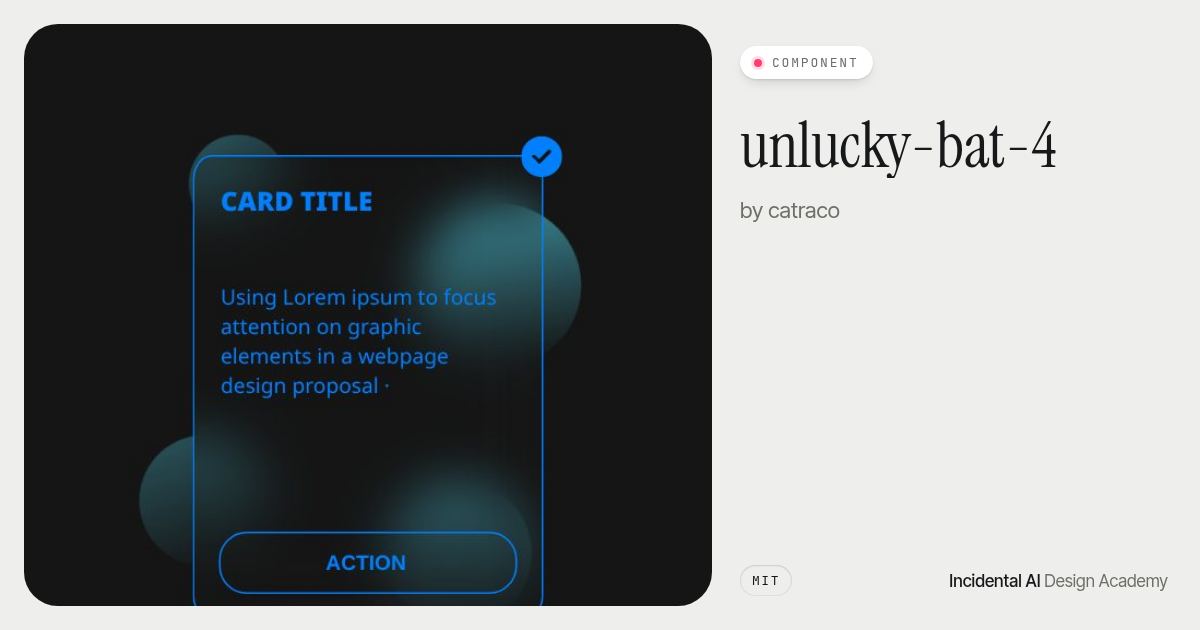
catraco가 HTML과 CSS만으로 만든 카드입니다. Uiverse.io에서 MIT 라이선스로 수집했고 여기서 실제로 실행됩니다.
품질 보고
등급과 점수는 빌드 또는 테스트 때 실행한 자동 검사에서 나옵니다. 실행하지 않은 항목은 '미검사'로 표시하며, 숫자를 지어내지 않습니다.
프레임 속도: 평균 59 fps, p5 59.5 · 긴 작업: 0개, 총 0 ms, 최장 0 ms · 소스 gzip 2.1 KB · 런타임 2.9 KB
문제 0 · 스크린 리더: 주의
움직임 줄이기를 따름
넘침 없음
프레임 속도와 긴 작업 수치는 헤드리스 Chromium에서 소프트웨어 WebGL로 측정했습니다. 이 사이트의 컴포넌트끼리만 비교해야 하며, 실제 기기의 성능이 아닙니다.
axe-core 위반이 없습니다.
검사일 2026년 11월 15일 · 수치는 자동 스크립트에서 오며, 손으로 쓴 예시가 아닙니다.
실제 크기로 보여 줍니다.
복사한 내용은 라이선스 고지로 시작합니다. 코드를 쓸 때 남겨 두세요.
<div class="card">
  <span></span>
  <span></span>
  <span></span>
  <span></span>
  <div>
    <svg class="check" xmlns="http://www.w3.org/2000/svg" height="1em" viewBox="0 0 512 512">

      <path d="M256 512A256 256 0 1 0 256 0a256 256 0 1 0 0 512zM369 209L241 337c-9.4 9.4-24.6 9.4-33.9 0l-64-64c-9.4-9.4-9.4-24.6 0-33.9s24.6-9.4 33.9 0l47 47L335 175c9.4-9.4 24.6-9.4 33.9 0s9.4 24.6 0 33.9z"></path>
    </svg>
    <strong>Card Title</strong>
    <p>Using Lorem ipsum to focus attention on graphic elements in a webpage design proposal · </p>
    <hr>
    <button>
      Action
      <svg class="arrow" xmlns="http://www.w3.org/2000/svg" height="1em" viewBox="0 0 512 512">
      <path d="M470.6 278.6c12.5-12.5 12.5-32.8 0-45.3l-160-160c-12.5-12.5-32.8-12.5-45.3 0s-12.5 32.8 0 45.3L402.7 256 265.4 393.4c-12.5 12.5-12.5 32.8 0 45.3s32.8 12.5 45.3 0l160-160zm-352 160l160-160c12.5-12.5 12.5-32.8 0-45.3l-160-160c-12.5-12.5-32.8-12.5-45.3 0s-12.5 32.8 0 45.3L210.7 256 73.4 393.4c-12.5 12.5-12.5 32.8 0 45.3s32.8 12.5 45.3 0z"></path>
      </svg>
      </button>
  </div>
</div>/* From Uiverse.io by catraco - Tags: card, animated */
.card {
--card-color: #0080ff;
--blub-color: #52d4eb;
position: relative;
user-select: none;
}
@keyframes keyframes-rotate-blubs {
0% {
transform: translate(10px) rotate(360deg);
}
50% {
transform: translate(-5px, 10px) rotate(180deg);
}
100% {
transform: translate(10px) rotate(0deg);
}
}
.card span {
width: 100px;
height: 100px;
position: absolute;
background: linear-gradient(0deg, transparent, var(--blub-color));
border-radius: 100%;
opacity: 0.5;
animation: keyframes-rotate-blubs 4s infinite linear;
}
.card span:nth-child(1) {
top: -5%;
left: -5%;
width: 60px;
height: 60px;
animation-delay: .1s;
opacity: 0.3;
}
.card span:nth-child(2) {
top: 60%;
left: -20%;
width: 80px;
height: 80px;
animation-delay: .2s;
opacity: 0.3;
}
.card span:nth-child(3) {
top: 10%;
left: 60%;
animation-delay: .3s;
opacity: 0.6;
}
.card span:nth-child(4) {
top: 70%;
left: 50%;
width: 90px;
height: 90px;
animation-delay: .4s;
opacity: 0.4;
}
.card div {
backdrop-filter: blur(15px);
outline: 1px solid var(--card-color);
color: var(--card-color);
width: 180px;
height: 250px;
border-radius: 5%;
padding: 1rem;
display: flex;
flex-direction: column;
justify-content: space-between;
}
.card div .check {
fill: var(--card-color);
width: 25px;
height: 25px;
position: absolute;
top: 0;
right: 0;
transform: translate(50%, -50%);
}
.card div strong {
font-size: 1rem;
font-weight: 900;
text-transform: uppercase;
}
.card div p {
font-size: 0.8rem;
}
.card div hr {
border: none;
border-top: 1px solid var(--card-color);
opacity: .5;
}
.card div button {
background-color: transparent;
color: var(--card-color);
border: none;
outline: 1px solid var(--card-color);
border-radius: 1rem;
padding: .5rem 1rem;
font-size: 0.8rem;
font-weight: 900;
transition: .3s;
display: flex;
align-items: center;
justify-content: center;
text-transform: uppercase;
gap: .2em;
}
.card div button .arrow {
width: 0px;
height: 20px;
fill: var(--blub-color);
transform: scale(0);
transition: .3s;
}
.card div button:hover .arrow {
width: 20px;
margin-left: 1em;
transform: scale(1);
}
.card div button:hover {
background-color: var(--card-color);
color: var(--blub-color);
cursor: pointer;
}컨트롤 · HTML · CSS · JS
코드를 고치고 컨트롤로 다듬어 보세요. 입력하는 대로 미리보기가 바뀝니다.
이 컴포넌트는 번들된 빌드로 실행되므로 여기서는 스크립트를 읽기만 할 수 있습니다. HTML과 CSS는 수정할 수 있고 전체 소스는 코드 탭에 있습니다.
모든 컴포넌트를 바로 편집하고, 컨트롤로 다듬고, 전체 소스를 내려받고, 고급 프롬프트를 복사하세요.
1회 결제 $49임시 가격
테스트 모드: 실제 결제는 이루어지지 않습니다.
무료: 미리보기, 복사 버튼, 레슨 설명.
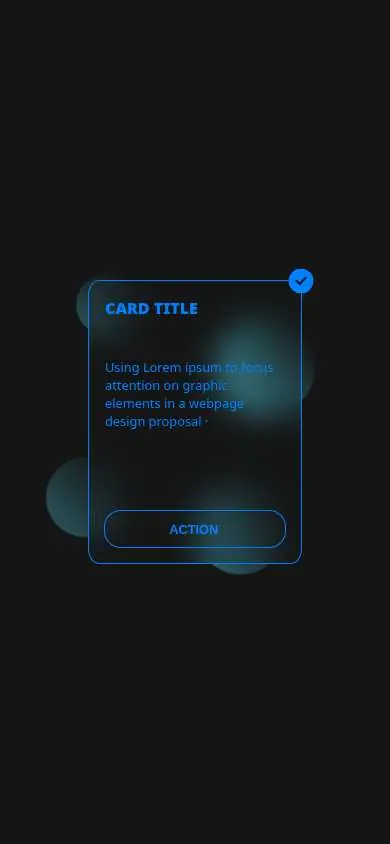
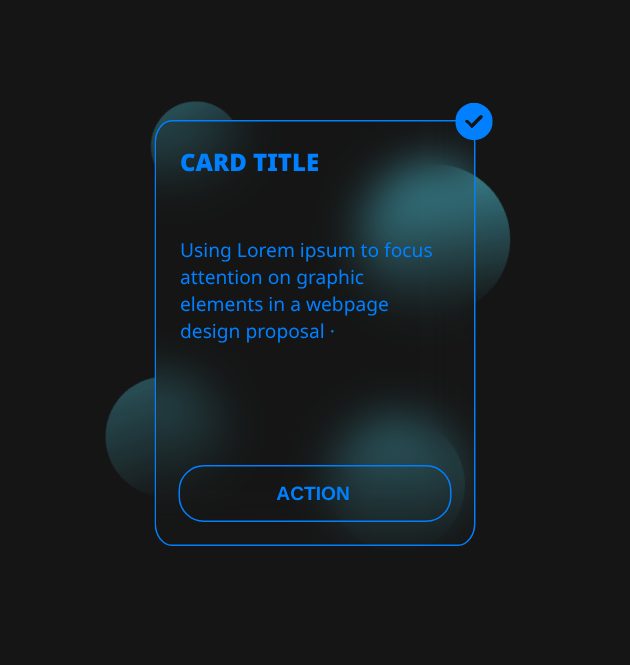
4개의 청록색 그라데이션 얼룩이 아이콘, 제목, 텍스트 및 작업 버튼이 있는 파란색 카드 뒤에서 표류하며 회전하므로 일반 카드가 살아있는 것처럼 느껴집니다.
기능 카드, 프로모션 및 앱 온보딩.
--card-color(#0080ff) 및 --blub-color(#52d4eb), 100px 블롭 크기 및 keyframes-rotate-blubs 타이밍을 설정합니다.
순수 HTML, CSS, JavaScript(프레임워크 없이)로 "플로팅 블롭 액션 카드" 컴포넌트를 만들어 주세요. 4개의 청록색 그라데이션 얼룩이 아이콘, 제목, 텍스트 및 작업 버튼이 있는 파란색 카드 뒤에서 표류하며 회전하므로 일반 카드가 살아있는 것처럼 느껴집니다. 쓰는 곳: 기능 카드, 프로모션 및 앱 온보딩. 다음 항목을 조정할 수 있게 해 주세요: --card-color(#0080ff) 및 --blub-color(#52d4eb), 100px 블롭 크기 및 keyframes-rotate-blubs 타이밍을 설정합니다. 라이트와 다크 테마를 지원하고, prefers-reduced-motion에서는 정지 화면을 보여 주고, 글자는 잘 읽히고 컨트롤은 키보드로도 쓸 수 있게 해 주세요. 유료나 제한된 컴포넌트 라이브러리에서 복사하지 말고 직접 작성해 주세요.
조정, 접근성, 연동 단계까지 담은 긴 프롬프트입니다.
 Yaya12085
 Lucas Bassetti
 Lucas Bassetti
 Lucas Bassetti
 Lucas Bassetti
 shadowmurphy
 DellBee
 Aryan-81