성능
통과프레임 속도: 평균 60 fps, p5 59.5 · 긴 작업: 0개, 총 0 ms, 최장 0 ms · 소스 gzip 1.5 KB · 런타임 2.0 KB
warm-dragonfly-92MIT체크박스Uiverse.io
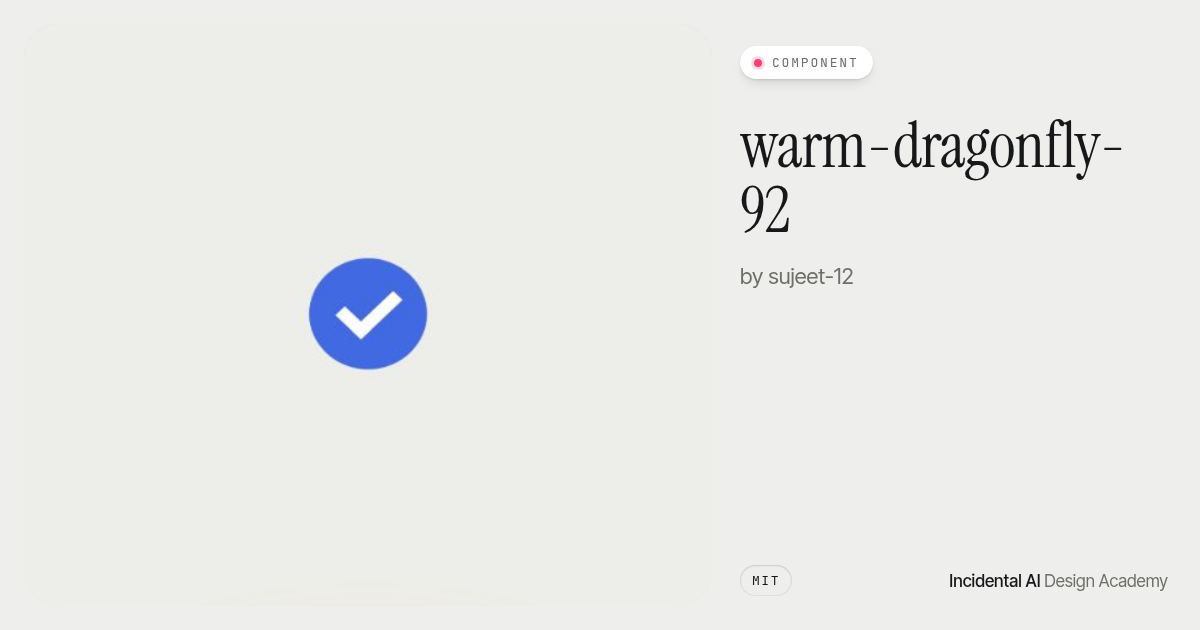
sujeet-12가 HTML과 CSS만으로 만든 체크박스입니다. Uiverse.io에서 MIT 라이선스로 수집했고 여기서 실제로 실행됩니다.
품질 보고
등급과 점수는 빌드 또는 테스트 때 실행한 자동 검사에서 나옵니다. 실행하지 않은 항목은 '미검사'로 표시하며, 숫자를 지어내지 않습니다.
프레임 속도: 평균 60 fps, p5 59.5 · 긴 작업: 0개, 총 0 ms, 최장 0 ms · 소스 gzip 1.5 KB · 런타임 2.0 KB
문제 0 · 스크린 리더: 통과
지속 움직임 없음
넘침 없음
프레임 속도와 긴 작업 수치는 헤드리스 Chromium에서 소프트웨어 WebGL로 측정했습니다. 이 사이트의 컴포넌트끼리만 비교해야 하며, 실제 기기의 성능이 아닙니다.
해당 없음: 정지 상태에서 보이는 애니메이션이 없습니다. 호버로 시작되는 애니메이션은 검사하지 않았습니다.
axe-core 위반이 없습니다.

검사일 2026년 11월 15일 · 수치는 자동 스크립트에서 오며, 손으로 쓴 예시가 아닙니다.
실제 크기로 보여 줍니다.
복사한 내용은 라이선스 고지로 시작합니다. 코드를 쓸 때 남겨 두세요.
<label class="container">
  <input type="checkbox" checked="checked">
  <div class="checkmark"></div>
</label>/* From Uiverse.io by sujeet-12 - Tags: checkbox, fun-check, circle-checkbox */
/* Hide the default checkbox */
.container input {
position: absolute;
opacity: 0;
cursor: pointer;
height: 0;
width: 0;
}
.container {
display: block;
position: relative;
cursor: pointer;
font-size: 20px;
user-select: none;
animation: jello-horizontal 0.9s both;
}
.checkmark:hover {
animation: jello-horizontal 0.9s both;
}
/* Create a custom checkbox */
.checkmark {
position: relative;
top: 0;
left: 0;
height: 1.3em;
width: 1.3em;
border-radius: 50%;
background-color: #eee;
}
/* When the checkbox is checked, add a blue background */
.container input:checked ~ .checkmark {
background-color: royalblue;
}
/* Create the checkmark/indicator (hidden when not checked) */
.checkmark:after {
content: "";
position: absolute;
display: none;
}
/* Show the checkmark when checked */
.container input:checked ~ .checkmark:after {
display: block;
}
/* Style the checkmark/indicator */
.container .checkmark:after {
left: 0.45em;
top: 0.25em;
width: 0.25em;
height: 0.5em;
border: solid white;
border-width: 0 0.15em 0.15em 0;
transform: rotate(45deg);
}
@keyframes jello-horizontal {
0% {
-webkit-transform: scale3d(1, 1, 1);
transform: scale3d(1, 1, 1);
}
30% {
-webkit-transform: scale3d(1.25, 0.75, 1);
transform: scale3d(1.25, 0.75, 1);
}
40% {
-webkit-transform: scale3d(0.75, 1.25, 1);
transform: scale3d(0.75, 1.25, 1);
}
50% {
-webkit-transform: scale3d(1.15, 0.85, 1);
transform: scale3d(1.15, 0.85, 1);
}
65% {
-webkit-transform: scale3d(0.95, 1.05, 1);
transform: scale3d(0.95, 1.05, 1);
}
75% {
-webkit-transform: scale3d(1.05, 0.95, 1);
transform: scale3d(1.05, 0.95, 1);
}
100% {
-webkit-transform: scale3d(1, 1, 1);
transform: scale3d(1, 1, 1);
}
}컨트롤 · HTML · CSS · JS
코드를 고치고 컨트롤로 다듬어 보세요. 입력하는 대로 미리보기가 바뀝니다.
이 컴포넌트는 번들된 빌드로 실행되므로 여기서는 스크립트를 읽기만 할 수 있습니다. HTML과 CSS는 수정할 수 있고 전체 소스는 코드 탭에 있습니다.
모든 컴포넌트를 바로 편집하고, 컨트롤로 다듬고, 전체 소스를 내려받고, 고급 프롬프트를 복사하세요.
1회 결제 $49임시 가격
테스트 모드: 실제 결제는 이루어지지 않습니다.
무료: 미리보기, 복사 버튼, 레슨 설명.
둥근 회색 체크가 0.9s 위의 젤로 모션으로 흔들리고, 체크하면 로얄 블루로 채워져 경쾌하고 탄력이 있습니다.
어린이용 앱, 습관 추적기 및 재미있는 to-do 목록.
Royalblue 채우기, #eee 베이스, 1.3em 크기 및 0.9s jello-horizontal 애니메이션을 변경합니다.
순수 HTML, CSS, JavaScript(프레임워크 없이)로 "젤리 원형 체크박스" 컴포넌트를 만들어 주세요. 둥근 회색 체크가 0.9s 위의 젤로 모션으로 흔들리고, 체크하면 로얄 블루로 채워져 경쾌하고 탄력이 있습니다. 쓰는 곳: 어린이용 앱, 습관 추적기 및 재미있는 to-do 목록. 다음 항목을 조정할 수 있게 해 주세요: Royalblue 채우기, #eee 베이스, 1.3em 크기 및 0.9s jello-horizontal 애니메이션을 변경합니다. 라이트와 다크 테마를 지원하고, prefers-reduced-motion에서는 정지 화면을 보여 주고, 글자는 잘 읽히고 컨트롤은 키보드로도 쓸 수 있게 해 주세요. 유료나 제한된 컴포넌트 라이브러리에서 복사하지 말고 직접 작성해 주세요.
조정, 접근성, 연동 단계까지 담은 긴 프롬프트입니다.
 mobinkakei
 Lorenzo Cabra
 barisdogansutcu
 mrhyddenn
 cbolson
 JaydipPrajapati1910
 gharsh11032000
 andrew-demchenk0