성능
통과프레임 속도: 평균 60 fps, p5 59.5 · 긴 작업: 0개, 총 0 ms, 최장 0 ms · 소스 gzip 2.2 KB · 런타임 2.0 KB
ordinary-crab-91MIT카드Uiverse.io
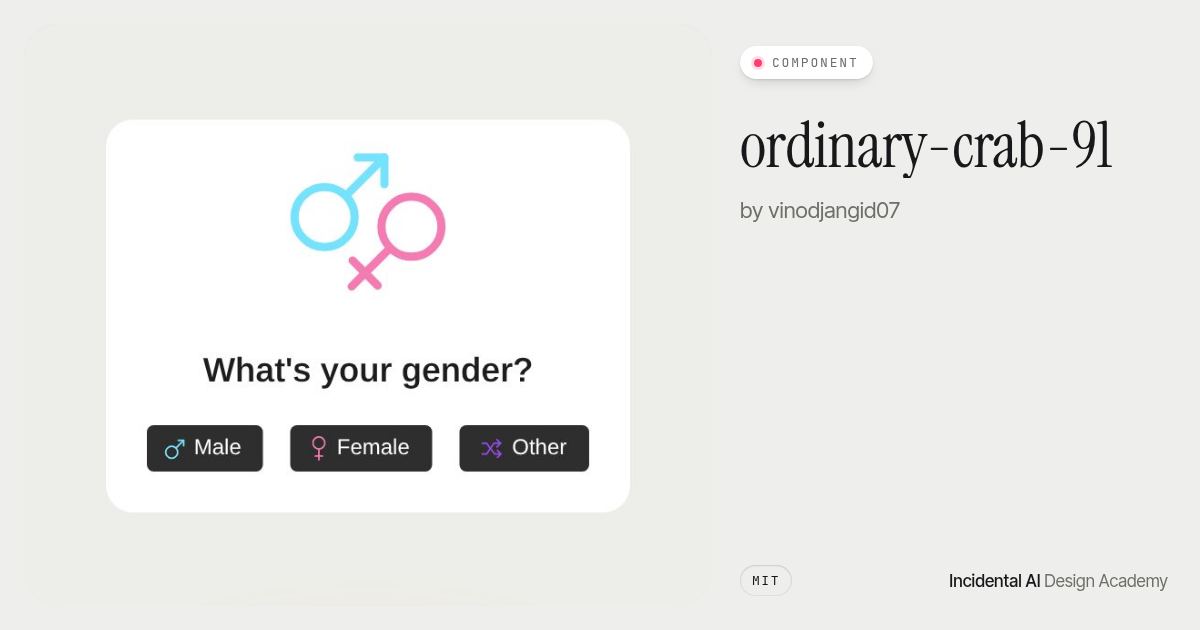
vinodjangid07가 HTML과 CSS만으로 만든 카드입니다. Uiverse.io에서 MIT 라이선스로 수집했고 여기서 실제로 실행됩니다.
품질 보고
등급과 점수는 빌드 또는 테스트 때 실행한 자동 검사에서 나옵니다. 실행하지 않은 항목은 '미검사'로 표시하며, 숫자를 지어내지 않습니다.
프레임 속도: 평균 60 fps, p5 59.5 · 긴 작업: 0개, 총 0 ms, 최장 0 ms · 소스 gzip 2.2 KB · 런타임 2.0 KB
문제 0 · 스크린 리더: 주의
지속 움직임 없음
넘침 없음
프레임 속도와 긴 작업 수치는 헤드리스 Chromium에서 소프트웨어 WebGL로 측정했습니다. 이 사이트의 컴포넌트끼리만 비교해야 하며, 실제 기기의 성능이 아닙니다.
해당 없음: 정지 상태에서 보이는 애니메이션이 없습니다. 호버로 시작되는 애니메이션은 검사하지 않았습니다.
axe-core 위반이 없습니다.
검사일 2026년 11월 15일 · 수치는 자동 스크립트에서 오며, 손으로 쓴 예시가 아닙니다.
실제 크기로 보여 줍니다.
복사한 내용은 라이선스 고지로 시작합니다. 코드를 쓸 때 남겨 두세요.
<div class="gender-card">
  <div class="large-svg-container">
    <svg
      xmlns="http://www.w3.org/2000/svg"
      fill="none"
      viewBox="0 0 50 90"
      class="largemalesvg"
      height="90"
      width="50"
    >
      <circle stroke-width="6" stroke="#76E3FE" r="22" cy="25" cx="25"></circle>
      <path
        stroke-linecap="round"
        stroke-width="6"
        stroke="#76E3FE"
        d="M25 47L25 87"
      ></path>
      <path
        stroke-linecap="round"
        stroke-width="6"
        stroke="#76E3FE"
        d="M25 86.6958L38.6958 73"
      ></path>
      <path
        stroke-linecap="round"
        stroke-width="6"
        stroke="#76E3FE"
        d="M11 73L24.6958 86.6958"
      ></path>
    </svg>

    <svg
      xmlns="http://www.w3.org/2000/svg"
      fill="none"
      viewBox="0 0 50 90"
      class="largefemalesvg"
      height="90"
      width="50"
    >
      <circle stroke-width="6" stroke="#F57CB3" r="22" cy="25" cx="25"></circle>
      <path
        stroke-linecap="round"
        stroke-width="6"
        stroke="#F57CB3"
        d="M25 47L25 87"
      ></path>
      <path
        stroke-linecap="round"
        stroke-width="6"
        stroke="#F57CB3"
        d="M12 73H38"
      ></path>
    </svg>
  </div>
  <form action="#">
    <p class="heading">What's your gender?</p>
    <div class="radio-wrapper">
      <input
        class="gender-radio-buttons"
        id="male"
        value="male"
        name="gender"
        type="radio"
      />
      <label class="genderlabel malebutton" for="male">
        <svg
          xmlns="http://www.w3.org/2000/svg"
          fill="none"
          viewBox="0 0 50 90"
          class="smallsvg malesmallsvg"
        >
          <circle
            stroke-width="6"
            stroke="#76E3FE"
            r="22"
            cy="25"
            cx="25"
          ></circle>
          <path
            stroke-linecap="round"
            stroke-width="6"
            stroke="#76E3FE"
            d="M25 47L25 87"
          ></path>
          <path
            stroke-linecap="round"
            stroke-width="6"
            stroke="#76E3FE"
            d="M25 86.6958L38.6958 73"
          ></path>
          <path
            stroke-linecap="round"
            stroke-width="6"
            stroke="#76E3FE"
            d="M11 73L24.6958 86.6958"
          ></path></svg
        >Male
      </label>

      <input
        class="gender-radio-buttons"
        id="female"
        value="female"
        name="gender"
        type="radio"
      />
      <label class="genderlabel femalebutton" for="female">
        <svg
          xmlns="http://www.w3.org/2000/svg"
          fill="none"
          viewBox="0 0 50 90"
          class="smallsvg"
        >
          <circle
            stroke-width="6"
            stroke="#F57CB3"
            r="22"
            cy="25"
            cx="25"
          ></circle>
          <path
            stroke-linecap="round"
            stroke-width="6"
            stroke="#F57CB3"
            d="M25 47L25 87"
          ></path>
          <path
            stroke-linecap="round"
            stroke-width="6"
            stroke="#F57CB3"
            d="M12 73H38"
          ></path></svg
        >Female
      </label>

      <input
        class="gender-radio-buttons"
        id="other"
        value="other"
        name="gender"
        type="radio"
      />
      <label class="genderlabel otherbutton" for="other">
        <svg
          xmlns="http://www.w3.org/2000/svg"
          fill="none"
          viewBox="0 0 78 75"
          class="smallsvg other-gender"
        >
          <path
            stroke-linecap="round"
            stroke-width="6"
            stroke="#9B4AED"
            d="M73.4657 16.6983L48.2159 16.6984L19.9816 58.0001L2.99911 58"
          ></path>
          <path
            stroke-linecap="round"
            stroke-width="6"
            stroke="#9B4AED"
            d="M73.1641 16.698L59.4705 2.99992"
          ></path>
          <path
            stroke-linecap="round"
            stroke-width="6"
            stroke="#9B4AED"
            d="M59.4648 30.696L73.1629 17.0024"
          ></path>
          <path
            stroke-linecap="round"
            stroke-width="6"
            stroke="#9B4AED"
            d="M74.022 57.8121L51.1697 57.8121L19.9997 16.9999L3 17"
          ></path>
          <path
            stroke-linecap="round"
            stroke-width="6"
            stroke="#9B4AED"
            d="M73.748 57.8123L61.3547 71.51"
          ></path>
          <path
            stroke-linecap="round"
            stroke-width="6"
            stroke="#9B4AED"
            d="M61.3496 43.8147L73.747 57.5079"
          ></path>
        </svg>

        Other
      </label>
    </div>
  </form>
</div>/* From Uiverse.io by vinodjangid07 - Website: https://www.patreon.com/posts/animated-gender-78055964?utm_medium=clipboard_copy&utm_source=copyLink&utm_campaign=postshare_fan&utm_content=join_link - Name: Online Tutorials - Tags: form, card, hover, radio, gender, buttons */
.gender-card {
width: fit-content;
height: fit-content;
background-color: rgb(255, 255, 255);
display: flex;
align-items: center;
flex-direction: column;
justify-content: flex-start;
padding: 30px;
border-radius: 20px;
font-family: Arial, Helvetica, sans-serif;
gap: 25px;
}
.large-svg-container {
width: auto;
height: auto;
display: flex;
align-items: center;
justify-content: center;
transform: rotate(45deg);
}
.largemalesvg {
transform: rotate(180deg);
}
.heading {
color: #1d1d1d;
font-weight: 600;
font-size: 25px;
text-align: center;
}
.gender-radio-buttons {
display: none;
}
.smallsvg {
width: 10px;
}
.other-gender {
width: 15px;
}
.malesmallsvg {
transform: rotate(225deg);
}
.genderlabel {
display: flex;
align-items: center;
justify-content: center;
width: fit-content;
height: fit-content;
background-color: rgb(46, 46, 46);
border-radius: 5px;
padding: 8px 16px;
gap: 8px;
color: white;
cursor: pointer;
transition: all 0.3s ease-out;
}
.radio-wrapper {
display: flex;
align-items: center;
justify-content: center;
gap: 20px;
margin-top: 25px;
}
.femalebutton:hover {
background-color: rgb(245, 185, 195);
}
.malebutton:hover {
background-color: #569fcf;
}
.otherbutton:hover {
background-color: #4d227a;
}
#female:checked + .femalebutton {
background-color: rgb(245, 185, 195);
transform: scale(1.1);
}
#male:checked + .malebutton {
background-color: #569fcf;
transform: scale(1.1);
}
#other:checked + .otherbutton {
background-color: #4d227a;
transform: scale(1.2);
}컨트롤 · HTML · CSS · JS
코드를 고치고 컨트롤로 다듬어 보세요. 입력하는 대로 미리보기가 바뀝니다.
이 컴포넌트는 번들된 빌드로 실행되므로 여기서는 스크립트를 읽기만 할 수 있습니다. HTML과 CSS는 수정할 수 있고 전체 소스는 코드 탭에 있습니다.
모든 컴포넌트를 바로 편집하고, 컨트롤로 다듬고, 전체 소스를 내려받고, 고급 프롬프트를 복사하세요.
1회 결제 $49임시 가격
테스트 모드: 실제 결제는 이루어지지 않습니다.
무료: 미리보기, 복사 버튼, 레슨 설명.
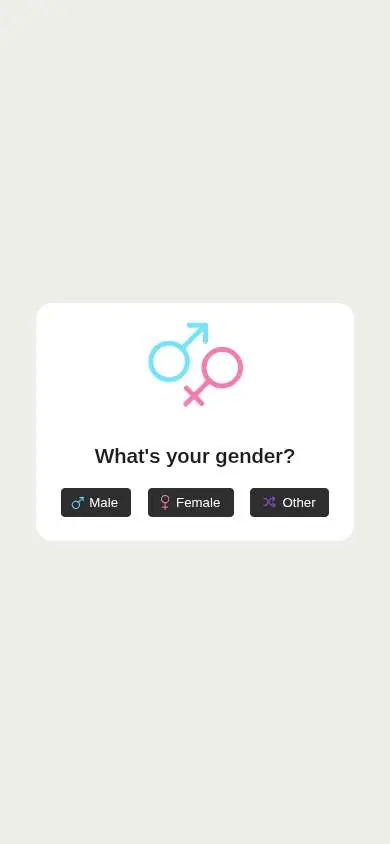
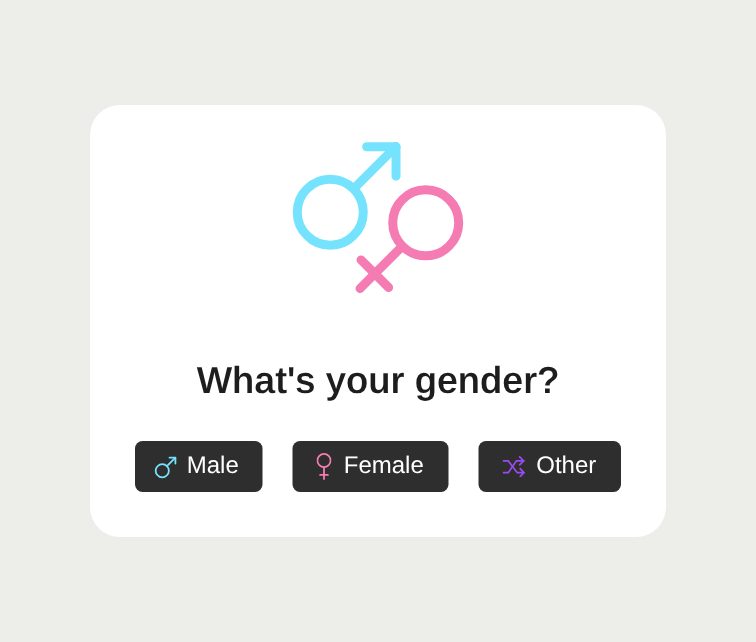
질문 위에 두 개의 큰 그림과 아이콘 라디오 버튼이 있는 둥근 흰색 카드는 개인적인 질문을 친근하게 만듭니다.
온보딩 설문조사, 프로필 설정 및 피트니스 앱.
30px 패딩, 20px 반경, 25px 간격 및 선택한 라벨 색상을 변경합니다.
순수 HTML, CSS, JavaScript(프레임워크 없이)로 "성별 선택 카드" 컴포넌트를 만들어 주세요. 질문 위에 두 개의 큰 그림과 아이콘 라디오 버튼이 있는 둥근 흰색 카드는 개인적인 질문을 친근하게 만듭니다. 쓰는 곳: 온보딩 설문조사, 프로필 설정 및 피트니스 앱. 다음 항목을 조정할 수 있게 해 주세요: 30px 패딩, 20px 반경, 25px 간격 및 선택한 라벨 색상을 변경합니다. 라이트와 다크 테마를 지원하고, prefers-reduced-motion에서는 정지 화면을 보여 주고, 글자는 잘 읽히고 컨트롤은 키보드로도 쓸 수 있게 해 주세요. 유료나 제한된 컴포넌트 라이브러리에서 복사하지 말고 직접 작성해 주세요.
조정, 접근성, 연동 단계까지 담은 긴 프롬프트입니다.
 Yaya12085
 Lucas Bassetti
 Lucas Bassetti
 Lucas Bassetti
 Lucas Bassetti
 shadowmurphy
 DellBee
 Aryan-81