效能
通過幀率: 平均 60 fps,p5 59.9 · 長任務: 0 個,共 0 毫秒,最長 0 毫秒 · 原始碼 gzip 2.2 KB · 執行時 2.1 KB
cowardly-horse-9MIT卡片Uiverse.io
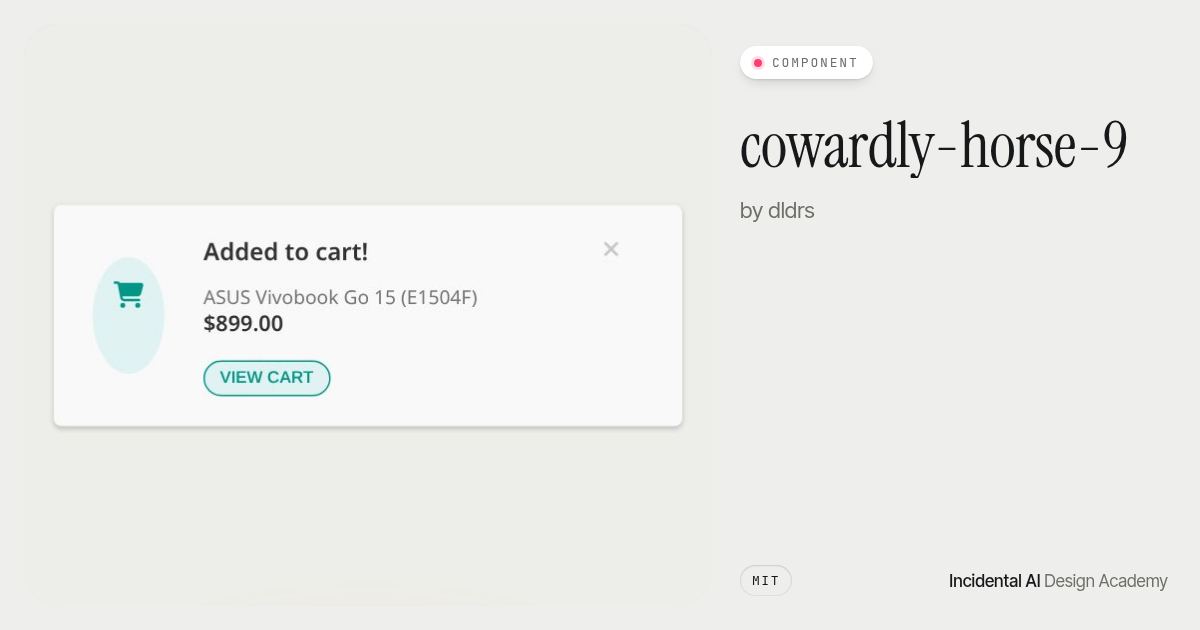
dldrs 用純 HTML 和 CSS 做的卡片。依 MIT 授權從 Uiverse.io 收錄,此處為即時預覽。
品質報告
等級和分數來自建置或測試時跑過的自動檢查。沒跑過的項目會標成「未檢測」,不會填假資料。
幀率: 平均 60 fps,p5 59.9 · 長任務: 0 個,共 0 毫秒,最長 0 毫秒 · 原始碼 gzip 2.2 KB · 執行時 2.1 KB
問題 1 · 讀屏: 需注意
沒有持續動效
無溢出
幀率和長任務是在無介面的 Chromium 裡用軟體 WebGL 測的,只適合在本站元件之間比較,不代表實機表現。
不適用:靜止時沒有可見動畫;由懸停觸發的動畫沒有測試。

檢測於 2026年11月15日 · 資料來自自動腳本,不是手工填寫。
以實際尺寸顯示。
複製內容以授權聲明開頭,使用程式碼時請保留。
<div class="card">
  <div class="card-wrapper">
    <div class="card-icon">
      <div class="icon-cart-box">
        <svg
          viewBox="0 0 576 512"
          width="20"
          height="20"
          xmlns="http://www.w3.org/2000/svg"
        >
          <path
            d="M0 24C0 10.7 10.7 0 24 0H69.5c22 0 41.5 12.8 50.6 32h411c26.3 0 45.5 25 38.6 50.4l-41 152.3c-8.5 31.4-37 53.3-69.5 53.3H170.7l5.4 28.5c2.2 11.3 12.1 19.5 23.6 19.5H488c13.3 0 24 10.7 24 24s-10.7 24-24 24H199.7c-34.6 0-64.3-24.6-70.7-58.5L77.4 54.5c-.7-3.8-4-6.5-7.9-6.5H24C10.7 48 0 37.3 0 24zM128 464a48 48 0 1 1 96 0 48 48 0 1 1 -96 0zm336-48a48 48 0 1 1 0 96 48 48 0 1 1 0-96z"
            fill="#009688"
          ></path>
        </svg>
      </div>
    </div>

    <div class="card-content">
      <div class="card-title-wrapper">
        <span class="card-title">Added to cart!</span>
        <span class="card-action">
          <svg
            viewBox="0 0 384 512"
            width="15"
            height="15"
            xmlns="http://www.w3.org/2000/svg"
          >
            <path
              d="M342.6 150.6c12.5-12.5 12.5-32.8 0-45.3s-32.8-12.5-45.3 0L192 210.7 86.6 105.4c-12.5-12.5-32.8-12.5-45.3 0s-12.5 32.8 0 45.3L146.7 256 41.4 361.4c-12.5 12.5-12.5 32.8 0 45.3s32.8 12.5 45.3 0L192 301.3 297.4 406.6c12.5 12.5 32.8 12.5 45.3 0s12.5-32.8 0-45.3L237.3 256 342.6 150.6z"
            ></path>
          </svg>
        </span>
      </div>
      <div class="product-name">ASUS Vivobook Go 15 (E1504F)</div>
      <div class="product-price">$899.00</div>
      <button class="btn-view-cart" type="button">View Cart</button>
    </div>
  </div>
</div>/* From Uiverse.io by dldrs - Tags: simple, minimalist, notification, card, message */
.card {
width: 400px;
height: auto;
background: #f9f9f9;
border-radius: 5px;
box-shadow: 0 1px 4px rgba(0, 0, 0, 0.1), 0 2px 3px rgba(0, 0, 0, 0.1);
margin: 20px;
padding: 0 10px;
}
.card-wrapper {
display: inline-flex;
flex-wrap: nowrap;
align-items: center;
width: 100%;
}
.card-icon {
width: 20%;
}
.card-icon .icon-cart-box {
background-color: #e0f2f1;
width: 3em;
height: 3em;
border-radius: 50%;
text-align: center;
padding: 15px 0px;
margin: 0 auto;
}
.card-content {
width: 80%;
}
.card-title-wrapper {
display: inline-flex;
flex-wrap: nowrap;
align-items: baseline;
width: 100%;
}
.card-title {
width: 95%;
font-size: 1em;
font-weight: 600;
color: #333;
padding: 20px 0 0 10px;
}
.card-action {
width: 5%;
text-align: right;
padding: 0 30px;
}
.card-action svg {
cursor: pointer;
fill: rgba(0, 0, 0, 0.2);
transition: 0.3s ease-in-out;
}
.card-action svg:hover {
fill: rgba(0, 0, 0, 0.6);
}
.product-name {
font-size: 0.8em;
color: #757575;
padding: 10px 0 0 10px;
}
.product-name:hover {
cursor: pointer;
text-decoration: underline;
}
.product-price {
font-size: 0.9em;
font-weight: 600;
color: #333;
padding: 0 0 10px 10px;
}
.btn-view-cart {
font-size: 0.7em;
font-weight: 600;
padding: 5px 10px;
margin: 5px 10px 20px;
border-radius: 15px;
color: #009688;
border: 1px solid #009688;
background-color: #e0f2f1;
box-shadow: none;
text-transform: uppercase;
cursor: pointer;
transition: 0.4s ease-in-out;
}
.btn-view-cart:hover,
.btn-view-cart:active,
.btn-view-cart:focus {
color: white;
background-color: #009688;
border: 1px solid #009688;
}控制項 · HTML · CSS · JS
直接改程式碼,再用控制項微調,預覽會隨輸入即時更新。
線上編輯每個元件,用控制項微調,下載完整原始碼,複製進階提示詞。
一次性 $49暫定價格
測試模式:不會真的扣款。
免費:預覽、複製按鈕和課程說明。
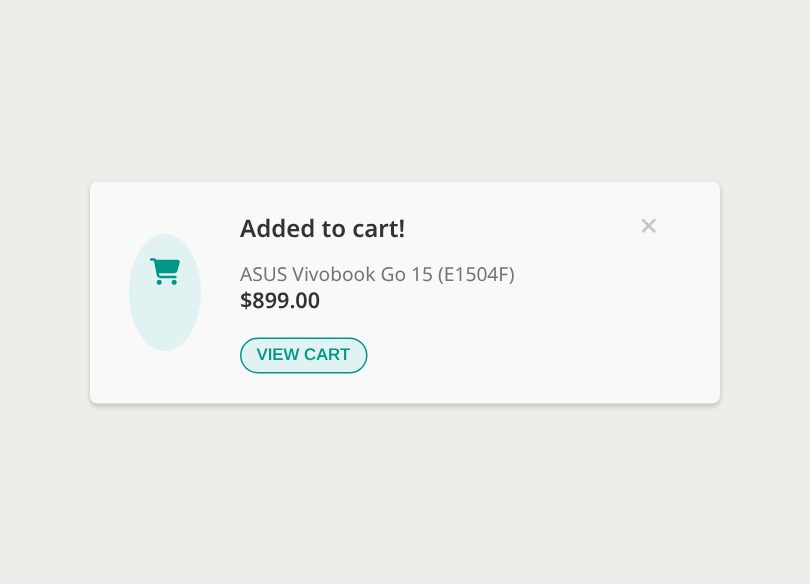
圖示、Added to cart 標題、商品名和價格排在一行淺色卡片裡,還有關閉操作,下單後的確認很安靜。
電商購物車反饋和訂單確認。
改 400px 寬度、#f9f9f9 背景、5px 圓角和購物車圖示顏色。
用純 HTML、CSS 和 JavaScript(不用框架)做一個「已加入購物車卡片」元件。圖示、Added to cart 標題、商品名和價格排在一行淺色卡片裡,還有關閉操作,下單後的確認很安靜。 適用場景:電商購物車反饋和訂單確認。 開放這些可調項:改 400px 寬度、#f9f9f9 背景、5px 圓角和購物車圖示顏色。 支援淺色和深色主題,遵守 prefers-reduced-motion 並給出靜止畫面,保證文字清晰、控制元件可用鍵盤操作。請寫原創程式碼,不要從付費或受限的元件庫複製。
更完整的提示詞,包含調參、無障礙和接入步驟。
 Yaya12085
 Lucas Bassetti
 Lucas Bassetti
 Lucas Bassetti
 Lucas Bassetti
 shadowmurphy
 DellBee
 Aryan-81