效能
需注意幀率: 平均 60 fps,p5 59.5 · 長任務: 0 個,共 0 毫秒,最長 0 毫秒 · 原始碼 gzip 3.0 KB · 執行時 224 KB
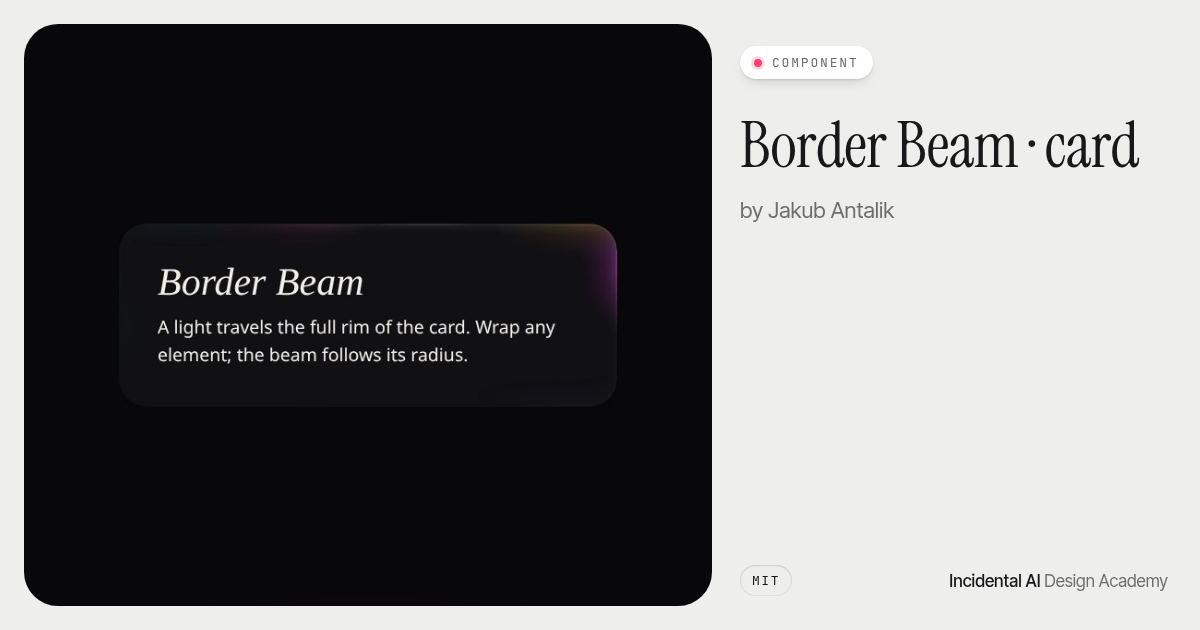
Border Beam · cardMIT招牌效果Libraries.dev · collected
品質報告
等級和分數來自建置或測試時跑過的自動檢查。沒跑過的項目會標成「未檢測」,不會填假資料。
幀率: 平均 60 fps,p5 59.5 · 長任務: 0 個,共 0 毫秒,最長 0 毫秒 · 原始碼 gzip 3.0 KB · 執行時 224 KB
問題 0 · 讀屏: 需注意
沒有持續動效
無溢出
幀率和長任務是在無介面的 Chromium 裡用軟體 WebGL 測的,只適合在本站元件之間比較,不代表實機表現。
不適用:靜止時沒有可見動畫;由懸停觸發的動畫沒有測試。
沒有 axe-core 違規。
檢測於 2026年11月15日 · 資料來自自動腳本,不是手工填寫。
以實際尺寸顯示。
複製內容以授權聲明開頭,使用程式碼時請保留。
<div id="root"></div>:root{--bg:#f3f0ea;--ink:#17181a}:root[data-theme=dark]{--bg:#08080a;--ink:#f3f1ec}html,body{height:100%;margin:0;background:var(--bg);color:var(--ink);overflow:hidden}body{display:grid;place-items:center}#root{display:grid;place-items:center;max-width:100%;box-sizing:border-box}button:focus-visible,input:focus-visible{outline:2px solid #fe3d70;outline-offset:4px}@media(prefers-reduced-motion:reduce){*,*::before,*::after{animation-play-state:paused!important;transition:none!important}}// fx-runtime.js: load before the demo (sets window.FX: theme, reduced motion)
/* Incidental AI Design Academy fx runtime (MIT). Theme from #dark/#light, reduced motion, visibility pause.
Small 2D canvases (≤640×640 device px, by backing size or on-screen box, when the context is created) are CPU-backed via willReadFrequently: sprite-heavy
components redraw many small canvases per frame, and GPU-backed readback/compositing of tiny canvases is the slow path. */
(function(){[window.HTMLCanvasElement,window.OffscreenCanvas].forEach(function(C){if(!C)return;var g=C.prototype.getContext;C.prototype.getContext=function(t,o){var a=this.width*this.height;if(this.isConnected&&this.getBoundingClientRect){var r=this.getBoundingClientRect(),p=window.devicePixelRatio||1;a=Math.max(a,r.width*r.height*p*p)}if(t==='2d'&&a<=409600){var x={};if(o)for(var k in o)x[k]=o[k];if(x.willReadFrequently===undefined)x.willReadFrequently=true;return g.call(this,t,x)}return g.apply(this,arguments)}})})();
(function(){var d=document.documentElement,q=function(){var h=location.hash.slice(1);if(h==='dark'||h==='light')d.dataset.theme=h;else if(!d.dataset.theme)d.dataset.theme=d.getAttribute('data-default')||'dark'};q();addEventListener('hashchange',function(){q();dispatchEvent(new Event('fx-theme'))});
var m=matchMedia('(prefers-reduced-motion: reduce)');window.FX={rm:m.matches,dark:function(){return d.dataset.theme==='dark'},loop:function(f){var on=true,t0=performance.now(),id=0;function step(t){f((t-t0)/1000);if(on&&!FX.rm)id=requestAnimationFrame(step)}if(FX.rm){f(2.2);addEventListener('fx-theme',function(){f(2.2)});return}id=requestAnimationFrame(step);document.addEventListener('visibilitychange',function(){if(document.hidden){on=false;cancelAnimationFrame(id)}else if(!on){on=true;id=requestAnimationFrame(step)}})}};
m.addEventListener&&m.addEventListener('change',function(){location.reload()})})();
// _mount.jsx
// Demo harness (MIT, Incidental AI). Mounts a demo and re-renders on theme change.
import React, { useEffect, useState } from 'react';
import { createRoot } from 'react-dom/client';
export function useTheme() { const [d, setD] = useState(window.FX.dark()); useEffect(() => { const f = () => setD(window.FX.dark()); addEventListener('fx-theme', f); return () => removeEventListener('fx-theme', f); }, []); return d ? 'dark' : 'light'; }
export function mount(App) { createRoot(document.getElementById('root')).render(<App />); }
export const rm = () => window.FX.rm;
// Reduced motion for packages without a pause prop: let them paint a few frames, then hold that still frame.
export function freezeUnderReducedMotion(ms = 700) { if (!window.FX.rm) return; const raf = window.requestAnimationFrame.bind(window), t0 = performance.now(); window.requestAnimationFrame = f => performance.now() - t0 < ms ? raf(f) : 0; }
// demo.jsx (npm i border-beam react react-dom)
import React from 'react'; import { BorderBeam } from 'border-beam'; import { mount, useTheme, rm } from './_mount.jsx';
mount(function App() { const th = useTheme(), d = th === 'dark';
return <BorderBeam size="md" colorVariant="colorful" theme={th} active={!rm()} borderRadius={20}>
<div style={{ width: 'min(80vw,360px)', padding: 28, borderRadius: 20, background: d ? '#111114' : '#fff', color: d ? '#f3f1ec' : '#17181a', font: '400 13px/1.5 system-ui,sans-serif', boxSizing: 'border-box' }}>
<div style={{ font: 'italic 400 28px/1.05 Georgia,serif', marginBottom: 8 }}>Border Beam</div>
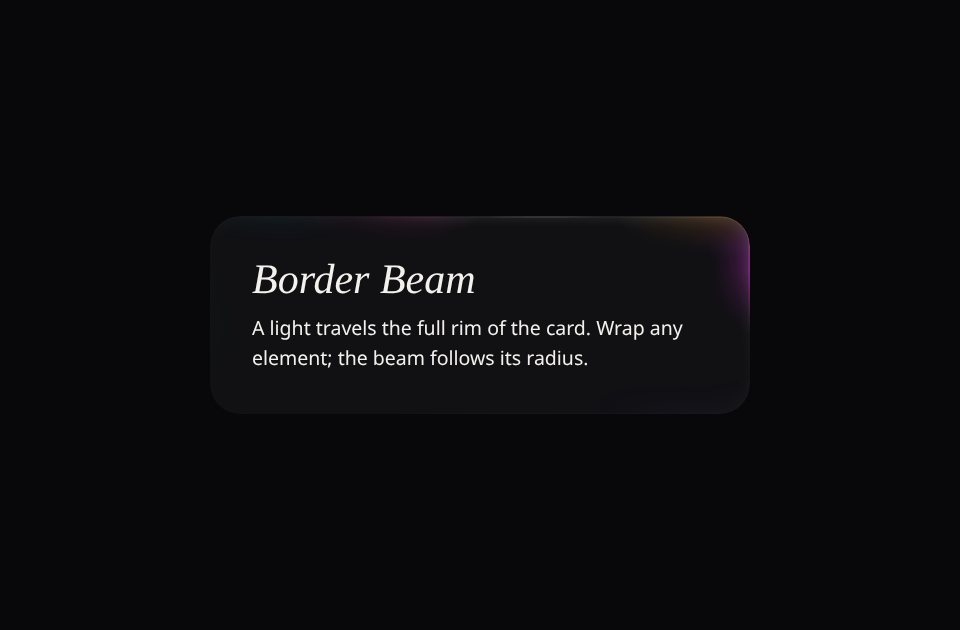
A light travels the full rim of the card. Wrap any element; the beam follows its radius.
</div></BorderBeam>; });控制項 · HTML · CSS · JS
直接改程式碼,再用控制項微調,預覽會隨輸入即時更新。
線上編輯每個元件,用控制項微調,下載完整原始碼,複製進階提示詞。
一次性 $49暫定價格
測試模式:不會真的扣款。
免費:預覽、複製按鈕和課程說明。
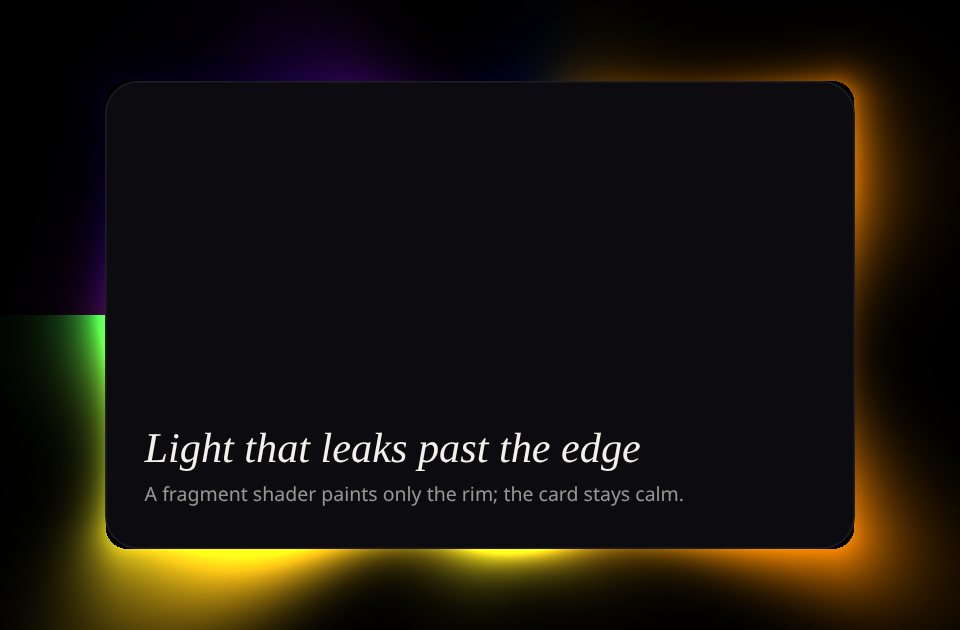
一道彩色光沿卡片完整的邊緣遊走,並貼合圓角。
精選卡片、啟用面板和 AI 結果卡。
設定 size、colorVariant、duration、strength 和 borderRadius。
在我的 React 應用程式裡用 MIT 授權的 npm 套件 border-beam 加上「流光邊框卡片」效果。一道彩色光沿卡片完整的邊緣遊走,並貼合圓角。 適用場景:精選卡片、啟用面板和 AI 結果卡。 可調設定:設定 size、colorVariant、duration、strength 和 borderRadius。 支援淺色和深色主題,遵守 prefers-reduced-motion,並保留該套件的 MIT 授權聲明。
更完整的提示詞,包含調參、無障礙和接入步驟。
 Incidental AI
 Incidental AI
 Incidental AI
 Incidental AI
 Jakub Antalik
 Incidental AI
 Incidental AI
 Jakub Antalik