效能
通過幀率: 平均 60 fps,p5 59.9 · 長任務: 0 個,共 0 毫秒,最長 0 毫秒 · 原始碼 gzip 1.3 KB · 執行時 1.1 KB
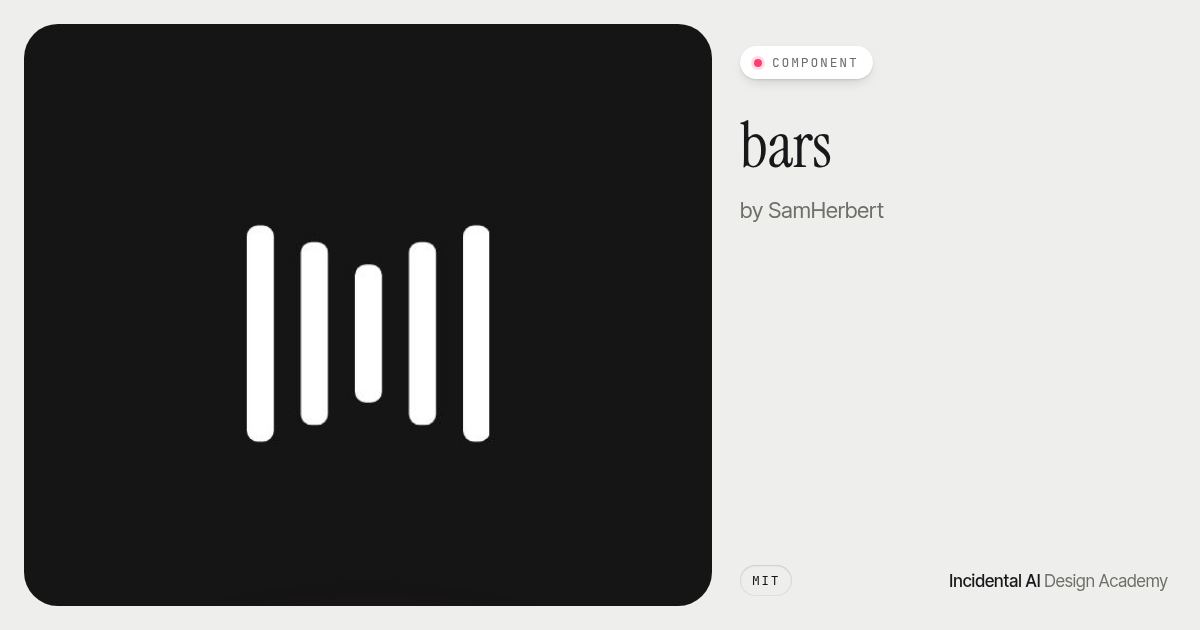
barsMIT載入動畫SVG Loaders
SamHerbert 用純 HTML 和 CSS 做的載入動畫。依 MIT 授權從 SVG Loaders 收錄,此處為即時預覽。
品質報告
等級和分數來自建置或測試時跑過的自動檢查。沒跑過的項目會標成「未檢測」,不會填假資料。
幀率: 平均 60 fps,p5 59.9 · 長任務: 0 個,共 0 毫秒,最長 0 毫秒 · 原始碼 gzip 1.3 KB · 執行時 1.1 KB
問題 0 · 讀屏: 通過
已回應減弱動效
無溢出
幀率和長任務是在無介面的 Chromium 裡用軟體 WebGL 測的,只適合在本站元件之間比較,不代表實機表現。
沒有 axe-core 違規。
檢測於 2026年11月15日 · 資料來自自動腳本,不是手工填寫。
以實際尺寸顯示。
複製內容以授權聲明開頭,使用程式碼時請保留。
<svg width="135" height="140" viewBox="0 0 135 140" xmlns="http://www.w3.org/2000/svg" fill="#fff">
    <rect y="10" width="15" height="120" rx="6">
        <animate attributeName="height"
             begin="0.5s" dur="1s"
             values="120;110;100;90;80;70;60;50;40;140;120" calcMode="linear"
             repeatCount="indefinite" />
        <animate attributeName="y"
             begin="0.5s" dur="1s"
             values="10;15;20;25;30;35;40;45;50;0;10" calcMode="linear"
             repeatCount="indefinite" />
    </rect>
    <rect x="30" y="10" width="15" height="120" rx="6">
        <animate attributeName="height"
             begin="0.25s" dur="1s"
             values="120;110;100;90;80;70;60;50;40;140;120" calcMode="linear"
             repeatCount="indefinite" />
        <animate attributeName="y"
             begin="0.25s" dur="1s"
             values="10;15;20;25;30;35;40;45;50;0;10" calcMode="linear"
             repeatCount="indefinite" />
    </rect>
    <rect x="60" width="15" height="140" rx="6">
        <animate attributeName="height"
             begin="0s" dur="1s"
             values="120;110;100;90;80;70;60;50;40;140;120" calcMode="linear"
             repeatCount="indefinite" />
        <animate attributeName="y"
             begin="0s" dur="1s"
             values="10;15;20;25;30;35;40;45;50;0;10" calcMode="linear"
             repeatCount="indefinite" />
    </rect>
    <rect x="90" y="10" width="15" height="120" rx="6">
        <animate attributeName="height"
             begin="0.25s" dur="1s"
             values="120;110;100;90;80;70;60;50;40;140;120" calcMode="linear"
             repeatCount="indefinite" />
        <animate attributeName="y"
             begin="0.25s" dur="1s"
             values="10;15;20;25;30;35;40;45;50;0;10" calcMode="linear"
             repeatCount="indefinite" />
    </rect>
    <rect x="120" y="10" width="15" height="120" rx="6">
        <animate attributeName="height"
             begin="0.5s" dur="1s"
             values="120;110;100;90;80;70;60;50;40;140;120" calcMode="linear"
             repeatCount="indefinite" />
        <animate attributeName="y"
             begin="0.5s" dur="1s"
             values="10;15;20;25;30;35;40;45;50;0;10" calcMode="linear"
             repeatCount="indefinite" />
    </rect>
</svg>/* the original files are white on transparent */
body { color: #fff; }控制項 · HTML · CSS · JS
直接改程式碼,再用控制項微調,預覽會隨輸入即時更新。

線上編輯每個元件,用控制項微調,下載完整原始碼,複製進階提示詞。
一次性 $49暫定價格
測試模式:不會真的扣款。
免費:預覽、複製按鈕和課程說明。
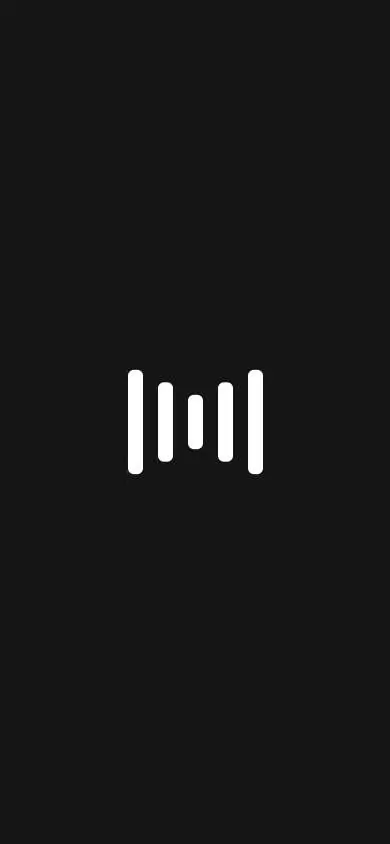
五根 15px 寬的白色豎條以 0.25 秒錯位依次縮短再猛地彈回,每秒一道波從它們身上穿過。
媒體播放器、深色載入頁和音訊應用。
改 #fff 填充、15px 寬度和 rx 6 圓角、1s 的 dur 和每根條的 begin 錯位。
用純 HTML、CSS 和 JavaScript(不用框架)做一個「收縮豎條波浪」元件。五根 15px 寬的白色豎條以 0.25 秒錯位依次縮短再猛地彈回,每秒一道波從它們身上穿過。 適用場景:媒體播放器、深色載入頁和音訊應用。 開放這些可調項:改 #fff 填充、15px 寬度和 rx 6 圓角、1s 的 dur 和每根條的 begin 錯位。 支援淺色和深色主題,遵守 prefers-reduced-motion 並給出靜止畫面,保證文字清晰、控制元件可用鍵盤操作。請寫原創程式碼,不要從付費或受限的元件庫複製。
更完整的提示詞,包含調參、無障礙和接入步驟。
 Shoh2008
 Animata
 alexruix
 Z4drus
 n3r4zzurr0
 dmytrosvitkin
 theIYD
 Ratinax