Performance
Needs attentionFrame rate: 60 fps average, p5 59.9 · Long tasks: 1 tasks, 63 ms total, longest 63 ms · Source gzip 14 KB · Runtime 280 KB
Magnetic selectMITInputBencho
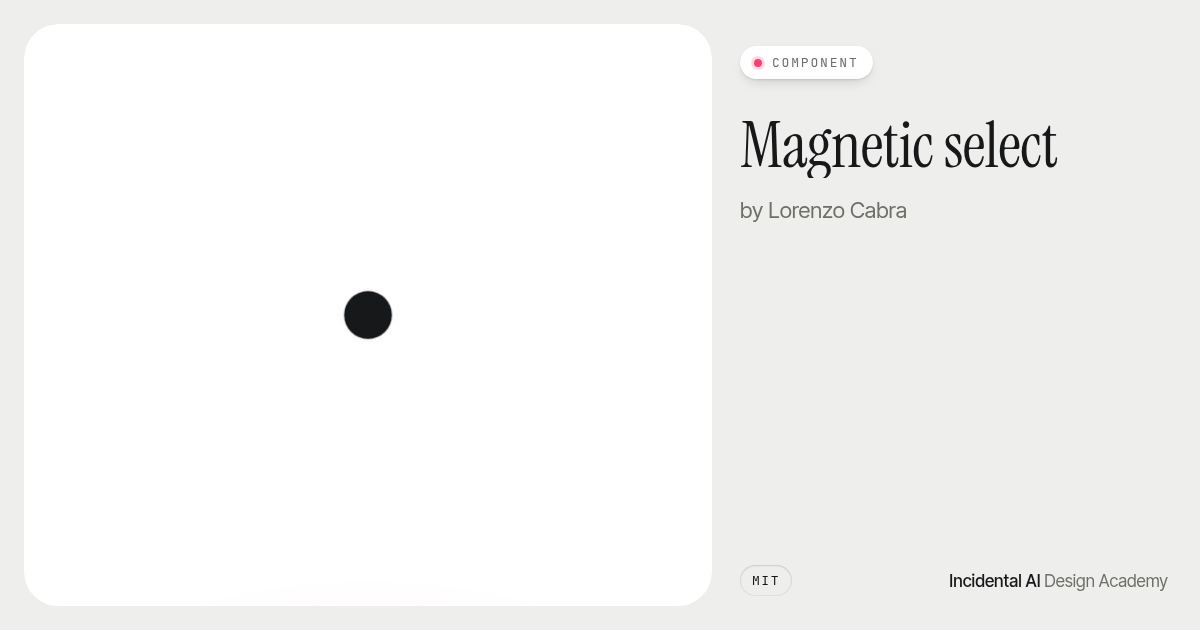
A input React component by Lorenzo Cabra. Collected unchanged from Bencho under the MIT licence and shown here live.
Quality report
The grade and score come from automated checks run at build or test time. If a check did not run, it is marked Not tested — numbers are never invented.
Frame rate: 60 fps average, p5 59.9 · Long tasks: 1 tasks, 63 ms total, longest 63 ms · Source gzip 14 KB · Runtime 280 KB
Issues 0 · Screen reader: Pass
No continuous motion
No overflow
Frame rate and long-task figures were measured in headless Chromium with software WebGL. They are only comparable between components on this site, and do not represent real devices.
Not applicable: no visible animation at rest. Hover-triggered animation was not tested.
No axe-core violations.

Checked Nov 15, 2026 · Figures come from an automated script, not from hand-written samples.
Shown at real size.
The copy starts with the licence notice. Keep it when you use the code.
<div id="root"></div>:root{--bg:#f6f4f0;--ink:#17181a;--background:40 20% 96%;--foreground:24 10% 8%;--card:0 0% 100%}html,body{min-height:100%;margin:0;background:var(--bg);color:var(--ink)}html,body{height:100%;overflow:hidden}body{display:grid;place-items:center}#root{display:grid;place-items:center;max-width:100%;max-height:100%;box-sizing:border-box;padding:16px;color:hsl(var(--foreground))}#root.full{width:100%;height:100%;padding:0}@media(prefers-reduced-motion:reduce){*,*::before,*::after{animation-play-state:paused!important;transition-duration:0s!important}}
/*
MIT License
Copyright (c) 2026 Lorenzo Cabra
Permission is hereby granted, free of charge, to any person obtaining a copy
of this software and associated documentation files (the "Software"), to deal
in the Software without restriction, including without limitation the rights
to use, copy, modify, merge, publish, distribute, sublicense, and/or sell
copies of the Software, and to permit persons to whom the Software is
furnished to do so, subject to the following conditions:
The above copyright notice and this permission notice shall be included in all
copies or substantial portions of the Software.
THE SOFTWARE IS PROVIDED "AS IS", WITHOUT WARRANTY OF ANY KIND, EXPRESS OR
IMPLIED, INCLUDING BUT NOT LIMITED TO THE WARRANTIES OF MERCHANTABILITY,
FITNESS FOR A PARTICULAR PURPOSE AND NONINFRINGEMENT. IN NO EVENT SHALL THE
AUTHORS OR COPYRIGHT HOLDERS BE LIABLE FOR ANY CLAIM, DAMAGES OR OTHER
LIABILITY, WHETHER IN AN ACTION OF CONTRACT, TORT OR OTHERWISE, ARISING FROM,
OUT OF OR IN CONNECTION WITH THE SOFTWARE OR THE USE OR OTHER DEALINGS IN THE
SOFTWARE.
---
Not covered by this licence: the Bencho name and the goat mark, and the
photographs shown on bencho.dev (none are included here). Third-party
material keeps its own licence; see THIRD_PARTY.md.
Icon substitution (this copy only): lucide-react (ISC) was replaced with @tabler/icons-react (MIT).
Sample photographs were replaced with Incidental AI assets. The Bencho name and goat mark are not licensed for marketing use.
*/
/* ── Bencho tokens ─────────────────────────────────────────
The custom properties the free blocks read, at the values
bencho.dev draws them with. Light by default; dark under
[data-theme="dark"] on any ancestor, or automatically with
the system setting unless [data-theme="light"] says otherwise.
Map these to your own theme rather than keeping two: a block
only ever reads the names, never the values. */
:root {
--font-ui: "Inter", "Helvetica Neue", Helvetica, Arial, sans-serif;
--bg: #ffffff;
--board: #ffffff;
--card: #f7f7f6;
--surface: #f7f7f6;
--surface-2: #f1f1f0;
--surface-3: #ecebe7;
--ink: #17181a;
--ink-rgb: 23, 24, 26;
--ink-2: #3c3b37;
--ink-3: #5c5b56;
--ink-4: #6f6e68;
--ink-5: #85847e;
--on-ink: #ffffff;
--on-ink-rgb: 255, 255, 255;
--slab: #17181a;
--on-slab: #ffffff;
--slab-dark: #0e0f11;
--fill-slab: #ffffff;
--fill-on: #17181a;
--fill-on-rgb: 23, 24, 26;
--pane: var(--fill-slab);
--pane-edge: rgba(23, 24, 26, 0.08);
--pane-thumb: rgba(23, 24, 26, 0.07);
--inlay: rgba(255, 255, 255, 0.55);
--inlay-hi: rgba(23, 24, 26, 0.09);
--elev-rgb: 255, 255, 255;
--glass-rgb: 255, 255, 255;
--shadow-rgb: 23, 24, 26;
--wash: 0.06;
--pick: #0d99ff;
--signal: #2231dd;
--focus: #2231dd;
--ok: #15803d;
--ember: #b8431c;
color-scheme: light;
}
[data-theme="dark"] {
--bg: #000000;
--board: #1a1a1a;
--card: #0a0a0a;
--surface: #0f0f0f;
--surface-2: #181818;
--surface-3: #202020;
--ink: #ffffff;
--ink-rgb: 255, 255, 255;
--ink-2: #b4b4b4;
--ink-3: #9a9a9a;
--ink-4: #828282;
--ink-5: #6b6b6b;
--on-ink: #000000;
--on-ink-rgb: 0, 0, 0;
--slab: #1a1a1a;
--on-slab: #ffffff;
--slab-dark: #262626;
--fill-slab: #262626;
--fill-on: #ffffff;
--fill-on-rgb: 255, 255, 255;
--pane-edge: rgba(255, 255, 255, 0.08);
--pane-thumb: rgba(255, 255, 255, 0.07);
--inlay: rgba(255, 255, 255, 0.1);
--inlay-hi: rgba(255, 255, 255, 0.09);
--elev-rgb: 32, 32, 32;
--shadow-rgb: 0, 0, 0;
--wash: 0.09;
--pick: #3aa9ff;
--ok: #34d17a;
color-scheme: dark;
}
@media (prefers-color-scheme: dark) {
:root:not([data-theme="light"]) {
--bg: #000000;
--board: #1a1a1a;
--card: #0a0a0a;
--surface: #0f0f0f;
--surface-2: #181818;
--surface-3: #202020;
--ink: #ffffff;
--ink-rgb: 255, 255, 255;
--ink-2: #b4b4b4;
--ink-3: #9a9a9a;
--ink-4: #828282;
--ink-5: #6b6b6b;
--on-ink: #000000;
--on-ink-rgb: 0, 0, 0;
--slab: #1a1a1a;
--on-slab: #ffffff;
--slab-dark: #262626;
--fill-slab: #262626;
--fill-on: #ffffff;
--fill-on-rgb: 255, 255, 255;
--pane-edge: rgba(255, 255, 255, 0.08);
--pane-thumb: rgba(255, 255, 255, 0.07);
--inlay: rgba(255, 255, 255, 0.1);
--inlay-hi: rgba(255, 255, 255, 0.09);
--elev-rgb: 32, 32, 32;
--shadow-rgb: 0, 0, 0;
--wash: 0.09;
--pick: #3aa9ff;
--ok: #34d17a;
color-scheme: dark;
}
}
/* MagneticSelect.css */
/*
MIT License
Copyright (c) 2026 Lorenzo Cabra
Permission is hereby granted, free of charge, to any person obtaining a copy
of this software and associated documentation files (the "Software"), to deal
in the Software without restriction, including without limitation the rights
to use, copy, modify, merge, publish, distribute, sublicense, and/or sell
copies of the Software, and to permit persons to whom the Software is
furnished to do so, subject to the following conditions:
The above copyright notice and this permission notice shall be included in all
copies or substantial portions of the Software.
THE SOFTWARE IS PROVIDED "AS IS", WITHOUT WARRANTY OF ANY KIND, EXPRESS OR
IMPLIED, INCLUDING BUT NOT LIMITED TO THE WARRANTIES OF MERCHANTABILITY,
FITNESS FOR A PARTICULAR PURPOSE AND NONINFRINGEMENT. IN NO EVENT SHALL THE
AUTHORS OR COPYRIGHT HOLDERS BE LIABLE FOR ANY CLAIM, DAMAGES OR OTHER
LIABILITY, WHETHER IN AN ACTION OF CONTRACT, TORT OR OTHERWISE, ARISING FROM,
OUT OF OR IN CONNECTION WITH THE SOFTWARE OR THE USE OR OTHER DEALINGS IN THE
SOFTWARE.
---
Not covered by this licence: the Bencho name and the goat mark, and the
photographs shown on bencho.dev (none are included here). Third-party
material keeps its own licence; see THIRD_PARTY.md.
Icon substitution (this copy only): lucide-react (ISC) was replaced with @tabler/icons-react (MIT).
Sample photographs were replaced with Incidental AI assets. The Bencho name and goat mark are not licensed for marketing use.
*/
/* ══ Magnetic select ════════════════════════════════════════
A cluster of chips that get out of the selected one's way.
TWO ELEMENTS, TWO TRANSFORMS. The chip is placed by left/top
and moved by Framer's transform; the skin inside it carries
the CSS hover. They cannot share an element: CSS `scale` and
`translate` are applied BEFORE `transform` rather than
folded into it, so a rule here and a spring there do not
average out, they fight every frame. So nothing in this file
may set or transition a transform on .mag-chip, and the
transitions below name their properties one at a time —
a `transition: all` would sweep the transform up with the
colours. */
.mag {
position: relative;
box-sizing: border-box;
font-family: var(--font-ui);}
/* the chip is a POSITION and nothing else: no surface, no
corner, no colour. Everything you can see is the skin */
.mag-chip {
position: absolute;
padding: 0;
border: 0;
background: none;
cursor: pointer;
-webkit-tap-highlight-color: transparent;}
.mag-skin {
position: absolute;
inset: 0;
display: flex;
align-items: center;
justify-content: center;
/* always round, and it is not a knob. A Corner control was
here and it earned its removal: at 0 the chips are squares
packed 4px apart on a hex lattice, which is a honeycomb
made of the one shape that does not tile it — every pair
that is not side by side meets corner to flat and the
even spacing stops looking even. The tilt gives it away
too: a rotated square sweeps a wider box than it occupies
and eats the clearance, where a rotated circle is a
circle and costs nothing. */
border-radius: 50%;
/* ── plain, until it is the one ─────────────────────────
An unchosen chip is a blank disc: the slab, which is white
on the light theme and the dark theme's own equivalent, so
it reads as an empty circle either way rather than as a
colour somebody chose. The picture belongs to the answer,
not to the options. */
background: var(--fill-slab, var(--card));
/* the pictures fill the chip, so they are what the corner
cuts — the skin is the only thing that knows it is round */
overflow: hidden;
/* ── the hover, borrowed from the search block ───────────
Its own note puts it best: it comes up a hair, and it is
small enough to be felt rather than seen, because a hover
state you NOTICE is a hover state that has said too much.
Same 1.045 and the same curve, so the two blocks answer a
cursor identically — and the surface answers with it,
which is the part that stops 4.5% reading as a twitch.
Deliberately not a spring. The field springs; this does
not. A hover that bounces is the cursor being celebrated,
and the cursor has not done anything yet. */
/* ── the lean, and nothing else ──────────────────────────
One transform, doing one thing. It carried a hover swell
as well until that was removed — see the note below.
The 260ms is what makes a value changing every frame read
as damping rather than as tracking. Same curve and same
duration as the search field, because it is the same
gesture. */
transform: translate(var(--lx, 0px), var(--ly, 0px));
transition:
transform 220ms cubic-bezier(0.22, 1, 0.36, 1),
background-color 220ms ease,
color 220ms ease;}
/* ── NOTHING ANSWERS A CURSOR ON ITS OWN ──────────────────
There was a swell here: hover a chip and that chip grew
4.5%. It is the ordinary thing to do and it is wrong for
this component twice over.
It is the only per-item response left, and it was the one
you could see — a 4.5% swell on a 44px disc reads louder
than the whole group leaning two to seven pixels, so the
cluster looked like it was answering one chip at a time
when the lean had already been made the group's.
And it cannot be made group-wide, which is the deeper
reason. A lean is a translation: apply it to every chip and
the spacing is untouched. A swell is a scale, and scaling a
cluster about its centre moves every chip away from every
other — 4.5% across a 45px pitch is two pixels of gap
opening on a cluster packed one pixel off touching. The
gaps have to stay equal, so the only honest answer is that
the hover does not resize anything at all.
What the cursor still gets is the tone: the chip under it
comes up a little, which is a change of ink rather than of
geometry and costs the packing nothing. */
.mag-chip:hover .mag-skin {
background: color-mix(in srgb, var(--fill-on, #17181a) 12%, transparent);}
/* ── the chosen one is the only one with a PICTURE ─────────
The others were drained to almost no saturation, which is a
photograph you can still see and therefore still read as
content — seven pictures, one of them brighter. Off
entirely, the cluster is a set of blank discs and one
answer, which is what a chooser is.
240ms either way, so a selection crossing the cluster is one
picture arriving as another leaves rather than a cut. */
.mag-skin .mag-mark {
opacity: 0;
transition: opacity 220ms ease;}
.mag-chip[data-on] .mag-skin .mag-mark { opacity: 1; }
/* the selected one lifts too — it is a circle you can point
at like any other — but its surface is already the ink and
has nowhere to go, so only the scale answers */
.mag-chip[data-on]:hover .mag-skin {
background: var(--ink);
color: var(--card);}
[data-stroke="on"] .mag-skin {
box-shadow: inset 0 0 0 1px var(--pane-edge);}
/* the picture IS the chip: it fills the skin and the skin's
own corner cuts it, so there is no second radius to keep in
agreement with the first */
.mag-mark {
display: block;
width: 100%;
height: 100%;
object-fit: cover;}
@media (prefers-reduced-motion: reduce) {
.mag-skin { transition-duration: 160ms; }
}
// bencho source (MIT). npm i motion react · Tailwind CSS v4

// ── blocks/magnet-select/MagneticSelect.tsx  (https://github.com/cabralorenzo/bencho/blob/c65992417427bb09e661674ffa800bef29adef49/blocks/magnet-select/MagneticSelect.tsx)
/*
MIT License

Copyright (c) 2026 Lorenzo Cabra

Permission is hereby granted, free of charge, to any person obtaining a copy
of this software and associated documentation files (the "Software"), to deal
in the Software without restriction, including without limitation the rights
to use, copy, modify, merge, publish, distribute, sublicense, and/or sell
copies of the Software, and to permit persons to whom the Software is
furnished to do so, subject to the following conditions:

The above copyright notice and this permission notice shall be included in all
copies or substantial portions of the Software.

THE SOFTWARE IS PROVIDED "AS IS", WITHOUT WARRANTY OF ANY KIND, EXPRESS OR
IMPLIED, INCLUDING BUT NOT LIMITED TO THE WARRANTIES OF MERCHANTABILITY,
FITNESS FOR A PARTICULAR PURPOSE AND NONINFRINGEMENT. IN NO EVENT SHALL THE
AUTHORS OR COPYRIGHT HOLDERS BE LIABLE FOR ANY CLAIM, DAMAGES OR OTHER
LIABILITY, WHETHER IN AN ACTION OF CONTRACT, TORT OR OTHERWISE, ARISING FROM,
OUT OF OR IN CONNECTION WITH THE SOFTWARE OR THE USE OR OTHER DEALINGS IN THE
SOFTWARE.

---

Not covered by this licence: the Bencho name and the goat mark, and the
photographs shown on bencho.dev (none are included here). Third-party
material keeps its own licence; see THIRD_PARTY.md.

Icon substitution (this copy only): lucide-react (ISC) was replaced with @tabler/icons-react (MIT).
Sample photographs were replaced with Incidental AI assets. The Bencho name and goat mark are not licensed for marketing use.
*/
import { useEffect, useRef, useState } from "react";
import { motion } from "motion/react";

/* ── inlined from lab/spring ──────────────────────── */
/* ── one spring, for everything that settles ───────────────
   The maths was already on this bench twice, copied by hand:
   Humidity's wheel and Brightness's column both accumulate
   velocity toward a target, damp it, and snap when both the
   delta and the velocity fall under 0.02. Two copies is a
   coincidence; five would be a policy, so it comes out here
   before the elastic blocks are written against it.

   The two shipped copies are deliberately NOT refactored onto
   this. They work, they are tuned, and rewriting the innards
   of two live components to prove a point about duplication
   is how a good afternoon becomes a bad one. This is the one
   new code uses.

   Frames, not milliseconds. `dt` is expressed in sixtieths of
   a second and the damping is RAISED to it rather than
   multiplied by it, so a dropped frame decays the same amount
   of energy as the two frames it replaced. Multiplying is the
   version that makes a spring behave differently on a busy
   page, which is the hardest kind of bug to see.

   The loop parks itself the moment the value has settled.
   CLAUDE.md is not complimentary about the one permanent
   requestAnimationFrame already on this bench and there is no
   case for five more. */

/* Read once, the way the wheel and the pill nav do. A
   preference, not a live input. */
const stillness = () =>
  typeof window !== "undefined" &&
  !!window.matchMedia?.("(prefers-reduced-motion: reduce)").matches;

/* A drawn placeholder: Bencho's photographs are licensed to
   the site and do not travel. Point this at your own. */
const MARKS: string[] = [
  "data:image/svg+xml,%3Csvg%20xmlns%3D%22http%3A%2F%2Fwww.w3.org%2F2000%2Fsvg%22%20viewBox%3D%220%200%2048%2048%22%20width%3D%2248%22%20height%3D%2248%22%20fill%3D%22%2317181a%22%3E%3Ccircle%20cx%3D%2224%22%20cy%3D%2224%22%20r%3D%2214%22%2F%3E%3C%2Fsvg%3E",
  "data:image/svg+xml,%3Csvg%20xmlns%3D%22http%3A%2F%2Fwww.w3.org%2F2000%2Fsvg%22%20viewBox%3D%220%200%2048%2048%22%20width%3D%2248%22%20height%3D%2248%22%20fill%3D%22%2317181a%22%3E%3Crect%20x%3D%2211%22%20y%3D%2211%22%20width%3D%2226%22%20height%3D%2226%22%20rx%3D%225%22%2F%3E%3C%2Fsvg%3E",
  "data:image/svg+xml,%3Csvg%20xmlns%3D%22http%3A%2F%2Fwww.w3.org%2F2000%2Fsvg%22%20viewBox%3D%220%200%2048%2048%22%20width%3D%2248%22%20height%3D%2248%22%20fill%3D%22%2317181a%22%3E%3Cpath%20d%3D%22M24%208%20L40%2038%20L8%2038%20Z%22%2F%3E%3C%2Fsvg%3E",
  "data:image/svg+xml,%3Csvg%20xmlns%3D%22http%3A%2F%2Fwww.w3.org%2F2000%2Fsvg%22%20viewBox%3D%220%200%2048%2048%22%20width%3D%2248%22%20height%3D%2248%22%20fill%3D%22%2317181a%22%3E%3Cpath%20d%3D%22M24%206%20L42%2024%20L24%2042%20L6%2024%20Z%22%2F%3E%3C%2Fsvg%3E",
  "data:image/svg+xml,%3Csvg%20xmlns%3D%22http%3A%2F%2Fwww.w3.org%2F2000%2Fsvg%22%20viewBox%3D%220%200%2048%2048%22%20width%3D%2248%22%20height%3D%2248%22%20fill%3D%22%2317181a%22%3E%3Cpath%20d%3D%22M10%2024%20a14%2014%200%200%201%2028%200%20v14%20h-28%20Z%22%2F%3E%3C%2Fsvg%3E",
  "data:image/svg+xml,%3Csvg%20xmlns%3D%22http%3A%2F%2Fwww.w3.org%2F2000%2Fsvg%22%20viewBox%3D%220%200%2048%2048%22%20width%3D%2248%22%20height%3D%2248%22%20fill%3D%22%2317181a%22%3E%3Cpath%20d%3D%22M24%207%20l4.9%2010%2011%201.6%20-8%207.8%201.9%2011%20-9.8%20-5.2%20-9.8%205.2%201.9%20-11%20-8%20-7.8%2011%20-1.6%20Z%22%2F%3E%3C%2Fsvg%3E",
  "data:image/svg+xml,%3Csvg%20xmlns%3D%22http%3A%2F%2Fwww.w3.org%2F2000%2Fsvg%22%20viewBox%3D%220%200%2048%2048%22%20width%3D%2248%22%20height%3D%2248%22%20fill%3D%22%2317181a%22%3E%3Crect%20x%3D%228%22%20y%3D%2217%22%20width%3D%2232%22%20height%3D%2214%22%20rx%3D%227%22%2F%3E%3C%2Fsvg%3E",
];

/* ══ Magnetic select ═══════════════════════════════════════
   A cluster of options set close enough together to be in
   each other's way, and a selection that behaves like a
   magnet rather than a highlight: the one you press swells
   and takes the ink, and the rest are shoved radially out of
   its way — hardest next to it, barely at all at the edges.

   THE POINT IS THE FIELD, NOT THE ITEM. A normal segmented
   control moves an indicator and leaves the layout alone,
   which is why selecting in one feels like bookkeeping. Here
   the choice deforms its neighbourhood, so the answer to
   "which one is selected" is legible from three feet away
   with the shapes unreadable — it is the one everything else
   is leaning away from.

   ── AND IT IS A GROUP, NOT A ROW ─────────────────────────
   It was a row first, and a row wastes the idea. In a line
   there are two directions to be pushed and both of them are
   the same direction, so the field can only ever read as
   spacing; the falloff has to be inferred from how far along
   the row you are. In a cluster the shove is a VECTOR — each
   chip goes the way it actually lies from the magnet — and
   the same arithmetic suddenly reads as a field, because you
   can see it acting on every bearing at once.

   Every number still falls out of ONE decision: how far the
   selected chip grows. The room it needs is arithmetic from
   that, the shove is that room plus an aura, the aura decays
   with real distance, and the tilt is the aura's leftovers. */

const clamp = (v: number, lo: number, hi: number) => Math.min(hi, Math.max(lo, v));

/* ── the options ───────────────────────────────────────────
   Pictures, and deliberately not icons. They were nine lucide
   shapes — a circle, a square, a triangle — chosen because a
   set of tools or weather states invites you to read the row
   instead of watching it, and this block has exactly one thing
   to show.

   Colour fields do that job better than outlines did. A shape
   at 19px is a thin mark in the middle of a 44px disc and most
   of the chip is empty; a picture IS the chip, so the cluster
   reads as seven objects rather than as seven containers with
   marks in them — and the field pushing them about has
   something to push.

   Inlined by scripts/marks.sh for the reason every picture on
   this bench is: the artifact bundle is one file and a linked
   image is a dead square the moment it leaves this machine.
   The FILE ORDER is the cluster order, so renaming them
   rearranges the component and nothing else has to know. */
const NAMES = MARKS.map((_, i) => `Option ${i + 1}`);

const CHIP = 44;
const H_PAD = 26;

/* ── the packing ───────────────────────────────────────────
   A hex lattice at a pitch of 48 against a 44 chip, so every
   neighbour sits 4px off touching and the cluster is as tight
   as it can be without the field having nowhere to push.

   THE REGULARITY IS THE POINT, and it is a reversal. These
   were hand-jittered before, on the reasoning that a lattice
   reads as a grid — true when the arrangement is the thing you
   are looking at, and wrong here, because the arrangement is
   the thing being DEFORMED. A field distorting an irregular
   scatter is hard to read as anything but a different
   scatter; the same field opening a hole in a honeycomb is
   unmistakable. You need the regular ground to see the
   disturbance against.

   ── AND THERE ARE TWO OF THEM, not a slider from four to
   nine. Every count between them was a worse version of one of
   these: five and six are a flower with a bite out of it,
   eight and nine are a flower with something stuck to the
   side. Three is a triangle and seven is the closed hexagon —
   the only two arrangements at this pitch where every chip has
   the same relationship to its neighbours, and the only two
   worth offering. A slider across six stops invited a drag to
   find the good one; there are two, so they are named.

   Points are taken from the lattice in rings outward, so each
   is the roundest blob available at that size, and the first
   is the centre — pressing a chip with neighbours on
   every side is the single best frame this component has, and
   the one the card should be caught in. Six is the default
   because it is a centre with a ring that is one short of
   closing: the notch keeps it from reading as a logo. */
const CLUSTER: Record<number, [number, number][]> = {
  3: [[0, -26], [22.5, 13], [-22.5, 13]],
  7: [[0, 0], [45, 0], [22.5, -39], [-22.5, -39], [-45, 0], [-22.5, 39], [22.5, 39]],
};

/* the spacing the falloff is measured in. Distances divided by
   this — the lattice pitch, so a chip one step away sits at
   far = 1 and
   the exponent below is reading a neighbourhood rather than a
   pixel count that would mean something different at every
   count. */
const PITCH = 45;

/* the two answers, and what the knob calls them */
const SIZES: Record<string, number> = { Small: 3, Large: 7 };

/* ── how fast the aura falls off, in those steps ───────────
   1.4 for as long as the chips were far enough apart not to
   care, and the tight packing is what set the real number.

   THE TIGHTEST PAIR IS NEVER BESIDE THE MAGNET. It is two
   chips on the same ray out of it — the near one shoved
   harder than the one behind it, so the pair closes by the
   difference between their pushes, and with 4px of slack
   there is nothing to absorb that. Measured at full Pull with
   1.4: every other pair in the cluster sat above 11px and
   that one was at 0.8, which is not overlapping and is well
   inside the margin where rounding could make it so.

   1.8 fixed it at a pitch of 48. At 46 — chips two pixels off
   touching — the same pair came back to exactly zero, because
   there is now almost no rest gap for the closing to eat.
   2.8 with a deeper cower is the answer: the field reaches a
   little further, which if anything reads as more of a field,
   and the chip the magnet is nearest gives up more of its own
   size. Both leave the PACKING alone, which is the point —
   the tightness is the resting picture and the clearance has
   to come from somewhere else. At a pitch of 45 the same pair
   came to 0.57px; these two take it to about two. */
const SPREAD = 2.8;

export function MagneticSelect({
  /* how many options, 4 to 9 */
  /* "small" is three, "large" is seven — see SIZES */
  size = "Large",
  /* the strength of the whole field, 0-100 */
  pull = 55,
  /* how much it overshoots on the way to rest */
  bounce = 55,
  /* how far a chip leans toward the cursor near it, 0-100 */
  give = 50,
}: {
  size?: string;
  pull?: number;
  bounce?: number;
  give?: number;
} = {}) {
  const n = Math.min(SIZES[size] ?? 7, MARKS.length);
  const p = clamp(pull, 0, 100) / 100;
  const pts = CLUSTER[n];

  /* ── it lands SELECTED, on the one in the middle ─────────
     A magnetic select drawn with nothing chosen is a cluster
     of chips: true of the component and a picture of the one
     state where it has nothing to say. */
  /* ── IT OPENS ON THE MIDDLE ONE ─────────────────────────
     Index 0 is the centre of the cluster by construction — the
     lattice points are taken in rings outward, so the first is
     always the hub. On Small there is no hub and it is simply
     the first of the three.

     The centre is also the only selection whose field is even:
     every other chip is the same distance from it, so they all
     move by the same amount and the spacing stays uniform all
     round. That makes it the honest still image of what this
     block does — and the one frame the card on the wall is
     caught in.

     null is still the type, because "nothing chosen" is a
     state this can reach and an index that happens to be
     invalid is not the same thing. */
  const [sel, setSel] = useState<number | null>(0);
  const at = sel === null || sel >= n ? null : sel;

  /* ── ONE decision, and the rest is arithmetic ────────────
     GROW is the knob. ROOM is the space the swell physically
     takes on every side — half the extra width, exactly — so
     the neighbours are never merely *near* clear of it. AURA
     is the part that is not arithmetic: the push beyond what
     the geometry demands, which is the difference between a
     cluster making room and a cluster being repelled. */
  const grow = 1.16 + 0.22 * p;
  const room = (CHIP * (grow - 1)) / 2;
  const aura = 3 + 9 * p;
  const tilt = 5 * p;
  /* the neighbours give up a little size as well as ground —
     the magnet takes the mass as well as the space, and the
     size it gives up is also the clearance that keeps the
     tightest pair from touching */
  const cower = 0.04 + 0.09 * p;

  /* ── AND EACH ONE LEANS TOWARD THE CURSOR ───────────────
     The field is what a chip does about the SELECTION. This is
     what it does about your hand: come within reach of one and
     it tips a few pixels your way, and lets go as you leave.

     A few pixels is the whole specification. Past about seven
     a chip stops acknowledging you and starts being something
     you are dragging, which is a different component. Same
     ceiling and the same curve the search field uses, because
     it is the same gesture and they should feel identical.

     AND IT IS THE GROUP THAT LEANS, not the chip. Tipping one
     disc on its own opens a gap on the side it came from and
     closes one on the side it went to — so a cluster packed a
     pixel off touching came apart wherever your cursor was.
     The spacing here is the whole picture; it has to survive
     being touched. Every chip moves by one shared vector: the
     group tips toward you as one body and the gaps are exactly
     what they were.

     ── AND THE VECTOR IS MEASURED FROM ONE POINT ───────────
     It was measured from whichever chip the cursor was nearest,
     which gave a group with seven possible origins. Crossing
     from one chip's territory to the next swapped the origin
     and the direction snapped with it, so moving over the
     cluster made it jerk about — worst in the middle, where
     the nearest chip changes every few pixels.

     One origin, the cluster's own centre, and the whole thing
     goes away: there is nothing to hand over to. It also means
     nothing here knows where the individual chips ARE, which
     is the honest shape for a behaviour that belongs to the
     group — the spaces between them stop being a thing the
     lean can notice.

     The magnitude RAMPS UP from the centre rather than peaking
     there, which is the other half of the same problem. Toward
     a point, the direction is whatever it is; AT the point it
     is nothing at all — so a lean that is strongest where its
     own direction is undefined spins on the spot. Zero at the
     centre, full at the cluster's edge, easing out past it.

     Measured from the chips' own resting geometry rather than
     from their rects. Reading a position off a thing this
     displaces is a feedback loop — it settles, but it settles
     by ringing, and on a 44px disc the ring is visible. The
     numbers below are the layout, which never moves. */
  /* how far past the cluster's own edge the lean survives */
  const FADE = 44;
  const wrap = useRef<HTMLDivElement | null>(null);
  /* the centre it leans about, and how far its edge is */
  const hub = useRef({ x: 0, y: 0, r: 1 });
  const [lean, setLean] = useState<{ x: number; y: number }>({ x: 0, y: 0 });
  const still = stillness();

    /* the box is the cluster's own bounds plus room for the
     field to spend itself in. Derived, so moving a point in
     the table above cannot push a chip off the block. */
  const xs = pts.map((q) => q[0]);
  const ys = pts.map((q) => q[1]);
  const minX = Math.min(...xs);
  const minY = Math.min(...ys);
  const W = Math.max(...xs) - minX + CHIP + H_PAD * 2;
  const H = Math.max(...ys) - minY + CHIP + H_PAD * 2;

  /* ── the springs ─────────────────────────────────────────
     Bounce is a DAMPING RATIO, not a damping value: tie it to
     a raw number and the same setting is bouncy on one chip
     and dead on another, because each chip here springs at a
     different stiffness. As a ratio it means the same thing
     everywhere — 0.9 arrives and stops, 0.42 arrives and
     rings — and stiffness is then free to vary. */
  const zeta = 0.9 - 0.48 * (clamp(bounce, 0, 100) / 100);
  const swing = (k: number, mass: number) => ({
    type: "spring" as const,
    stiffness: k,
    damping: 2 * Math.sqrt(k * mass) * zeta,
    mass,
  });

  /* ── the field, worked out once ──────────────────────────
     The chips need it to know where to go and the lean needs
     it to know where they went. Computed here rather than
     inside the map, because a copy of this arithmetic in two
     places is two things to keep in agreement. */
  const field = pts.map(([px, py], i) => {
    /* with no magnet there is no field: every chip sits on its
       own lattice point and the pushes are all zero */
    if (at === null) {
      return { far: 0, fall: 0, push: 0, ux: 0, uy: 0,
        cx: px - minX + H_PAD + CHIP / 2,
        cy: py - minY + H_PAD + CHIP / 2 };
    }
    const [ax, ay] = pts[at];
    const dx = px - ax;
    const dy = py - ay;
    const gap = Math.hypot(dx, dy);
    const far = gap / PITCH;
    /* the aura, spent. exp() rather than 1/d because an
       inverse law is violent at the first neighbour and flat
       everywhere after, so the cluster reads as one chip
       barged aside and four standing still. */
    const fall = i === at ? 0 : Math.exp(-(far - 1) / SPREAD);
    /* ── THE PUSH DOES NOT DECAY, and that is the fix ──────
       It was `room + aura * fall`, so a chip near the magnet
       moved further than the one behind it — and two chips on
       the same ray out of the magnet therefore CLOSED by the
       difference, while every other pair opened. That was the
       one pair in the cluster tighter than the rest, and it
       was the only pair anywhere that got tighter at all.

       Constant, it cannot happen: two chips on the same
       bearing move by the same amount and their spacing is
       exactly what it was. Nothing in the cluster ever
       compresses now; gaps only open.

       `fall` is still computed and still used — it drives the
       stagger and the tilt below, which is where a sense of
       the field reaching further at the front belongs. It was
       doing two jobs and only one of them was safe. */
    const push = i === at ? 0 : room + aura;
    /* ── AND THE DIRECTION IS THE BEARING ──────────────────
       Straight out along the line from the magnet, which is
       the whole reason for abandoning the row: in a line this
       reduces to a sign, and every chip is pushed along the
       same axis whatever its actual relationship to the one
       you pressed. */
    const ux = gap ? dx / gap : 0;
    const uy = gap ? dy / gap : 0;
    return { far, fall, push, ux, uy,
      /* where the chip comes to rest, in the block's own px */
      cx: px - minX + H_PAD + CHIP / 2 + ux * push,
      cy: py - minY + H_PAD + CHIP / 2 + uy * push };
  });
  /* the cluster's middle, and the distance to the furthest
     chip's outer edge — the radius the ramp is measured in */
  hub.current = {
    x: W / 2,
    y: H / 2,
    r: Math.max(1, ...field.map((f) =>
      Math.hypot(f.cx - W / 2, f.cy - H / 2) + CHIP / 2)),
  };

  /* ── the lean, read off the pointer ─────────────────────
     One listener for the whole cluster and one rect per move,
     because the chips' positions come from `spots` rather than
     from the DOM. Throttled to a frame: a pointermove can
     arrive several times between paints and only the last one
     is worth anything.

     The block is drawn at a fraction on the wall and at a zoom
     on the canvas, so client pixels are divided back into the
     component's own before any distance is compared to REACH —
     otherwise the reach is a different size in every place the
     block appears. */
  useEffect(() => {
    const el = wrap.current;
    if (!el || !give || still) return;
    let raf = 0;
    let next = { x: 0, y: 0 };
    const publish = () => { raf = 0; setLean(next); };
    const read = (e: PointerEvent) => {
      const b = el.getBoundingClientRect();
      const k = b.width / (el.offsetWidth || b.width) || 1;
      const mx = (e.clientX - b.left) / k;
      const my = (e.clientY - b.top) / k;
      const { x: hx, y: hy, r } = hub.current;
      const dx = mx - hx;
      const dy = my - hy;
      const d = Math.hypot(dx, dy);
      /* nothing at the centre, full at the edge, and gone by
         FADE past it — see the note above */
      const rise = Math.min(1, d / r);
      const away = d <= r ? 1 : Math.max(0, 1 - (d - r) / FADE);
      /* the search field's ceiling, because it is the same
         gesture even though the curve into it is not */
      const drawn = rise * away * (2 + (clamp(give, 0, 100) / 100) * 5);
      next = drawn > 0
        ? { x: (dx / (d || 1)) * drawn, y: (dy / (d || 1)) * drawn }
        : { x: 0, y: 0 };
      if (!raf) raf = requestAnimationFrame(publish);
    };
    const gone = () => { next = { x: 0, y: 0 }; if (!raf) raf = requestAnimationFrame(publish); };
    document.addEventListener("pointermove", read, { passive: true });
    document.addEventListener("pointerleave", gone);
    return () => {
      document.removeEventListener("pointermove", read);
      document.removeEventListener("pointerleave", gone);
      cancelAnimationFrame(raf);
    };
  }, [give, still, n]);

  const choose = (i: number) => {
    if (i === at) return;
    setSel(i);
  };

  return (
    <div className="mag" ref={wrap} style={{ width: W, height: H }} role="radiogroup" aria-label="Shape">
      {pts.map(([px, py], i) => {
        const on = i === at;
        const { far, fall, push, ux, uy } = field[i];

        const k = 300 + 280 * (1 - Math.min(far, 3) / 4);
        const wait = far * 0.022;

        return (
          <motion.button
            key={i}
            className="mag-chip"
            role="radio"
            aria-checked={on}
            aria-label={NAMES[i]}
            data-on={on || undefined}
            style={{
              left: px - minX + H_PAD,
              top: py - minY + H_PAD,
              width: CHIP,
              height: CHIP,
            }}
            onClick={() => choose(i)}
            /* nothing animates on mount — the block is drawn
               with a selection already made, and a field that
               assembles itself on page load reads as a loading
               state rather than as a choice */
            initial={false}
            animate={{
              x: ux * push,
              y: uy * push,
              /* ── wide before it goes tall ────────────────
                 Two springs at different stiffnesses rather
                 than one scale, so the transient is
                 anisotropic and the rest state is not: X
                 leads, Y follows a beat behind, and the chip
                 flattens out and rounds up on its way to size.
                 This is the whole of the "jelly", and it is
                 four numbers rather than a keyframe track —
                 which matters, because a keyframed squash is
                 the same squash at every Bounce setting and
                 this one is not there at all when the spring
                 is critically damped. */
              scaleX: on ? grow : 1 - cower * fall,
              scaleY: on ? grow : 1 - cower * fall,
              /* shoved things tip, and only the sideways part
                 of the shove tips them — a chip driven straight
                 up has nothing to lean into. The shapes carry
                 it even when the chip is a circle and the
                 rotation is otherwise invisible. */
              rotate: ux * tilt * fall,
            }}
            transition={{
              /* ── and the far ones are LATE ────────────────
                 22ms a step. Fire them together and the
                 cluster moves as a slab; stagger them and the
                 shove travels outward, which is the difference
                 between a layout change and a force. */
              x: { ...swing(k, 0.9), delay: wait },
              y: { ...swing(k, 0.9), delay: wait },
              scaleX: { ...swing(k * 1.24, 0.8), delay: wait },
              scaleY: { ...swing(k * 0.86, 0.95), delay: wait },
              rotate: { ...swing(k * 0.8, 1), delay: wait },
            }}
          >
            {/* ── the hover lives on its OWN element ────────
                The button carries a Framer transform and this
                carries a CSS one, because they cannot share:
                CSS `scale` and `transform` are applied in
                sequence rather than folded together, so a rule
                here and a spring there fight every frame. Two
                elements, two transforms, no argument — and it
                buys the hover its own curve, which it needs,
                since the spring that moves the field would
                make a bouncy hover out of a lift that is meant
                to be felt rather than seen. */}
            {/* ── the lean lives HERE, not on the button ────
                The button's transform is Framer's — the field's
                shove, the swell and the tilt, all on one spring
                with a delay on it. A cursor-follow on that
                spring would arrive late and keep arriving after
                you had gone. The skin is the other element and
                carries its own transform, which is also where
                the hover swell already lives. */}
            <span
              className="mag-skin"
              style={{
                "--lx": `${lean.x.toFixed(2)}px`,
                "--ly": `${lean.y.toFixed(2)}px`,
              } as React.CSSProperties}
            >
              <img className="mag-mark" src={MARKS[i]} alt="" draggable={false} />
            </span>
          </motion.button>
        );
      })}
    </div>
  );
}
Controls · HTML · CSS · JS
Edit the code and tune it with the controls. The preview updates as you type.
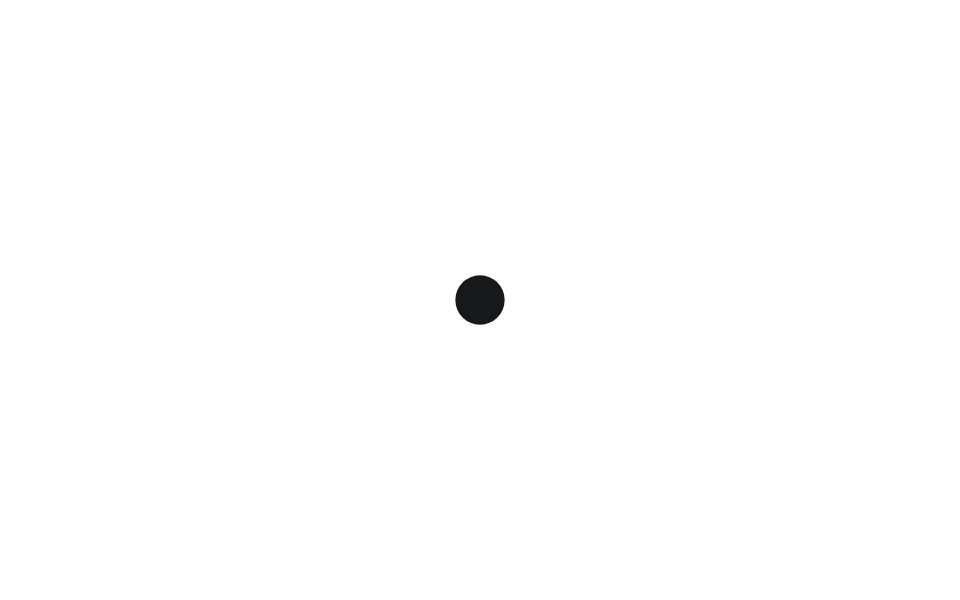
This component runs from a bundled build, so its script is read-only here. Edit the HTML and CSS; the full source is in the Code tab.
Edit every component live, tune it with controls, download the full source and copy the advanced prompts.
$49 one-timePlaceholder price
Test mode: no real payment is taken.
Free: preview, copy buttons and the lesson notes.
A visible label, a calm border and a clear focus state guide typing.
Search, sign-in and short text fields.
Adjust the height, the border colour and the focus glow.
Add the "Magnetic select" component from Bencho (github.com/cabralorenzo/bencho) (MIT) to my React + Tailwind CSS app. Source file: https://github.com/cabralorenzo/bencho/blob/c65992417427bb09e661674ffa800bef29adef49/blocks/magnet-select/MagneticSelect.tsx. A visible label, a calm border and a clear focus state guide typing. Use it for: Search, sign-in and short text fields. Settings to tune: Adjust the height, the border colour and the focus glow. Support light and dark themes and respect prefers-reduced-motion. Keep the MIT licence notice.
A longer prompt with tuning, accessibility and integration steps.
 0xnihilism
 SouravBandyopadhyay
 seyed-mohsen-mousavi
 Lorenzo Cabra
 Gautammsharma
 Spacious74
 Lorenzo Cabra
 Lorenzo Cabra