Performance
PassFrame rate: 60 fps average, p5 59.5 · Long tasks: 0 tasks, 0 ms total, longest 0 ms · Source gzip 2.3 KB · Runtime 2.0 KB
yellow-jellyfish-91MITFormUiverse.io
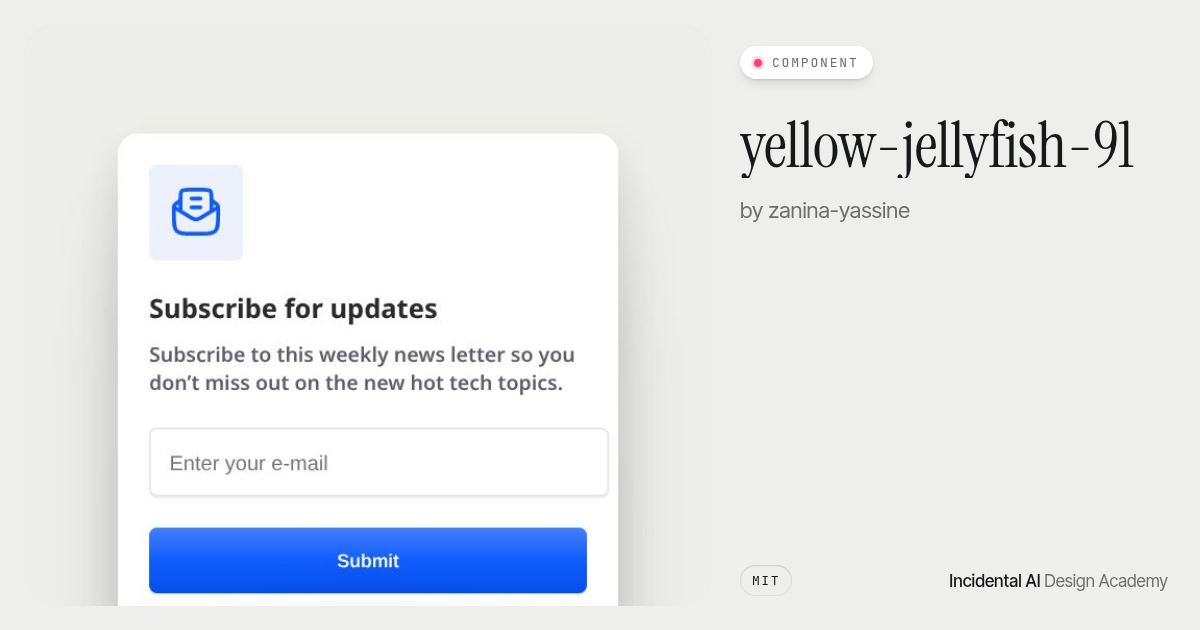
A form built with plain HTML and CSS by zanina-yassine. Collected from Uiverse.io under the MIT licence and shown here live.
Quality report
The grade and score come from automated checks run at build or test time. If a check did not run, it is marked Not tested — numbers are never invented.
Frame rate: 60 fps average, p5 59.5 · Long tasks: 0 tasks, 0 ms total, longest 0 ms · Source gzip 2.3 KB · Runtime 2.0 KB
Issues 0 · Screen reader: Needs attention
No continuous motion
No overflow
Frame rate and long-task figures were measured in headless Chromium with software WebGL. They are only comparable between components on this site, and do not represent real devices.
Not applicable: no visible animation at rest. Hover-triggered animation was not tested.
No axe-core violations.
Checked Nov 15, 2026 · Figures come from an automated script, not from hand-written samples.
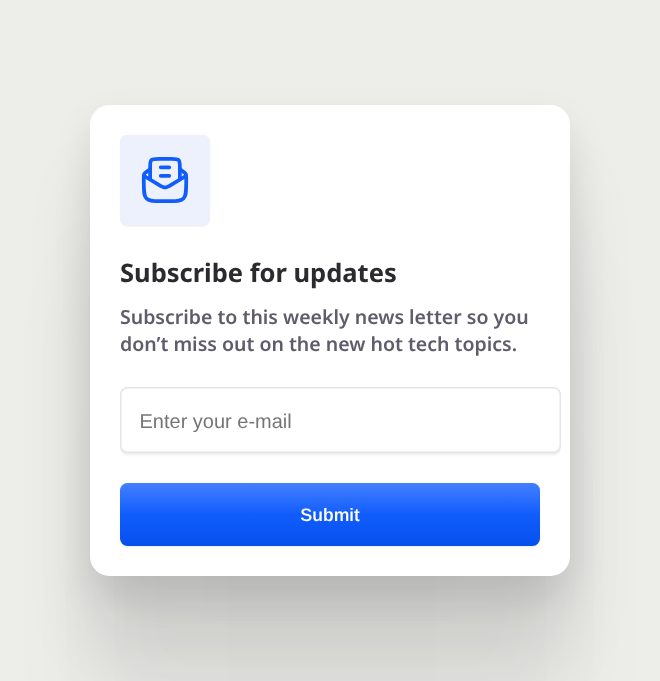
Shown at real size.
The copy starts with the licence notice. Keep it when you use the code.
<div class="popup">
  <form class="form">
    <div class="icon">
      <svg xmlns="http://www.w3.org/2000/svg" fill="none" viewBox="0 0 34 34" height="34" width="34">
        <path stroke-linejoin="round" stroke-width="2.5" stroke="#115DFC" d="M7.08385 9.91666L5.3572 11.0677C4.11945 11.8929 3.50056 12.3055 3.16517 12.9347C2.82977 13.564 2.83226 14.3035 2.83722 15.7825C2.84322 17.5631 2.85976 19.3774 2.90559 21.2133C3.01431 25.569 3.06868 27.7468 4.67008 29.3482C6.27148 30.9498 8.47873 31.0049 12.8932 31.1152C15.6396 31.1838 18.3616 31.1838 21.1078 31.1152C25.5224 31.0049 27.7296 30.9498 29.331 29.3482C30.9324 27.7468 30.9868 25.569 31.0954 21.2133C31.1413 19.3774 31.1578 17.5631 31.1639 15.7825C31.1688 14.3035 31.1712 13.564 30.8359 12.9347C30.5004 12.3055 29.8816 11.8929 28.6437 11.0677L26.9171 9.91666"></path>
        <path stroke-linejoin="round" stroke-width="2.5" stroke="#115DFC" d="M2.83331 14.1667L12.6268 20.0427C14.7574 21.3211 15.8227 21.9603 17 21.9603C18.1772 21.9603 19.2426 21.3211 21.3732 20.0427L31.1666 14.1667"></path>
        <path stroke-width="2.5" stroke="#115DFC" d="M7.08331 17V8.50001C7.08331 5.82872 7.08331 4.49307 7.91318 3.66321C8.74304 2.83334 10.0787 2.83334 12.75 2.83334H21.25C23.9212 2.83334 25.2569 2.83334 26.0868 3.66321C26.9166 4.49307 26.9166 5.82872 26.9166 8.50001V17"></path>
        <path stroke-linejoin="round" stroke-linecap="round" stroke-width="2.5" stroke="#115DFC" d="M14.1667 14.1667H19.8334M14.1667 8.5H19.8334"></path>
      </svg>
    </div>
    <div class="note">
      <label class="title">Subscribe for updates</label>
      <span class="subtitle">Subscribe to this weekly news letter so you don’t miss out
on the new hot tech topics.</span>
    </div>
    <input placeholder="Enter your e-mail" title="Enter your e-mail" name="email" type="email" class="input_field">
    <button class="submit">Submit</button>
  </form>
</div>/* From Uiverse.io by zanina-yassine - Tags: subscription, form */
.popup {
position: relative;
width: 320px;
height: fit-content;
background: #FFFFFF;
box-shadow: 0px 187px 75px rgba(0, 0, 0, 0.01), 0px 105px 63px rgba(0, 0, 0, 0.05), 0px 47px 47px rgba(0, 0, 0, 0.09), 0px 12px 26px rgba(0, 0, 0, 0.1), 0px 0px 0px rgba(0, 0, 0, 0.1);
border-radius: 13px;
}
.form {
display: flex;
flex-direction: column;
align-items: flex-start;
padding: 20px;
gap: 20px;
}
.icon {
display: flex;
align-items: center;
justify-content: center;
width: 60px;
height: 60px;
background: #ECF1FD;
box-shadow: 0px 0.5px 0.5px #EFEFEF, 0px 1px 0.5px rgba(239, 239, 239, 0.5);
border-radius: 5px;
}
.note {
display: flex;
flex-direction: column;
gap: 8px;
}
.title {
font-style: normal;
font-weight: 700;
font-size: 17px;
line-height: 24px;
color: #2B2B2F;
}
.subtitle {
font-style: normal;
font-weight: 600;
font-size: 13px;
line-height: 18px;
color: #5F5D6B;
}
.input_field {
width: 100%;
height: 42px;
padding: 0 0 0 12px;
border-radius: 5px;
outline: none;
border: 1px solid #e5e5e5;
filter: drop-shadow(0px 1px 0px #efefef)
drop-shadow(0px 1px 0.5px rgba(239, 239, 239, 0.5));
transition: all 0.3s cubic-bezier(0.15, 0.83, 0.66, 1);
}
.input_field:focus {
border: 1px solid transparent;
box-shadow: 0px 0px 0px 1px #2B2B2F;
background-color: transparent;
}
.form button.submit {
display: flex;
flex-direction: row;
justify-content: center;
align-items: center;
padding: 10px 18px;
gap: 10px;
width: 100%;
height: 42px;
background: linear-gradient(180deg, #4480FF 0%, #115DFC 50%, #0550ED 100%);
box-shadow: 0px 0.5px 0.5px #EFEFEF, 0px 1px 0.5px rgba(239, 239, 239, 0.5);
border-radius: 5px;
border: 0;
font-style: normal;
font-weight: 600;
font-size: 12px;
line-height: 15px;
color: #ffffff;
}Controls · HTML · CSS · JS
Edit the code and tune it with the controls. The preview updates as you type.
This component runs from a bundled build, so its script is read-only here. Edit the HTML and CSS; the full source is in the Code tab.
Edit every component live, tune it with controls, download the full source and copy the advanced prompts.
$49 one-timePlaceholder price
Test mode: no real payment is taken.
Free: preview, copy buttons and the lesson notes.
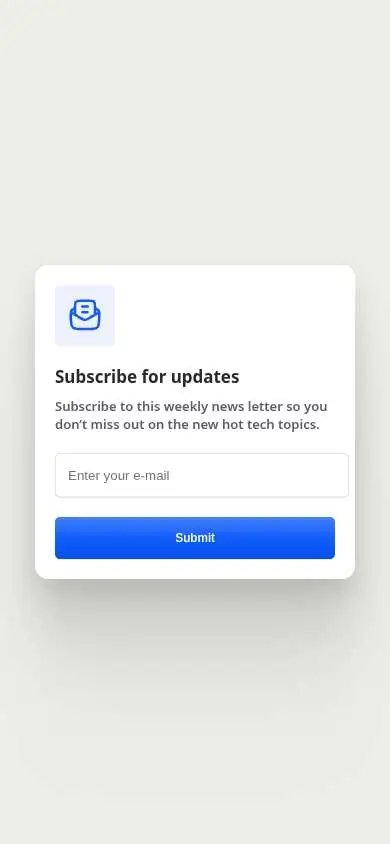
A white 320px card with an icon, title, short note and email field sits on five stacked faint shadows, so it floats without a hard edge.
Newsletter popups, update sign-ups and blog subscription boxes.
Change the 320px width, the five-layer box-shadow, the icon colour and the button style.
Build a "Soft shadow newsletter popup" component in plain HTML, CSS and JavaScript (no framework). A white 320px card with an icon, title, short note and email field sits on five stacked faint shadows, so it floats without a hard edge. Use it for: Newsletter popups, update sign-ups and blog subscription boxes. Expose these controls: Change the 320px width, the five-layer box-shadow, the icon colour and the button style. Support light and dark themes, respect prefers-reduced-motion with a still frame, keep text readable and controls keyboard accessible. Write original code; do not copy from paid or restricted component libraries.
A longer prompt with tuning, accessibility and integration steps.
 PriyanshuGupta28
 rahilansari261
 reshades
 Praashoo7
 ahmed150up
 omar-alghaish
 Lorenzo Cabra
 vinodjangid07