Performance
Needs attentionFrame rate: 53.1 fps average, p5 59.5 · Long tasks: 0 tasks, 0 ms total, longest 0 ms · Source gzip 2.8 KB · Runtime 191 KB
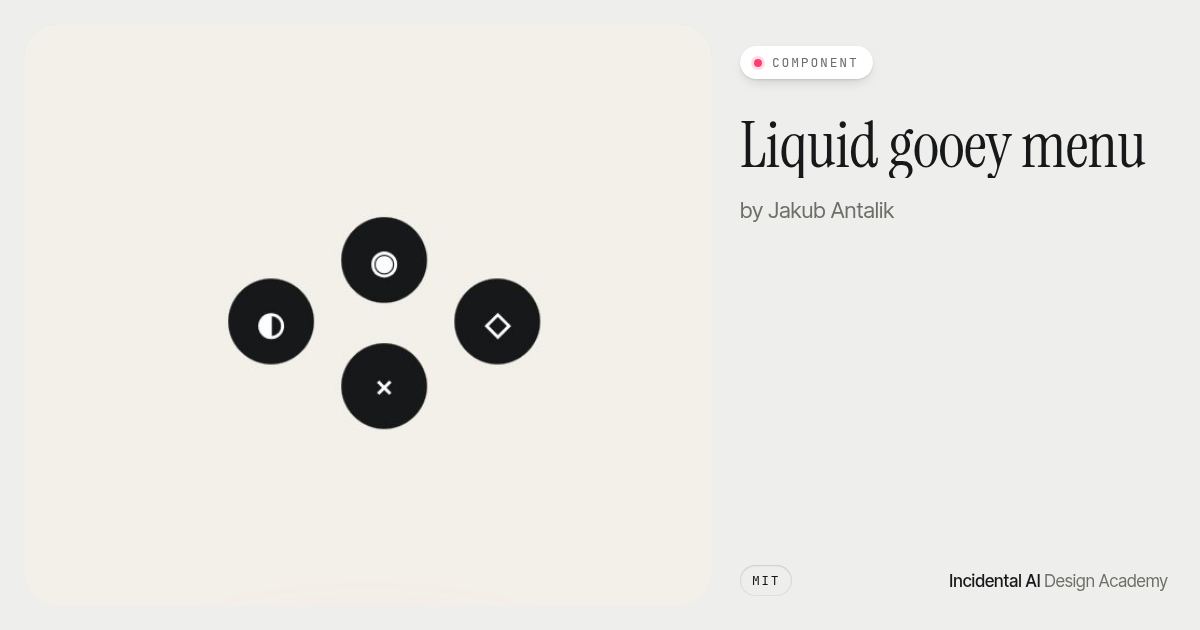
Liquid gooey menuMITSignature effectLibraries.dev · collected
Quality report
The grade and score come from automated checks run at build or test time. If a check did not run, it is marked Not tested — numbers are never invented.
Frame rate: 53.1 fps average, p5 59.5 · Long tasks: 0 tasks, 0 ms total, longest 0 ms · Source gzip 2.8 KB · Runtime 191 KB
Issues 0 · Screen reader: Pass
Honours reduced motion
No overflow
Frame rate and long-task figures were measured in headless Chromium with software WebGL. They are only comparable between components on this site, and do not represent real devices.
No axe-core violations.
Checked Nov 15, 2026 · Figures come from an automated script, not from hand-written samples.
Shown at real size.
The copy starts with the licence notice. Keep it when you use the code.
<div id="root"></div>:root{--bg:#f3f0ea;--ink:#17181a}:root[data-theme=dark]{--bg:#08080a;--ink:#f3f1ec}html,body{height:100%;margin:0;background:var(--bg);color:var(--ink);overflow:hidden}body{display:grid;place-items:center}#root{display:grid;place-items:center;max-width:100%;box-sizing:border-box}button:focus-visible,input:focus-visible{outline:2px solid #fe3d70;outline-offset:4px}@media(prefers-reduced-motion:reduce){*,*::before,*::after{animation-play-state:paused!important;transition:none!important}}// fx-runtime.js: load before the demo (sets window.FX: theme, reduced motion)
/* Incidental AI Design Academy fx runtime (MIT). Theme from #dark/#light, reduced motion, visibility pause.
Small 2D canvases (≤640×640 device px, by backing size or on-screen box, when the context is created) are CPU-backed via willReadFrequently: sprite-heavy
components redraw many small canvases per frame, and GPU-backed readback/compositing of tiny canvases is the slow path. */
(function(){[window.HTMLCanvasElement,window.OffscreenCanvas].forEach(function(C){if(!C)return;var g=C.prototype.getContext;C.prototype.getContext=function(t,o){var a=this.width*this.height;if(this.isConnected&&this.getBoundingClientRect){var r=this.getBoundingClientRect(),p=window.devicePixelRatio||1;a=Math.max(a,r.width*r.height*p*p)}if(t==='2d'&&a<=409600){var x={};if(o)for(var k in o)x[k]=o[k];if(x.willReadFrequently===undefined)x.willReadFrequently=true;return g.call(this,t,x)}return g.apply(this,arguments)}})})();
(function(){var d=document.documentElement,q=function(){var h=location.hash.slice(1);if(h==='dark'||h==='light')d.dataset.theme=h;else if(!d.dataset.theme)d.dataset.theme=d.getAttribute('data-default')||'dark'};q();addEventListener('hashchange',function(){q();dispatchEvent(new Event('fx-theme'))});
var m=matchMedia('(prefers-reduced-motion: reduce)');window.FX={rm:m.matches,dark:function(){return d.dataset.theme==='dark'},loop:function(f){var on=true,t0=performance.now(),id=0;function step(t){f((t-t0)/1000);if(on&&!FX.rm)id=requestAnimationFrame(step)}if(FX.rm){f(2.2);addEventListener('fx-theme',function(){f(2.2)});return}id=requestAnimationFrame(step);document.addEventListener('visibilitychange',function(){if(document.hidden){on=false;cancelAnimationFrame(id)}else if(!on){on=true;id=requestAnimationFrame(step)}})}};
m.addEventListener&&m.addEventListener('change',function(){location.reload()})})();
// _mount.jsx
// Demo harness (MIT, Incidental AI). Mounts a demo and re-renders on theme change.
import React, { useEffect, useState } from 'react';
import { createRoot } from 'react-dom/client';
export function useTheme() { const [d, setD] = useState(window.FX.dark()); useEffect(() => { const f = () => setD(window.FX.dark()); addEventListener('fx-theme', f); return () => removeEventListener('fx-theme', f); }, []); return d ? 'dark' : 'light'; }
export function mount(App) { createRoot(document.getElementById('root')).render(<App />); }
export const rm = () => window.FX.rm;
// Reduced motion for packages without a pause prop: let them paint a few frames, then hold that still frame.
export function freezeUnderReducedMotion(ms = 700) { if (!window.FX.rm) return; const raf = window.requestAnimationFrame.bind(window), t0 = performance.now(); window.requestAnimationFrame = f => performance.now() - t0 < ms ? raf(f) : 0; }
// demo.jsx (npm i liquid-gooey react react-dom)
import React, { useEffect, useState } from 'react'; import { Liquid } from 'liquid-gooey'; import { mount, useTheme, rm } from './_mount.jsx';
mount(function App() { const th = useTheme(), d = th === 'dark', [open, setOpen] = useState(false);
useEffect(() => { if (rm()) { setOpen(true); return; } const t = setInterval(() => setOpen(o => !o), 1800); return () => clearInterval(t); }, []);
const fill = d ? '#f3f1ec' : '#17181a', ink = d ? '#17181a' : '#fff';
const btn = { width: 52, height: 52, borderRadius: 99, border: 0, background: 'transparent', color: ink, font: '600 20px system-ui', cursor: 'pointer' };
const pos = [[-70, -40], [0, -78], [70, -40]];
return <div style={{ position: 'relative', width: 240, height: 200, display: 'grid', placeItems: 'end center', paddingBottom: 30, boxSizing: 'border-box' }}>
<style>{'.lg>div{display:grid!important;place-items:end center;width:260px;height:190px;padding-bottom:20px;box-sizing:border-box}.lg>div>*:not(svg){grid-area:1/1}'}</style><div className="lg"><Liquid blur={6} contrast={18} fill={fill} filterPadding={110}>
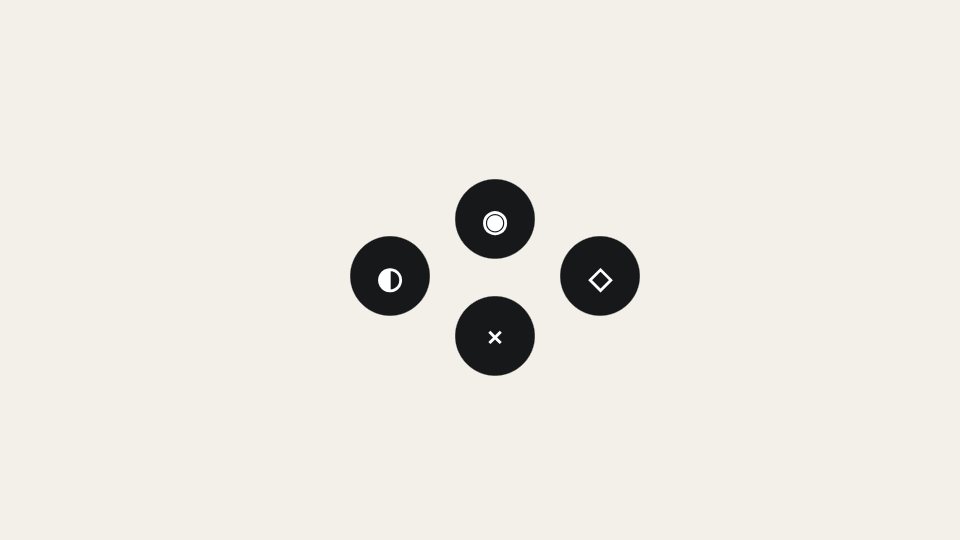
{pos.map(([x, y], k) => <Liquid.Item key={k} x={open ? x : 0} y={open ? y : 0} transition="bouncy" delay={k * 40}><button type="button" style={btn} aria-label={['Image', 'Voice', 'File'][k]}>{['◐', '◉', '◇'][k]}</button></Liquid.Item>)}
<Liquid.Item><button type="button" style={btn} aria-expanded={open} aria-label="Menu" onClick={() => setOpen(o => !o)}>{open ? '×' : '+'}</button></Liquid.Item>
</Liquid></div></div>; });Controls · HTML · CSS · JS
Edit the code and tune it with the controls. The preview updates as you type.
This component runs from a bundled build, so its script is read-only here. Edit the HTML and CSS; the full source is in the Code tab.
Edit every component live, tune it with controls, download the full source and copy the advanced prompts.
$49 one-timePlaceholder price
Test mode: no real payment is taken.
Free: preview, copy buttons and the lesson notes.
Buttons split from one blob like droplets and melt back together.
Plus menus, floating action buttons and quick actions.
Set blur, contrast, fill, the item x and y, transition and delay.
Add the "Liquid gooey menu" effect to my React app with the MIT npm package liquid-gooey. Buttons split from one blob like droplets and melt back together. Use it for: Plus menus, floating action buttons and quick actions. Settings to tune: Set blur, contrast, fill, the item x and y, transition and delay. Support light and dark themes and respect prefers-reduced-motion. Keep the package's MIT licence notice.
A longer prompt with tuning, accessibility and integration steps.
 Incidental AI
 Incidental AI
 Jakub Antalik
 Incidental AI
 Incidental AI
 Jakub Antalik
 Incidental AI
 Incidental AI