Performance
Needs attentionFrame rate: 60 fps average, p5 59.9 · Long tasks: 0 tasks, 0 ms total, longest 0 ms · Source gzip 27 KB · Runtime 179 KB
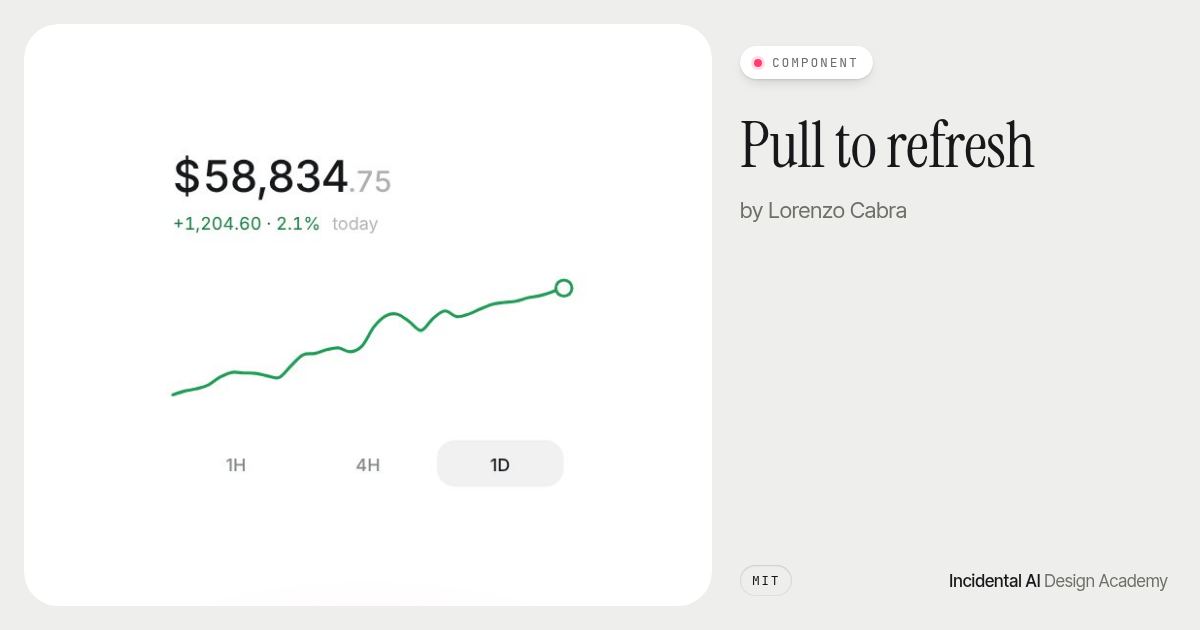
Pull to refreshMITPatternBencho
A pattern React component by Lorenzo Cabra. Collected unchanged from Bencho under the MIT licence and shown here live.
Quality report
The grade and score come from automated checks run at build or test time. If a check did not run, it is marked Not tested — numbers are never invented.
Frame rate: 60 fps average, p5 59.9 · Long tasks: 0 tasks, 0 ms total, longest 0 ms · Source gzip 27 KB · Runtime 179 KB
Issues 1 · Screen reader: Pass
No continuous motion
No overflow
Frame rate and long-task figures were measured in headless Chromium with software WebGL. They are only comparable between components on this site, and do not represent real devices.
Not applicable: no visible animation at rest. Hover-triggered animation was not tested.
Checked Nov 15, 2026 · Figures come from an automated script, not from hand-written samples.
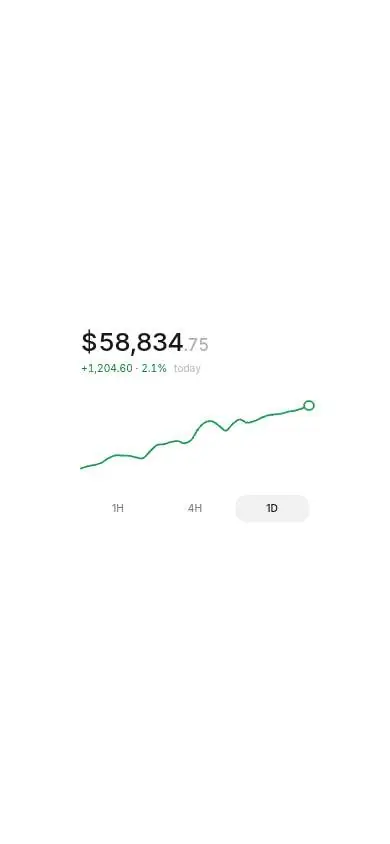
Shown at real size.
The copy starts with the licence notice. Keep it when you use the code.
<div id="root"></div>:root{--bg:#f6f4f0;--ink:#17181a;--background:40 20% 96%;--foreground:24 10% 8%;--card:0 0% 100%}html,body{min-height:100%;margin:0;background:var(--bg);color:var(--ink)}html,body{height:100%;overflow:hidden}body{display:grid;place-items:center}#root{display:grid;place-items:center;max-width:100%;max-height:100%;box-sizing:border-box;padding:16px;color:hsl(var(--foreground))}#root.full{width:100%;height:100%;padding:0}@media(prefers-reduced-motion:reduce){*,*::before,*::after{animation-play-state:paused!important;transition-duration:0s!important}}
/*
MIT License
Copyright (c) 2026 Lorenzo Cabra
Permission is hereby granted, free of charge, to any person obtaining a copy
of this software and associated documentation files (the "Software"), to deal
in the Software without restriction, including without limitation the rights
to use, copy, modify, merge, publish, distribute, sublicense, and/or sell
copies of the Software, and to permit persons to whom the Software is
furnished to do so, subject to the following conditions:
The above copyright notice and this permission notice shall be included in all
copies or substantial portions of the Software.
THE SOFTWARE IS PROVIDED "AS IS", WITHOUT WARRANTY OF ANY KIND, EXPRESS OR
IMPLIED, INCLUDING BUT NOT LIMITED TO THE WARRANTIES OF MERCHANTABILITY,
FITNESS FOR A PARTICULAR PURPOSE AND NONINFRINGEMENT. IN NO EVENT SHALL THE
AUTHORS OR COPYRIGHT HOLDERS BE LIABLE FOR ANY CLAIM, DAMAGES OR OTHER
LIABILITY, WHETHER IN AN ACTION OF CONTRACT, TORT OR OTHERWISE, ARISING FROM,
OUT OF OR IN CONNECTION WITH THE SOFTWARE OR THE USE OR OTHER DEALINGS IN THE
SOFTWARE.
---
Not covered by this licence: the Bencho name and the goat mark, and the
photographs shown on bencho.dev (none are included here). Third-party
material keeps its own licence; see THIRD_PARTY.md.
Icon substitution (this copy only): lucide-react (ISC) was replaced with @tabler/icons-react (MIT).
Sample photographs were replaced with Incidental AI assets. The Bencho name and goat mark are not licensed for marketing use.
*/
/* ── Bencho tokens ─────────────────────────────────────────
The custom properties the free blocks read, at the values
bencho.dev draws them with. Light by default; dark under
[data-theme="dark"] on any ancestor, or automatically with
the system setting unless [data-theme="light"] says otherwise.
Map these to your own theme rather than keeping two: a block
only ever reads the names, never the values. */
:root {
--font-ui: "Inter", "Helvetica Neue", Helvetica, Arial, sans-serif;
--bg: #ffffff;
--board: #ffffff;
--card: #f7f7f6;
--surface: #f7f7f6;
--surface-2: #f1f1f0;
--surface-3: #ecebe7;
--ink: #17181a;
--ink-rgb: 23, 24, 26;
--ink-2: #3c3b37;
--ink-3: #5c5b56;
--ink-4: #6f6e68;
--ink-5: #85847e;
--on-ink: #ffffff;
--on-ink-rgb: 255, 255, 255;
--slab: #17181a;
--on-slab: #ffffff;
--slab-dark: #0e0f11;
--fill-slab: #ffffff;
--fill-on: #17181a;
--fill-on-rgb: 23, 24, 26;
--pane: var(--fill-slab);
--pane-edge: rgba(23, 24, 26, 0.08);
--pane-thumb: rgba(23, 24, 26, 0.07);
--inlay: rgba(255, 255, 255, 0.55);
--inlay-hi: rgba(23, 24, 26, 0.09);
--elev-rgb: 255, 255, 255;
--glass-rgb: 255, 255, 255;
--shadow-rgb: 23, 24, 26;
--wash: 0.06;
--pick: #0d99ff;
--signal: #2231dd;
--focus: #2231dd;
--ok: #15803d;
--ember: #b8431c;
color-scheme: light;
}
[data-theme="dark"] {
--bg: #000000;
--board: #1a1a1a;
--card: #0a0a0a;
--surface: #0f0f0f;
--surface-2: #181818;
--surface-3: #202020;
--ink: #ffffff;
--ink-rgb: 255, 255, 255;
--ink-2: #b4b4b4;
--ink-3: #9a9a9a;
--ink-4: #828282;
--ink-5: #6b6b6b;
--on-ink: #000000;
--on-ink-rgb: 0, 0, 0;
--slab: #1a1a1a;
--on-slab: #ffffff;
--slab-dark: #262626;
--fill-slab: #262626;
--fill-on: #ffffff;
--fill-on-rgb: 255, 255, 255;
--pane-edge: rgba(255, 255, 255, 0.08);
--pane-thumb: rgba(255, 255, 255, 0.07);
--inlay: rgba(255, 255, 255, 0.1);
--inlay-hi: rgba(255, 255, 255, 0.09);
--elev-rgb: 32, 32, 32;
--shadow-rgb: 0, 0, 0;
--wash: 0.09;
--pick: #3aa9ff;
--ok: #34d17a;
color-scheme: dark;
}
@media (prefers-color-scheme: dark) {
:root:not([data-theme="light"]) {
--bg: #000000;
--board: #1a1a1a;
--card: #0a0a0a;
--surface: #0f0f0f;
--surface-2: #181818;
--surface-3: #202020;
--ink: #ffffff;
--ink-rgb: 255, 255, 255;
--ink-2: #b4b4b4;
--ink-3: #9a9a9a;
--ink-4: #828282;
--ink-5: #6b6b6b;
--on-ink: #000000;
--on-ink-rgb: 0, 0, 0;
--slab: #1a1a1a;
--on-slab: #ffffff;
--slab-dark: #262626;
--fill-slab: #262626;
--fill-on: #ffffff;
--fill-on-rgb: 255, 255, 255;
--pane-edge: rgba(255, 255, 255, 0.08);
--pane-thumb: rgba(255, 255, 255, 0.07);
--inlay: rgba(255, 255, 255, 0.1);
--inlay-hi: rgba(255, 255, 255, 0.09);
--elev-rgb: 32, 32, 32;
--shadow-rgb: 0, 0, 0;
--wash: 0.09;
--pick: #3aa9ff;
--ok: #34d17a;
color-scheme: dark;
}
}
/* Balance.css */
/*
MIT License
Copyright (c) 2026 Lorenzo Cabra
Permission is hereby granted, free of charge, to any person obtaining a copy
of this software and associated documentation files (the "Software"), to deal
in the Software without restriction, including without limitation the rights
to use, copy, modify, merge, publish, distribute, sublicense, and/or sell
copies of the Software, and to permit persons to whom the Software is
furnished to do so, subject to the following conditions:
The above copyright notice and this permission notice shall be included in all
copies or substantial portions of the Software.
THE SOFTWARE IS PROVIDED "AS IS", WITHOUT WARRANTY OF ANY KIND, EXPRESS OR
IMPLIED, INCLUDING BUT NOT LIMITED TO THE WARRANTIES OF MERCHANTABILITY,
FITNESS FOR A PARTICULAR PURPOSE AND NONINFRINGEMENT. IN NO EVENT SHALL THE
AUTHORS OR COPYRIGHT HOLDERS BE LIABLE FOR ANY CLAIM, DAMAGES OR OTHER
LIABILITY, WHETHER IN AN ACTION OF CONTRACT, TORT OR OTHERWISE, ARISING FROM,
OUT OF OR IN CONNECTION WITH THE SOFTWARE OR THE USE OR OTHER DEALINGS IN THE
SOFTWARE.
---
Not covered by this licence: the Bencho name and the goat mark, and the
photographs shown on bencho.dev (none are included here). Third-party
material keeps its own licence; see THIRD_PARTY.md.
Icon substitution (this copy only): lucide-react (ISC) was replaced with @tabler/icons-react (MIT).
Sample photographs were replaced with Incidental AI assets. The Bencho name and goat mark are not licensed for marketing use.
*/
/* ── humidity ──────────────────────────────────────────── */
/* ── humidity wheel ─────────────────────────────────────────
No pane. The wheel and its pill, stacked, standing directly
on whatever the section is made of — the same arrangement
the sleep dial uses, and they should read as a pair. */
/* ── the wheel's four bands ─────────────────────────────────
Humidity.tsx names the band and this holds the colour, so
the palette can answer the theme — the hexes used to be
written in the component and could not.
The green is the BALANCE CHART'S green, not the site's --ok,
and for the reason written up on .bal-plot: --ok is a text
green, and a 2px tick is a thin stroke, which always reads
darker and duller than a block of the same colour. Two
blocks drawing thin lines in green should be drawing the
same one.
Red under 12 and amber from 12 to 25 — the band used to be
one amber "Critical", which is the colour of a warning
rather than of a problem, and left nothing to say when it
got worse. Blue at the top is unchanged: high humidity is
not an alarm, it is the other end. */
.hum {
--hum-lit: #1f9d55;
position: relative;
display: flex;
flex-direction: column;
align-items: center;
gap: 0;
font-family: var(--font-ui);
color: var(--fill-on, var(--ink));}
/* ── the rest of them ────────────────────────────────────────
Not every block has a ::before to hang a border on, and
giving each one a pseudo-element it does not otherwise need
is a lot of stylesheet for a hairline. A 1px spread shadow
is the same mark by another means — the create menu has
used exactly this since it was written, for exactly this
reason — and it composites without touching layout.
This is what makes Stroke honest on every entry rather than
on the dozen that happened to be built on a glass pane. */
[data-stroke="on"] .bal,
[data-stroke="on"] .bar-rail,
[data-stroke="on"] .fan-core,
[data-stroke="on"] .step-pill,
[data-stroke="on"] .liq-sw,
[data-stroke="on"] .deck-card,
[data-stroke="on"] .tick-row,
/* NOT the rows. Stroke is a question about the block's own
edge, and hanging it on every row inside drew four
hairlines in the middle of a panel that still had none
round it. `.lab` already carries the ::before this control
was built for, and the roster's box is a .lab. */
/* ── a ring on a metaball ────────────────────────────────────
The reorder list's rows are blobs on a filtered layer, and a
spread shadow drawn there does not survive: the blur smears
it and the alpha row then crushes what is left to nothing,
so Stroke appeared to do nothing on this block in either
theme.
The ring goes on the UNFILTERED twin instead. Every row is
drawn twice — a blob that merges and an ink layer above it
that carries the avatar and the name — and the two share
their geometry exactly, so an outline on the top one traces
the shape of the bottom one for free. */
/* ── and the node card ─────────────────────────────────────
It drew its hairline unconditionally for a revision, which
is the one thing a block with a Stroke control must not do:
the control then reads as broken in the Off position,
because the edge it promises to remove is still there. The
ring follows the card's own corner, which is a knob. */
[data-stroke="on"] .nod-card {
box-shadow: 0 0 0 1px var(--pane-edge);
border-radius: var(--nod-r, 20px);}
/* ══ Balance ════════════════════════════════════════════════
HEIGHT IS NOT DECLARED. It was 340px against content that
came to about 270, and the difference sat at the bottom of
the card as a band of empty fill — the "weird space" that a
fixed height always eventually becomes. The content sizes
the card now, so there is nothing to keep in agreement. */
.bal {
position: relative;
box-sizing: border-box;
width: 300px;
/* the page's corner, not a card's. 18px was the tightest
radius on the bench and it made this the one block that
looked clipped rather than rounded — which is why 26 is
the Corner knob's default rather than its middle. */
border-radius: var(--bal-r, 28px);
background: var(--fill-slab, color-mix(in srgb, var(--fill-on, #17181a) 6%, transparent));
overflow: hidden;
font-family: var(--font-ui);
/* ── the card grows with the pull ─────────────────────────
The sheet inside slides down by --at and the card's own
height follows it, so the top edge stays put and the
bottom travels with the finger. Padding rather than a
scale: a scaled box drags its corner radius out of shape,
and the corner is what says this is still the same card.
--grow carries the rest padding as well as the growth, so
the rebound can spend it — the spring goes past zero on
the way home and the card compresses a few pixels below
its resting height. That is the bounce.
── AND THE NEGATIVE MARGIN CANCELS IT IN LAYOUT ─────────
This is the part that matters and it is not an
optimisation. The wall and the overlay both measure a
block with a ResizeObserver and fit it by the LARGER of
its two sides, so a card whose real height changed during
a pull did three things at once: the wall re-packed its
column and every card below it jumped, the overlay
rescaled the block every frame so everything shrank while
the card stretched, and the pull itself became unreliable
— the re-render mid-gesture is what made it stop
responding.
Growing and un-growing by the same number leaves the
margin box exactly where it was. The card paints taller
and MEASURES the same, so nothing above it notices and
the block's box is a constant. It paints into the wall
card's own padding, which has room for it. */
padding-bottom: var(--grow, 8px);
margin-bottom: calc(-1 * var(--grow, 8px));}
/* ── the indicator ─────────────────────────────────────────
Five droplets on one goo layer. It sits under the sheet and
is revealed as the sheet is pulled down off it.
--spread is the whole effect and it is one number: the
distance each droplet sits from the centre. Scattered at 13,
touching at about 2.6, and back out to 10 while it works. It
is set from React rather than derived in CSS because the
pull and the work phase reach it by different routes and a
calc() covering both would be a conditional written in
arithmetic.
The ring turns as a WHOLE while it works — the animation is
on this box, not on the droplets — so the DOM and the
silhouette rotate together and the library never has to
re-measure a moving rect. Thirty-odd frames a second of
getBoundingClientRect per droplet is the cost of the
obvious version. */
.bal-goo {
position: absolute;
left: 50%;
/* 30, not 36. The ring has to clear the sheet's top edge at
the moment the pull commits, and the commit moved from 80
down to 58 — so the room the indicator had is 22px less
than it was and it has to sit that much higher. Which is
also the better composition: the gap between the ring and
the content it is holding open was generous enough to
read as two separate things. */
top: 30px;
width: 60px; height: 60px;
margin: -30px 0 0 -30px;
z-index: 1;
pointer-events: none;
/* the dots share one cell and are displaced out of it */
display: grid;
place-items: center;
/* opacity OUTSIDE the filter. The goo's alpha step erases
anything under half opacity, so fading the droplets
themselves would not fade the blob — it would eat it from
the edges in and then drop it whole. */
opacity: var(--p, 0);
scale: calc(0.82 + var(--p, 0) * 0.18);}
.bal[data-phase="work"] .bal-goo {
opacity: 1;
scale: 1;
animation: bal-spin var(--rpm, 900ms) linear infinite;}
/* ── one of the six ─────────────────────────────────────────
Tiny, and it can be: there is no filter to survive any more,
which is what the old 14px was sized against. Six 5px dots
on a 30px circle read as a spinner at a glance and as six
distinct marks when you look. They paint themselves now
rather than being a silhouette for a group to fill. */
.bal-drop {
grid-area: 1 / 1;
width: 4px; height: 4px;
border-radius: 999px;
/* ── GREY, NOT INK ───────────────────────────────────────
A loading mark is the quietest thing that can be on a
screen and still be doing its job: it says "a moment",
and full ink says "look at this". A wash of the fill's own
ink rather than a fixed grey, so it stays a step off
whatever the component is made of in either direction. */
background: color-mix(in srgb, var(--fill-on, #17181a) 32%, transparent);
/* --dx/--dy are worked out in the component, from the
droplet's angle and the spread — see the note there on why
this is a translation and not a rotation. */
transform: translate(calc(var(--dx, 0) * 1px), calc(var(--dy, 0) * 1px));}
.bal-scroll {
position: relative;
z-index: 2;
transform: translateY(var(--at));
/* ── pan-X, and the axis is the whole point ───────────────
`touch-action` names what the BROWSER may take, not what
the element wants. pan-y handed every vertical gesture to
the page for scrolling — which is the one gesture this
component exists to receive, so on a touch screen the card
never moved at all and there was no way to refresh it.
pan-x reserves the vertical drag for the element and
leaves horizontal to the browser, which is the correct
way round for something you pull down.
.bal-plot below is the opposite case and keeps pan-y
correctly: its scrub is HORIZONTAL, so the browser is
welcome to the vertical. The two values look
interchangeable and are exact opposites — which is how the
wrong one ends up on the wrong element. */
touch-action: pan-x;
/* opaque, or the droplets underneath show through the sheet
they are supposed to be hidden behind */
background: var(--fill-slab, var(--card));}
.bal-scroll:focus-visible {
outline: none;
box-shadow: inset 0 0 0 2px rgba(var(--fill-on-rgb, var(--ink-rgb)), 0.45);
border-radius: 28px;}
/* ── what it is refreshing ─────────────────────────────────
Everything is on the fill's own ink, so a dark Fill inverts
the whole sheet rather than leaving a light card sitting
inside a dark one. */
/* Sized to its contents, the card came out tight everywhere at
once — the number against the chart, the chart against the
holdings. Height is cheap here and legibility is not, so the
padding opens up and the plot below takes the room. */
/* the wall's gap — see .lab. The extra room the chart needed
came from its own height, not from the sheet's inset, so
tightening this gives the plot MORE width rather than less. */
/* the top gets more than the other three sides: the balance
is the first thing read and it was sitting right up against
the card's edge */
/* and the foot gets LESS than the sides, because the card
under it already carries 8px of its own for the squash —
4 here lands the tabs 12 from the bottom edge, the same as
they sit from either side */
/* 16 on every side, the card padding the rest of the bench uses.
It was 24 over the figure and 12 everywhere else (the bottom
is 8 here plus the 8 of rebound room the card carries) */
.bal-sheet { padding: 16px 16px 8px; }
.bal-sum {
margin: 0;
/* Inter, not DM Mono — with tabular figures, which is the
only thing the mono face was actually providing. */
font-size: 30px;
line-height: 1;
/* 500, not 600. At 33px a semibold balance was the loudest
thing on the card by some distance and read as a headline
rather than as a figure; the size already makes it the
first thing you look at. */
font-weight: 500;
letter-spacing: -0.03em;
color: var(--fill-on, var(--ink));
font-variant-numeric: tabular-nums;}
/* the currency and the cents are the same figure at a quieter
weight — a balance is one number, not three */
/* THE MARK IS PART OF THE NUMBER. It was two thirds the size
at a third of the weight, which read as a footnote attached
to the figure rather than as the figure's own currency —
same size, same weight, same colour, and it is one number
again. */
.bal-cur {
font-size: inherit;
font-weight: inherit;
margin-right: 2px;}
/* the cents stay grey, and come up: at 18 against a 33px
figure they were a different order of information; at 24
they are the same number, quieter. */
.bal-dec { font-size: 20px; opacity: 0.34; font-weight: 500; letter-spacing: -0.02em; }
.bal-move {
/* tabular here above all: this line is rewritten on every
step of a scrub, and proportional figures would make the
row twitch under the pointer */
font-variant-numeric: tabular-nums;
display: flex;
align-items: baseline;
gap: 8px;
margin: 9px 0 0;
/* 12.5, up from 11.5. It carries the change AND the day —
the two things you read after the balance itself — and at
11.5 under a 33px figure it was sized like a caption on a
line that is doing more work than that. */
font-size: 12px;
font-weight: 400;
color: color-mix(in srgb, var(--fill-on, #17181a) 52%, var(--fill-slab, #ffffff));
letter-spacing: 0em;}
.bal-move[data-up="true"] { color: var(--ok); }
.bal-move[data-up="false"] { color: var(--ember); }
/* the word, or the time — always the quiet half of the line,
whichever it currently is */
.bal-when {
color: color-mix(in srgb, var(--fill-on, #17181a) 32%, var(--fill-slab, #ffffff));
font-variant-numeric: tabular-nums;}
/* ── the line ───────────────────────────────────────────────
A curve through the readings with a wash under it. The wash
is what stops it reading as a wireframe: a stroke alone on a
card is a diagram, a stroke over a fade is a chart.
GREEN, because the reading it draws is. The figure above it
is already --ok when the day is up, and a black line under
two green numbers is the one element on the card not
participating in what it is about.
`color` is set on the wrapper so the gradient's
currentColor, the stroke, the guide and the dot all agree
without any of them naming a value. */
.bal-plot {
position: relative;
display: block;
margin: 22px 0 6px;
/* the grab area is the plot, and it is worth more than the
line is tall — a 3px-high hit target for a scrub is a
scrub nobody finds.
It is a VARIABLE because two other things have to know
it. The plot is the containing block for the dot and the
guide, so a percentage inside it resolves against a box
that is 12px taller than the chart — and both of them are
placing themselves against the CHART. Written out three
times these drift; written once they cannot. */
--pad-y: 6px;
padding: var(--pad-y) 0;
/* ── BRIGHTER THAN THE NUMBER, on purpose ───────────────
--ok is a TEXT green: #15803d is chosen to read at 11.5px
on white, which makes it deep and, drawn as a 1.7px
stroke, muddy — a thin line of a dark colour always looks
darker than a block of it, so the chart came out dull
against the two green figures above it.
So the plot takes a green of its own, the same hue with
the saturation a stroke needs. Not a second colour: the
pair reads as one green because at these two sizes it
does — brightening the line is what makes it MATCH the
number optically rather than only in the stylesheet.
Dark needs none of this: --ok is already #34d17a there,
which is the vibrance this is after. The light ramp was
the dull one. */
--line: #1f9d55;
color: var(--line);
cursor: crosshair;
touch-action: pan-y;}
[data-theme="dark"] .bal-plot { --line: #1f9d55; }
/* and the same argument the other way for a fall */
.bal-plot[data-up="false"] { --line: #e5484d; color: var(--line); }
[data-theme="dark"] .bal-plot[data-up="false"] { --line: #ff7a4d; }
.bal-line {
display: block;
width: 100%;
/* the chart is the thing you scrub, so it is the thing that
should have got the room — 62px of curve under a 33px
number was a footnote to it */
height: 92px;
overflow: visible;}
.bal-curve {
fill: none;
stroke: currentColor;
/* 2.1, up from 1.7. The same argument as the colour above it
— a thin stroke gives a hue less to be read from, so the
line was paying twice for being fine. A quarter more
weight is enough to carry the green without the curve
starting to read as a shape rather than a reading. */
stroke-width: 2.1;
stroke-linecap: round;
stroke-linejoin: round;
/* WITHOUT THIS the stroke stretches with the viewBox, and a
100-unit box mapped across 320px of card draws a rope
along one axis and a hairline along the other. */
vector-effect: non-scaling-stroke;}
/* ── reading the day back ───────────────────────────────────
The guide only exists while you are on the plot. A
permanent vertical rule is a second axis nobody asked for,
and it would be pointing at "now", which the dot already
marks. */
.bal-guide {
position: absolute;
top: var(--pad-y, 6px); bottom: var(--pad-y, 6px);
width: 1px;
margin-left: -0.5px;
background: currentColor;
opacity: 0;
pointer-events: none;
transition: opacity 160ms ease;}
.bal-plot[data-scrub] .bal-guide { opacity: 0.28; }
/* The mark on the reading, outside the stretched svg. Its
position comes from the same points the path was built
from, so it is ON the curve rather than near it.
It does NOT transition its position. A dot that eases toward
the pointer is a dot that is wrong for 140ms at every step,
and the whole claim of a scrub is that the number and the
place agree. Only the size changes on a timer. */
/* ── the dot sits on the CHART, not on the plot ─────────────
`--tip` is where the reading is down the chart, 0 at the top
and 1 at the bottom, and it has to be resolved against the
chart's own height. A plain `top: %` resolves against the
containing block — the plot, which is 12px taller because of
its own grab padding — so the dot landed 6px high at the top
of the range, 6px low at the bottom, and exactly right in
the middle. Measured before the fix: 5.99px below the line's
end point. Correct in the middle is the worst kind of wrong,
because it looks like a rounding error rather than a
mistake.
The guide above it was always right; it is placed from both
edges rather than by a fraction, so it never had to know. */
.bal-tip {
position: absolute;
top: calc(var(--pad-y, 6px) + (100% - 2 * var(--pad-y, 6px)) * var(--tip, 0));
width: 9px; height: 9px;
margin: -4.5px 0 0 -4.5px;
border-radius: 999px;
background: var(--fill-slab, var(--bg));
box-shadow: 0 0 0 2px currentColor;
pointer-events: none;
transition: scale 160ms cubic-bezier(0.24, 1.34, 0.38, 1);}
.bal-plot[data-scrub] .bal-tip { scale: 1.18; }
/* ── the holdings ───────────────────────────────────────────
TWO CARDS, SIDE BY SIDE. They were two full-width rows, one
under the other, which made a list out of a pair — and the
pair is the point. Side by side they are half the height and
they read as what they are: two holdings, compared.
No mono anywhere. The ticker was 9.5px of IBM Plex Mono
doing the job a letterspaced Inter caption does without
changing typeface mid-card. */
/* ── the window ─────────────────────────────────────────────
Three small pills where two holdings cards used to be. Light
on purpose: the chart above is the subject, and what sits
under it should be a control rather than a second reading
competing with the first. */
.bal-win {
position: relative;
display: flex;
gap: 4px;
margin: 16px 0 0;}
/* One tab wide, and one tab plus a gap per step across. The
percentage in translateX is of the PILL's own width, which
is the tab width — so the sum is exact at any card scale and
nothing has to be measured. */
.bal-win-pill {
position: absolute;
left: 0; top: 0; bottom: 0;
width: calc((100% - (var(--win-n, 3) - 1) * 4px) / var(--win-n, 3));
border-radius: var(--bal-tab-r, 999px);
background: color-mix(in srgb, var(--fill-on, #17181a) 6%, transparent);
transform: translateX(calc(var(--win, 0) * (100% + 4px)));
/* A bounce you feel rather than watch. The overshoot is
still the point — it is what separates a thing being MOVED
from a thing being switched — but 1.48 on the second
control point threw it 13px past a 78px tab, which is a
sixth of the travel arriving after the pill had already
got there. 1.16 puts that in the low single figures, and
the shorter duration keeps the whole move under the time
it takes to look at it. */
transition: transform 420ms cubic-bezier(0.24, 1.34, 0.38, 1);}
.bal-win-btn {
position: relative;
z-index: 1;
flex: 1;
/* 32 and 12.5px, up from 28 and 11.5 — the row read as a
footnote under the chart rather than as the control it is */
height: 32px;
border: 0;
/* the card's corner, scaled down and capped at half the
tab's height — see the note in Elastic.tsx */
border-radius: var(--bal-tab-r, 999px);
background: none;
color: color-mix(in srgb, var(--fill-on, #17181a) 52%, var(--fill-slab, #ffffff));
font-family: var(--font-ui);
font-size: 12px;
font-weight: 500;
letter-spacing: 0em;
cursor: pointer;
/* the label lands before the pill does, so the word you
pressed is the one that reads first */
transition: color 220ms ease, transform 220ms cubic-bezier(0.24, 1.34, 0.38, 1);}
.bal-win-btn:hover { color: var(--fill-on, var(--ink)); }
.bal-win-btn:active { transform: scale(0.96); }
/* the pad is the pill's now — this only carries the ink */
.bal-win-btn[data-on] { color: var(--fill-on, var(--ink)); }
@media (prefers-reduced-motion: reduce) {
.bal[data-phase="work"] .bal-goo { animation-duration: 3s; }
}
@media (prefers-reduced-motion: reduce) {
.bal-tip, .bal-guide, .bal-win-pill { transition-duration: 160ms; }
}
@keyframes bal-spin { to { rotate: 360deg; } }
// bencho source (MIT). npm i motion react · Tailwind CSS v4
// ── blocks/pull/Balance.tsx (https://github.com/cabralorenzo/bencho/blob/c65992417427bb09e661674ffa800bef29adef49/blocks/pull/Balance.tsx)
/*
MIT License
Copyright (c) 2026 Lorenzo Cabra
Permission is hereby granted, free of charge, to any person obtaining a copy
of this software and associated documentation files (the "Software"), to deal
in the Software without restriction, including without limitation the rights
to use, copy, modify, merge, publish, distribute, sublicense, and/or sell
copies of the Software, and to permit persons to whom the Software is
furnished to do so, subject to the following conditions:
The above copyright notice and this permission notice shall be included in all
copies or substantial portions of the Software.
THE SOFTWARE IS PROVIDED "AS IS", WITHOUT WARRANTY OF ANY KIND, EXPRESS OR
IMPLIED, INCLUDING BUT NOT LIMITED TO THE WARRANTIES OF MERCHANTABILITY,
FITNESS FOR A PARTICULAR PURPOSE AND NONINFRINGEMENT. IN NO EVENT SHALL THE
AUTHORS OR COPYRIGHT HOLDERS BE LIABLE FOR ANY CLAIM, DAMAGES OR OTHER
LIABILITY, WHETHER IN AN ACTION OF CONTRACT, TORT OR OTHERWISE, ARISING FROM,
OUT OF OR IN CONNECTION WITH THE SOFTWARE OR THE USE OR OTHER DEALINGS IN THE
SOFTWARE.
---
Not covered by this licence: the Bencho name and the goat mark, and the
photographs shown on bencho.dev (none are included here). Third-party
material keeps its own licence; see THIRD_PARTY.md.
Icon substitution (this copy only): lucide-react (ISC) was replaced with @tabler/icons-react (MIT).
Sample photographs were replaced with Incidental AI assets. The Bencho name and goat mark are not licensed for marketing use.
*/
import { useEffect, useLayoutEffect, useRef, useState } from "react";
/* ══ elastic blocks ═══════════════════════════════════════
Two of them here; Palette and Drop each outgrew two hundred
lines and took a file of their own. The accordion that used
to sit at the bottom of this file is gone.
The rule they all keep, and the one worth stating once:
ELASTICITY IS FEEDBACK, NEVER LATENCY. Every outcome here
has already happened by the time anything is settling. The
range's values are correct while the handle is still
catching up to them, the accordion is open the instant it
is pressed, and the pull refreshes on release rather than
when the droplet stops wobbling. A spring that gates a
result is not liquid, it is lag with a curve on it. */
/* ── inlined from lab/spring ──────────────────────── */
/* ── one spring, for everything that settles ───────────────
The maths was already on this bench twice, copied by hand:
Humidity's wheel and Brightness's column both accumulate
velocity toward a target, damp it, and snap when both the
delta and the velocity fall under 0.02. Two copies is a
coincidence; five would be a policy, so it comes out here
before the elastic blocks are written against it.
The two shipped copies are deliberately NOT refactored onto
this. They work, they are tuned, and rewriting the innards
of two live components to prove a point about duplication
is how a good afternoon becomes a bad one. This is the one
new code uses.
Frames, not milliseconds. `dt` is expressed in sixtieths of
a second and the damping is RAISED to it rather than
multiplied by it, so a dropped frame decays the same amount
of energy as the two frames it replaced. Multiplying is the
version that makes a spring behave differently on a busy
page, which is the hardest kind of bug to see.
The loop parks itself the moment the value has settled.
CLAUDE.md is not complimentary about the one permanent
requestAnimationFrame already on this bench and there is no
case for five more. */
/* 0..100 into the two numbers a spring actually has.
50 is what Humidity and Brightness were tuned at, which is
the rule every elastic knob on this bench follows — see
lab/motion. Turn the panel to the middle and nothing has
changed.
Both ends have to be usable, which is what fixes the range:
at 0 it is slow and heavy and still arrives, at 100 it is
quick with a visible overshoot, and nowhere in between does
it ring for longer than it takes to read. */
/* The pair is chosen by DAMPING RATIO and then written back
as stiffness and decay, because the ratio is the thing a
person is actually setting and the two numbers on their own
do not say what they add up to.
zeta = -ln(d) / (2 * sqrt(k))
The first version of this ran 0.06..0.26 stiffness against
0.93..0.74 decay, which reads as a sensible spread and is
not one: it puts zeta between 0.15 and 0.16 across the
WHOLE range, so every setting overshot by about sixty per
cent and the knob only changed how fast it did it. Pull's
return went 130px past its own resting position and lifted
the content off the top of the card.
0 → zeta ~0.85, heavy, arrives without a ring
50 → zeta ~0.41, near where Humidity and Brightness sit
100 → zeta ~0.20, lively, two visible rebounds
Both ends shippable, which is the constraint that fixed the
numbers rather than taste. */
const springOf = (tune: number) => ({
/* stiffness: how hard it is pulled toward the target */
k: 0.08 + (tune / 100) * 0.16,
/* decay, per frame: how much of the velocity survives */
d: 0.62 + (tune / 100) * 0.2,
});
/* Units matter. The snap threshold is absolute, so a caller
works in pixels or in 0..100 — a spring driven over 0..1
would be "settled" before it had visibly moved. */
function useSpring(target: number, tune = 50, instant = false) {
const [at, setAt] = useState(target);
const cur = useRef(target);
const vel = useRef(0);
const raf = useRef(0);
useEffect(() => {
if (instant) {
cur.current = target;
vel.current = 0;
setAt(target);
return;
}
const { k, d } = springOf(tune);
let prev = 0;
const tick = (t: number) => {
const dt = prev ? clamp((t - prev) / 16.67, 0, 2.5) : 1;
prev = t;
vel.current += (target - cur.current) * k * dt;
vel.current *= Math.pow(d, dt);
cur.current += vel.current * dt;
if (Math.abs(target - cur.current) < 0.02 && Math.abs(vel.current) < 0.02) {
cur.current = target;
vel.current = 0;
setAt(target);
raf.current = 0;
return;
}
setAt(cur.current);
raf.current = requestAnimationFrame(tick);
};
raf.current = requestAnimationFrame(tick);
return () => {
cancelAnimationFrame(raf.current);
raf.current = 0;
};
/* `tune` sits here beside `target` for the reason
Brightness spells out: the loop closes over it, so
without it a knob turned mid-flight would do nothing
until something else restarted the effect. Restarting
picks up from the refs, so it continues rather than
snapping. */
}, [target, tune, instant]);
return at;
}
/* Read once, the way the wheel and the pill nav do. A
preference, not a live input. */
const stillness = () =>
typeof window !== "undefined" &&
!!window.matchMedia?.("(prefers-reduced-motion: reduce)").matches;
/* ── inlined from lab/Gooey ──────────────────────── */
/* ══ Gooey ════════════════════════════════════════════════
What is left of the two library-surfaced components that
used to live here: the measurement every liquid-gooey group
on the bench needs. Liquid tabs and the Plus menu are gone;
this is the part of them that turned out to be the reusable
half, and Balance, the Selection list, the Humidity wheel
and the Sleep dial all still call it.
── what the library actually does ──────────────────────
The usual gooey effect runs blur + alpha-contrast over your
real UI, which is why it is normally confined to decorative
circles: text goes soft, images smear, and the contrast step
eats shadows. liquid-gooey splits it in two. An SVG layer
carries a silhouette of your elements and takes the whole
filter; your actual DOM rides crisp on top of it, untouched.
Same liquid, none of the tax — and it is the same discipline
our own filter needs, since text under an alpha threshold
loses its edges and then itself.
── the two patterns, which are not interchangeable ─────
MORPH gives the library the position: pass x/y and it
animates the element and the liquid together, so pieces that
separate stay bridged until the goo can no longer hold them.
The split IS the effect.
MOVE gives the position to you: move the element however you
like and the surface trails it as liquid rubber with a
droplet tail. A filter has no memory of motion — a shape
that crossed two pixels and one that crossed the whole track
arrive identical — and this is the part that fixes that. */
/* ── the zoom correction, applied to someone else's SVG ──────
liquid-gooey measures its items with getBoundingClientRect
and draws them as SVG user units. Those are the same number
only while no ancestor is scaled — and on this bench every
component sits inside a scaled card, so the transform lands
twice and the silhouette drifts from its element in
proportion to both the scale and the distance from the
origin. Measured: 0.1px at scale 1, 22px at 1.09, 124px at
1.4.
Everything the library computes is in screen px, so scaling
its layer by 1/k converts the whole coordinate space back to
layout px in one move, and the card's own transform then
renders it correctly. Same k = rect.width / offsetWidth the
rest of the bench uses.
MOVE ONLY. Morph positions its items with a CSS transform on
a real wrapper, in layout px, which scales correctly on its
own — apply this there and you over-correct: the silhouette
comes out 1/k the size of its button, so the blob is smaller
than the element and every icon looks off-centre inside it.
Measured on the plus menu: button 58px, blob 46px, and up to
10px of offset. Without it, 58 and 58, dead on. */
function useGooScale() {
const box = useRef<HTMLDivElement | null>(null);
const [k, setK] = useState(1);
useLayoutEffect(() => {
const el = box.current;
if (!el) return;
const read = () => {
const r = el.getBoundingClientRect();
const next = (r.width / (el.offsetWidth || r.width)) || 1;
setK((was) => (Math.abs(was - next) < 0.001 ? was : next));
};
read();
const ro = new ResizeObserver(read);
ro.observe(el);
/* the card also rescales when the overlay opens, which is a
transform change and not a resize */
const t = window.setInterval(read, 500);
return () => { ro.disconnect(); window.clearInterval(t); };
}, []);
return { box, k };
}
const clamp = (v: number, lo: number, hi: number) => Math.min(hi, Math.max(lo, v));
const mix = (a: number, b: number, t: number) => a + (b - a) * t;
/* Screen pixels are not layout pixels: the wall draws a
component at whatever fraction the column allows and the
canvas at whatever the zoom is. Every drag here divides by
this before it believes a delta. */
const zoomOf = (el: HTMLElement) =>
el.getBoundingClientRect().width / (el.offsetWidth || 1) || 1;
/* ══ 1 · Balance ══════════════════════════════════════════
A portfolio card. Pull it down to refresh, run along the
line to read the day back.
THE PART THAT MATTERS about the pull: the commitment happens
at a DISTANCE, not on release. Crossing the threshold is
what arms the refresh, so you know it will happen while your
finger is still down — let go after that and it goes, and
you knew. A version that decides on release has hidden the
only information the gesture carries.
── the liquid, and why it is back ──────────────────────
There was a metaball here once and it was removed, for a
reason worth repeating: a droplet stretching off the top
edge of a card says something far more elaborate than
"working", which is a refresh indicator's whole job.
What is here now is the opposite arrangement, and it earns
the filter rather than decorating with it. Five droplets sit
SCATTERED at rest and are drawn together as you pull —
crossing the threshold is the moment they touch and fuse
into one body. The goo is not an ornament on the commitment,
it IS the commitment, readable at a glance and at a
distance, which is exactly what this gesture needs to
communicate. Then it opens back into a ring and turns while
the work happens. It never leaves its own 44px. */
/* ── what it is refreshing ─────────────────────────────────
Three fixed readings, cycled in order, each starting where
the last one ended — so a refresh continues the day rather
than resetting it, and a bench still gets the same
screenshot twice.
ONE ARRAY IS THE WHOLE TRUTH. The balance is the last point,
the change is last minus first, and the percentage is that
over the first. They were three hand-written figures beside
a decorative line, which is three things that can disagree
with each other and with the chart above them — and once the
line became scrubbable, every point on it needed a real
number anyway. */
const READS: number[][] = [
[57630.15, 57672.02, 57697.31, 57740.67, 57829.15, 57881.90, 57875.25, 57871.44,
57841.43, 57824.68, 57957.03, 58078.61, 58095.22, 58136.25, 58156.95, 58113.65,
58180.30, 58394.72, 58518.55, 58536.23, 58450.89, 58354.12, 58489.60, 58573.06,
58508.69, 58536.64, 58594.77, 58647.64, 58668.57, 58682.61, 58720.06, 58743.78,
58784.11, 58834.75],
[58834.75, 58842.84, 58858.72, 58877.48, 58874.75, 58872.61, 58896.56, 58906.48,
58893.08, 58922.63, 58981.41, 58963.18, 58940.77, 59001.24, 59035.63, 59026.34,
59052.16, 59073.47, 59033.25, 59010.92, 58996.54, 58935.27, 58911.50, 58975.07,
59037.90, 59022.02, 59004.80, 59038.44, 59055.78, 59056.52, 59072.15, 59078.52,
59088.28, 59102.40],
[59102.40, 59086.90, 59077.06, 59068.52, 59055.95, 59019.04, 58999.47, 58975.10,
58903.86, 58916.98, 58989.57, 58926.11, 58763.26, 58683.68, 58727.54, 58778.00,
58758.83, 58718.66, 58682.76, 58709.66, 58792.35, 58782.87, 58692.33, 58598.58,
58598.77, 58672.38, 58655.19, 58615.97, 58621.85, 58624.03, 58595.53, 58549.14,
58523.68, 58516.05],
];
/* ── the figures, in Inter ─────────────────────────────────
The whole card was set in DM Mono. A monospaced face is the
reflex for money and it is the wrong one here: it makes a
balance look like console output, and the only thing it
was actually buying — digits that do not shift width as
they count — is available in Inter for free.
font-variant-numeric: tabular-nums is that feature. Same
advance for every digit, in the proportional face, so the
number can change on a refresh or under a scrub without
anything after it moving. Mono was never the requirement;
a stable advance was.
The comma comes back with it. The old note here argued for
a comma over a thin space because in DM Mono a space is as
wide as a digit and "59 102" reads as a number with a
character missing. In Inter that no longer applies — but a
comma is still what a British reader expects of £58,834.75,
so it stays for the ordinary reason rather than the
typographic one. */
const money = (n: number) =>
n.toLocaleString("en-GB", { minimumFractionDigits: 2, maximumFractionDigits: 2 });
/* the cents ride at a lighter weight, so split them off */
const split = (n: number): [string, string] => {
const s = money(n);
const dot = s.lastIndexOf(".");
return [s.slice(0, dot), s.slice(dot)];
};
const signed = (n: number) => (n < 0 ? "−" : "+") + money(Math.abs(n));
/* Thirty-four readings across a trading day. The scrub says
WHEN, because a number with no time on it is just a
different number — the point of running back along the line
is to find out when something happened. */
const OPEN = 9 * 60;
const SHUT = 17 * 60 + 30;
const clock = (i: number, n: number) => {
const m = Math.round(OPEN + ((SHUT - OPEN) * i) / (n - 1));
return `${String(Math.floor(m / 60)).padStart(2, "0")}:${String(m % 60).padStart(2, "0")}`;
};
/* ── how much of the day to draw ───────────────────────────
What the two holdings cards used to be. They were the
heaviest thing on the card and they were inert — two figures
that never moved, under a chart that does — so the space
goes to something the chart can actually answer.
EVERY WINDOW IS REAL. These are tails of the recorded
session, not different resolutions of invented data: the
series runs 09:00 to 17:30 across 34 readings, so an hour is
the last four of them and half a day is the last sixteen.
The balance is the same number in all three, because it is
the same last reading — only the CHANGE differs, which is
the whole point of choosing a window. */
/* six is the default, and the count at which a ring still
reads as a circle rather than as a polygon — but it is a
knob now, so this is only where it starts */
const DOTS = 6;
const WINDOWS = [
{ id: "1h", label: "1H", take: 5, span: "past hour" },
{ id: "4h", label: "4H", take: 17, span: "past 4 hours" },
{ id: "1d", label: "1D", take: 34, span: "today" },
] as const;
/* ── the line ──────────────────────────────────────────────
A CURVE, not a polyline. The first version joined the
readings with straight segments and every one of those
corners is a lie about data that was never sampled — it
also looks like a sales chart from 1998, which was the
actual complaint.
Catmull-Rom converted to cubic béziers: the curve passes
through every reading exactly, and the control points come
from the neighbours on either side, so nothing is invented
and nothing overshoots into a shape the data does not have.
Three things come out of one pass — the stroke, the area
underneath it, and the points themselves — because they all
have to agree. Generating them separately is how a fill ends
up a pixel off the line it is under, and how a scrub dot
ends up beside the curve instead of on it. */
type Pt = { x: number; y: number };
/* the control points, kept rather than thrown away with the
string. `at` needs exactly these — see below. */
function segments(pt: Pt[]) {
return pt.slice(0, -1).map((p1, i) => {
const p0 = pt[i - 1] ?? p1;
const p2 = pt[i + 1];
const p3 = pt[i + 2] ?? p2;
/* a sixth of the neighbour span is the standard Catmull-Rom
tension — tighter and it corners, looser and it loops */
return {
p1,
p2,
c1: { x: p1.x + (p2.x - p0.x) / 6, y: p1.y + (p2.y - p0.y) / 6 },
c2: { x: p2.x - (p3.x - p1.x) / 6, y: p2.y - (p3.y - p1.y) / 6 },
};
});
}
/* the path string through a set of points — the line at rest,
and every frame of the morph between two lines */
function trace(pt: Pt[]) {
let d = `M${pt[0].x.toFixed(2)} ${pt[0].y.toFixed(2)}`;
for (const g of segments(pt)) {
d += ` C${g.c1.x.toFixed(2)} ${g.c1.y.toFixed(2)} ${g.c2.x.toFixed(2)} ${g.c2.y.toFixed(2)} ${g.p2.x.toFixed(2)} ${g.p2.y.toFixed(2)}`;
}
return d;
}
function curve(vals: number[], w: number, h: number, pad: number) {
const lo = Math.min(...vals);
const hi = Math.max(...vals);
const pt = vals.map((v, i) => ({
x: (i / (vals.length - 1)) * w,
y: h - pad - ((v - lo) / (hi - lo || 1)) * (h - pad * 2),
}));
const seg = segments(pt);
const d = trace(pt);
/* ── anywhere along the line, not just at a reading ────────
The same cubic the path string is made of, evaluated at a
fractional index. That is the whole reason the control
points are kept: lerping between two readings would put
the dot on the CHORD, which is beside the curve wherever
it bends — and "beside the curve" is exactly the bug the
note above this function warns about. Reading the drawn
path back with getPointAtLength would also work and would
be a measurement of a thing we already know. */
const at = (u: number) => {
const i = Math.min(seg.length - 1, Math.max(0, Math.floor(u)));
const g = seg[i];
const t = Math.min(1, Math.max(0, u - i));
const m = 1 - t;
return {
x: m ** 3 * g.p1.x + 3 * m * m * t * g.c1.x + 3 * m * t * t * g.c2.x + t ** 3 * g.p2.x,
y: m ** 3 * g.p1.y + 3 * m * m * t * g.c1.y + 3 * m * t * t * g.c2.y + t ** 3 * g.p2.y,
};
};
return { d, area: `${d} L${w} ${h} L0 ${h} Z`, pt, at };
}
/* the card's corner. 26 is the page's own, not a card's —
18 was the tightest radius on the bench and it made this the
one block that looked clipped rather than rounded. */
const CORNER = 20;
/* the morph between two lines: how many places along each are
mixed, and how long it takes — the bench's `slow`, a size
change, on its out curve */
const MORPH = 48;
const MORPH_MS = 420;
/* ── the room the rebound compresses into ──────────────────
Negative padding does not exist, so the card carries this
much at rest and the bounce spends it. Twelve is enough to
read as a squash and small enough that the resting card is
the resting card.
The growth itself is capped in the stylesheet rather than
here, by `max-height` set to the card's own WIDTH — see the
note there. That cap is the reason nothing rescales during
a pull, and it is expressed as a shape ("the card can never
be taller than it is wide") rather than as a number that
would have to be kept in step with the content's height. */
const SQUASH = 8;
/* ── how far the card can stretch ──────────────────────────
There is no budget any more — the stylesheet cancels the
growth in layout with a matching negative margin, so the
card paints taller and measures the same and nothing above
it re-fits. What is left is a limit of taste: past a point
the card is painting well outside its own box and into the
room the wall card keeps around it.
`tanh` rather than the exponential the first version used,
because tanh is near-linear where it matters. At 40 of pull
the card has grown 38, which is the card FOLLOWING the
finger; the exponential was already lagging by a fifth
there, and a card that visibly falls behind the thing
dragging it reads as slow rather than as elastic. It only
bends near the top: 68 at the 80px threshold, and 104 at a
200px heave against a ceiling of 110. */
const GROW = 110;
export function Balance({
/* how much the pull fights back, 0..100 */
resistance = 50,
/* px before it commits. It was 80, which is a long way to
drag a card that answers in a second — and the rubber
makes the last of it the expensive part, so 80 of commit
wanted about 95 of finger. 58 needs 65, and the resistance
is untouched, so the pull feels the same and is simply
shorter. */
threshold = 58,
/* how fast the ring turns while it works, 0..100 */
spin = 50,
/* how many dots the loading wheel is made of, 3..10 */
dots = DOTS,
/* the card's own corner, 0..40 — and the tabs follow it,
see CORNER below */
corner = CORNER,
}: {
resistance?: number;
threshold?: number;
spin?: number;
dots?: number;
corner?: number;
} = {}) {
const scroll = useRef<HTMLDivElement | null>(null);
const grab = useRef<{ x: number; y: number; from: number; on: boolean } | null>(null);
const off = useRef(0);
const [raw, setRaw] = useState(0);
const [phase, setPhase] = useState<"idle" | "hold" | "work">("idle");
/* which reading is on screen. A refresh advances it, so the
gesture has an outcome you can point at. */
const [read, setRead] = useState(0);
/* which point the pointer is over, or null for "the latest" */
const [scrub, setScrub] = useState<number | null>(null);
/* which reading the last note was for. A ref and not state:
it decides whether a sound plays and nothing on screen is
read off it, so putting it in state would be a render per
pointer move to change a number nobody draws. */
const heard = useRef(-1);
/* how much of the session is drawn. Defaults to the whole
day, which is what the card said before there was a
choice. */
const [win, setWin] = useState(WINDOWS.length - 1);
const still = stillness();
/* the library measures its items in screen pixels, and every
card on this bench is scaled — see Gooey.tsx */
const { box, k } = useGooScale();
/* the tail of the reading, as long as the chosen window */
/* `day`, not `whole` — the money's integer part already
owns that name a few lines down */
const day = READS[read % READS.length];
const series = day.slice(Math.max(0, day.length - WINDOWS[win].take));
/* WHERE THE WINDOW STARTS IN THE DAY. The scrub's clock maps
an index across 09:00–17:30, and a tail is not the day: the
first point of the 1H window is half past four, not nine.
Without this the same reading would report a different time
depending on which window you were looking at it in. */
const offset = day.length - series.length;
useEffect(() => () => window.clearTimeout(off.current), []);
/* Rubber, not a rail. A linear pull reaches the threshold at
exactly the threshold and tells you nothing on the way;
this saturates, so the last twenty pixels cost more than
the first twenty and the resistance is the thing you feel
rather than the distance.
R is where the curve gives up. It has to stay well above
the threshold's ceiling or the top of the Resistance range
would be a pull that can never commit — a knob with a dead
end is a broken knob, not a strong setting. */
const R = 700 - (resistance / 100) * 380;
const drawn = (R * raw) / (R + raw);
const target = phase === "work" ? threshold : phase === "hold" ? drawn : 0;
/* Tracking the finger is instant, because it IS the finger.
The spring is only ever the journey home. */
const sprung = useSpring(target, 58, still || phase === "hold");
/* Clamped at zero, and not as a matter of taste: the content
is at the top of its own scroller and there is nothing
above it to reveal. */
const at = Math.max(0, sprung);
/* ── the card stretches with the pull ────────────────────
The sheet slides down and the CARD FOLLOWS IT, growing by
the same number, so the top edge stays put and the bottom
edge travels with the finger. It read as a sheet sliding
off a fixed card before, with the bottom of the sheet
disappearing under the card's own edge; a card that gives
is what a pull is actually doing to it.
It rides `sprung` and not `at`, which is the clamped one —
and that unclamped tail is the bounce. The spring at tune
58 is under-damped, so on the way home it goes PAST zero
before it settles; clamping threw that away. Letting the
card compress a few pixels below its resting height is the
rebound, and it costs nothing but the room to do it in:
SQUASH is padding the card carries at rest so there is
something to give back.
And the growth is CANCELLED IN LAYOUT by a matching
negative margin in the stylesheet — see the note there.
That is not tidiness: a card whose real height changed
mid-pull made the wall re-pack its column, made the
overlay rescale the block every frame, and re-rendered the
component often enough that the gesture itself stopped
responding. */
const grow = sprung >= 0
? GROW * Math.tanh(sprung / GROW)
/* the rebound is NOT damped: the whole point of the
squash is that it is a short sharp give, and running it
through the same curve would flatten the one part of
this that is supposed to snap */
: Math.max(-SQUASH, sprung);
/* how far through the gesture we are, and whether it has
committed. Both are read off the same number, so the ring
and the decision cannot disagree. */
const p = clamp(at / threshold, 0, 1);
const armed = p >= 1;
/* ── what the card is saying right now ───────────────────
One index feeds the balance, the change, the time and the
dot on the line. They cannot drift apart because there is
nothing to drift — the scrub moves one number. */
const last = series.length - 1;
/* ── the reading is CONTINUOUS ───────────────────────────
`scrub` is a fractional index now, not one of the
thirty-four. It snapped to the nearest reading before,
which meant running along the chart moved the number in
little steps and moved the dot in little hops — and the
hops were the tell, because the line under it is a smooth
curve and the thing tracking it was visibly quantised.
What snapping bought was the claim that every figure shown
is one that was actually recorded. That claim is worth
less than it sounds: the curve between two readings is
already an interpolation — a Catmull-Rom spline nobody
measured — so a number read off it is exactly as invented
as the line it is read from, and at least it agrees with
what is drawn. */
const shown = scrub ?? last;
const lo = Math.floor(shown);
const hi = Math.min(last, Math.ceil(shown));
const value = mix(series[lo], series[hi], shown - lo);
const change = value - series[0];
const up = change >= 0;
const pct = (change / series[0]) * 100;
/* ── A NEW WINDOW OR A NEW READING IS A MORPH ────────────
It was a cut: press 4H and the line was simply another
line, the change and the percentage simply other numbers.
Now the old line turns into the new one and the figures
count across to theirs, on ONE number — `m`, 0 to 1 over
420ms on the bench's out curve — so the line and the
figures cannot arrive at different times.
The two lines have different numbers of readings (5, 17,
34), so neither is morphed point for point: both are
sampled at MORPH places along their own curves, those are
mixed, and the mix is traced with the same Catmull-Rom as
the line at rest. At m = 1 the real path is drawn again,
so the line you scrub is exactly the line it always was.
Only at rest. A scrub reads the target directly — the
number under the finger is never a frame of an
animation. Nothing runs between changes: the frame loop
exists for 420ms and then stops. */
const c = curve(series, 100, 40, 4);
const goal = {
pts: Array.from({ length: MORPH }, (_, i) => c.at((i / (MORPH - 1)) * last)),
value, change, pct,
};
const key = `${read}:${win}`;
const [m, setM] = useState(1);
const from = useRef<typeof goal | null>(null);
const onScreen = useRef<typeof goal | null>(null);
const seenKey = useRef(key);
useLayoutEffect(() => {
if (seenKey.current === key) return;
seenKey.current = key;
if (still || !onScreen.current) return;
/* from wherever it is NOW — pressing mid-morph turns the
line round instead of snapping it back first */
from.current = onScreen.current;
const t0 = performance.now();
let raf = 0;
const tick = (now: number) => {
const t = Math.min(1, (now - t0) / MORPH_MS);
setM(1 - (1 - t) ** 4);
if (t < 1) raf = requestAnimationFrame(tick);
};
setM(0);
raf = requestAnimationFrame(tick);
return () => cancelAnimationFrame(raf);
}, [key, still]);
const morphing = m < 1 && scrub === null && !!from.current;
const f = from.current;
const show = morphing && f ? {
pts: goal.pts.map((p, i) => ({ x: mix(f.pts[i].x, p.x, m), y: mix(f.pts[i].y, p.y, m) })),
value: mix(f.value, value, m),
change: mix(f.change, change, m),
pct: mix(f.pct, pct, m),
} : goal;
/* what is on screen, so the next change starts from it */
useLayoutEffect(() => { onScreen.current = show; });
const [whole, cents] = split(show.value);
/* ── the gesture ─────────────────────────────────────────
Two bugs lived here once and both were the kind that make
a component "sometimes not work", which is worse than
never working because it never gets reported precisely: no
pointer capture, so a pull that left the element stranded
mid-gesture; and a rule that threw the whole thing away on
one pixel of upward jitter.
What replaces them is a commit step. The gesture is
undecided until it has moved a few pixels, and then it
becomes exactly one of three things. */
const DEADZONE = 4;
const start = (e: React.PointerEvent) => {
const sc = scroll.current;
if (!sc || phase === "work" || sc.scrollTop > 0) return;
grab.current = { x: e.clientX, y: e.clientY, from: zoomOf(sc), on: false };
};
const move = (e: React.PointerEvent) => {
const g = grab.current;
if (!g) return;
const dy = (e.clientY - g.y) / g.from;
const dx = (e.clientX - g.x) / g.from;
if (!g.on) {
/* upward: this is a scroll, not a pull */
if (dy < -DEADZONE) { grab.current = null; return; }
/* SIDEWAYS IS A SCRUB. Without this the chart could not
be dragged along on a touch screen: any sideways travel
carries a pixel or two of downward drift with it, which
used to be enough to commit a pull and swallow the
gesture. Whichever axis is winning owns it. */
if (Math.abs(dx) > DEADZONE && Math.abs(dx) > Math.abs(dy)) {
grab.current = null;
return;
}
if (dy < DEADZONE) return;
g.on = true;
/* the pointer is ours until it is released, wherever it
goes — this is the fix for the stranded gesture */
(e.currentTarget as Element).setPointerCapture?.(e.pointerId);
/* a pull is not a reading: put the card back on "now" */
setScrub(null);
}
setPhase("hold");
/* clamped rather than cancelled: pulling back past where
you started is still the same pull */
setRaw(Math.max(0, dy));
};
const done = () => {
const g = grab.current;
if (!g) return;
grab.current = null;
setRaw(0);
/* an uncommitted press never pulled anything, so it has
nothing to decide */
if (!g.on) return;
if (armed) refresh();
else setPhase("idle");
};
/* the outcome, immediately. The ring turning afterwards is a
report on something that has already happened. */
const refresh = () => {
setPhase("work");
setScrub(null);
window.clearTimeout(off.current);
off.current = window.setTimeout(() => {
/* the new figure lands WITH the spring back, not before
it — a balance that changes while the indicator is
still turning has answered a question nobody finished
asking */
setRead((n) => n + 1);
setPhase("idle");
}, 1150);
};
/* ── the scrub ───────────────────────────────────────────
Read as a FRACTION of the plot's own box, so it needs no
zoom correction: both sides of the division are screen
pixels and the ratio is the same at any scale.
It snaps to a reading. There are thirty-four and the card
is about three hundred wide, so the steps are eight pixels
apart and the snap is invisible — but it means the number
under your finger is one that was actually recorded, and
never an interpolation between two of them dressed up as a
measurement. */
const onScrub = (e: React.PointerEvent) => {
if (grab.current?.on || phase === "work") return;
const r = e.currentTarget.getBoundingClientRect();
const t = clamp((e.clientX - r.left) / (r.width || 1), 0, 1);
const u = t * last;
/* ── the line, heard ──────────────────────────────────
One tick per READING, and that is now the ONE thing
here that still rounds. The position and the number are
continuous; the note is not, because a sound that fired
on every pointer move is a hiss rather than a scrub.
Counting off the readings you cross is what running
along a chart should sound like, and it is unchanged by
the dot no longer stopping on them. DRAG's rate limit is
the second guard, for a flick fast enough to cross
several at once.
The pitch rides the VALUE — `at` bends it a fifth either
way — so a climb sounds like a climb. It is the same
thing the wheel does with its own reading. */
const i = Math.round(u);
if (i !== heard.current) {
heard.current = i;
}
setScrub(u);
};
/* HOW FAR APART THE DROPLETS SIT, and the whole effect.
Scattered at 13, touching at about 2.6 — which is where
the goo fuses them into one body — and opened back out to
10 while it works. */
/* 17 while working, not 14. At 14 the droplets sat 2.5px
apart under a 4px blur, which the goo closes completely —
it turned into one dark polygon, and a solid disc rotating
is a disc that appears to be standing still. At 17 there
are visible waists between them, so the ring has spokes to
track. */
/* Clamped rather than trusted: this arrives from a URL as
readily as from the panel. */
const n = Math.max(3, Math.min(10, Math.round(dots)));
/* ── THE RING GROWS WITH THE COUNT ───────────────────────
A fixed radius is only right for one number of dots. At 12
the circumference is about 75px, which is comfortable for
six 4px marks and crowded for ten — so the radius takes a
pixel and a bit per dot above six and gives one back below
it. The gap between neighbours stays roughly constant,
which is the thing that actually reads. */
const ring = 12 + (n - DOTS) * 1.3;
const spread = phase === "work" ? ring : ring + 3 - p * 3;
/* the ring winds with the finger; while it works the whole
group turns instead, on its own clock */
const turn = phase === "work" ? 0 : p * 220;
/* on the curve at a fractional index, not at one of the
readings — see the note on `at` in `curve`. Mid-morph it
rides the end of the line being drawn. */
const dot = morphing ? show.pts[MORPH - 1] : c.at(shown);
return (
<div
className="bal"
ref={box}
data-phase={phase}
data-armed={armed}
data-flat={still || undefined}
style={{
"--at": `${at.toFixed(2)}px`,
/* what the card's own height gains — see `grow` */
"--grow": `${(SQUASH + grow).toFixed(2)}px`,
/* how formed the ring is: 0 while the pull is barely
started, 1 the moment it commits */
"--p": p.toFixed(3),
/* slow. 2.4s a turn at the default and never under
1.4 — a spinner that races reads as panic, and this
one is telling you to wait for a moment. */
"--rpm": `${(3000 - (spin / 100) * 1200).toFixed(0)}ms`,
"--k": k,
/* ── one knob, two corners ──────────────────────────
The card's radius is what the slider sets and the
tabs' is derived from it, so the pair can never
disagree — a square card with pill tabs in it is
two decisions, and there is no setting of a single
slider that should produce them.
The tab is 32 tall, so half of it is 16 and there
is nothing past that: a radius bigger than half the
height is still the same pill. The factor moved with
the height (0.54 to 0.62) so the default still lands
on the pill — at the card's 26 the tabs work out at
16.1, capped to 16. */
"--bal-r": `${clamp(corner, 0, 40)}px`,
"--bal-tab-r": `${Math.min(16, clamp(corner, 0, 40) * 0.62).toFixed(2)}px`,
} as React.CSSProperties}
>
{/* ── the indicator ───────────────────────────────────
Under the sheet, revealed as the sheet is pulled down
off it — the arrangement every real one uses, and the
reason it needs no container of its own.
The droplets carry no background: <Liquid> paints the
merged silhouette behind them and a fill on the DOM
element too would put a hard little rectangle on top
of the liquid edge. */}
{/* ── SIX DOTS, TURNING ────────────────────────────────
It was a ring of metaballs that fused and separated as
you pulled — clever, and the wrong kind of clever for
a spinner. A loading mark has one job and it is to
look like nothing is broken; anything that draws
attention to its own construction is asking you to
watch it wait.
Six dots on a circle, placed with sine and cosine
rather than by rotating each one — a rotated square's
bounding box is up to 1.41x its side, and that used to
matter to the library measuring them. It is a plain
transform now, but the maths was right for a second
reason: the dot stays a dot at every angle.
The ring turns as one element, linearly, so there is
no easing to make one part of the revolution look
faster than another. */}
<div className="bal-goo" aria-hidden={phase === "idle"}>
{Array.from({ length: n }, (_, i) => {
const a = (((i / n) * 360 + turn) * Math.PI) / 180;
return (
<span
key={i}
className="bal-drop"
style={{
"--dx": (Math.sin(a) * spread).toFixed(2),
"--dy": (-Math.cos(a) * spread).toFixed(2),
} as React.CSSProperties}
/>
);
})}
</div>
<div
className="bal-scroll"
ref={scroll}
/* The keyboard route in. A drag is not something a
keyboard can express, so the region carries the
action itself rather than leaving this component
reachable only by pointer. */
tabIndex={0}
role="group"
aria-label="Portfolio. Press Enter to refresh."
onKeyDown={(e) => {
if (e.key !== "Enter" && e.key !== " ") return;
e.preventDefault();
if (phase !== "work") refresh();
}}
onPointerDown={start}
onPointerMove={move}
onPointerUp={done}
onPointerCancel={done}
/* the last resort. Capture can be taken away — another
pointer, a scroll the browser decides to own — and
without this the gesture would strand exactly the
way it used to. */
onLostPointerCapture={done}
>
<div className="bal-sheet">
<p className="bal-sum">
<span className="bal-cur">$</span>{whole}
<span className="bal-dec">{cents}</span>
</p>
{/* the change, and — while you are reading the line
back — when. Same shape either way, so the row
does not reflow as you scrub across it. */}
<p className="bal-move" data-up={up}>
{signed(show.change)} · {Math.abs(show.pct).toFixed(1)}%
<span className="bal-when">
{scrub === null ? WINDOWS[win].span : clock(offset + shown, day.length)}
</span>
</p>
{/* ── the line ─────────────────────────────────────
The svg stretches with preserveAspectRatio "none",
which is what lets one 100-unit series fit any
card width — and it stretches EVERYTHING, so a
circle drawn inside it comes out an ellipse. The
curve survives that because a stroke can opt out
with vector-effect; a filled shape cannot.
So the dot and the guide are elements over the
top, positioned from the same points the path was
built from. Round at every width. */}
<span
className="bal-plot"
data-up={up}
data-scrub={scrub !== null || undefined}
onPointerMove={onScrub}
onPointerDown={onScrub}
onPointerLeave={() => setScrub(null)}
>
{/* ── one path, and nothing under or around it ───
There was a filled area under the curve — a
gradient from 18% of the line's colour down to
nothing — and then, briefly, a soft halo around
the line instead. Both are gone. A wash puts a
large green shape on the card and makes the
line its edge; a glow makes the line look lit
rather than drawn. What the block is about is
where the line goes.
If a halo is ever wanted back, it belongs on
the SVG ELEMENT and not on the path: this svg
stretches with `preserveAspectRatio="none"`, so
a blur in viewBox units comes out an ellipse —
the same trap the note above describes for the
dot, and why the dot is a sibling rather than a
circle. */}
<svg className="bal-line" viewBox="0 0 100 40" preserveAspectRatio="none" aria-hidden="true">
<path className="bal-curve" d={morphing ? trace(show.pts) : c.d} />
</svg>
{/* only while reading: a permanent guide is a second
axis nobody asked for */}
<i className="bal-guide" style={{ left: `${dot.x}%` }} />
{/* down the chart as a FRACTION, not as a
percentage: the stylesheet resolves it against
the chart's height rather than the plot's, which
is 12px taller. See the note on `.bal-tip`. */}
<i
className="bal-tip"
style={{
left: `${dot.x}%`,
["--tip" as string]: (dot.y / 40).toFixed(4),
}}
/>
</span>
{/* ── the window ───────────────────────────────────
Three tails of the same session. Light, because
what it replaced was not: two holdings cards that
never changed, sitting under a chart that does. */}
<div
className="bal-win"
role="group"
aria-label="Time window"
style={{ "--win": win, "--win-n": WINDOWS.length } as React.CSSProperties}
>
{/* ── ONE PILL THAT TRAVELS ──────────────────────
Rather than three backgrounds taking turns
fading. Those are two different claims: a pad
that lights up on one tab and goes out on
another says "this one"; a shape that moves says
"this one, and it came from that one" — and only
the second reads as an object rather than as a
state change.
Placed by arithmetic, in CSS, and NOT by
measuring: every tab is `flex: 1` so they are
equal by construction, and a translate in
percent of the pill's own width is exactly one
tab per step. Which matters here more than
usual, because the card is drawn at a fraction —
anything that measured a rect would be reading
scaled pixels and placing unscaled ones. */}
<span className="bal-win-pill" aria-hidden="true" />
{WINDOWS.map((wdw, i) => (
<button
key={wdw.id}
className="bal-win-btn"
data-on={i === win || undefined}
aria-pressed={i === win}
onClick={() => {
if (i === win) return;
/* a window change is a different question, so
the reading you were pointing at is no
longer the one you meant */
setScrub(null);
setWin(i);
}}
>
{wdw.label}
</button>
))}
</div>
</div>
</div>
</div>
);
}Controls · HTML · CSS · JS
Edit the code and tune it with the controls. The preview updates as you type.
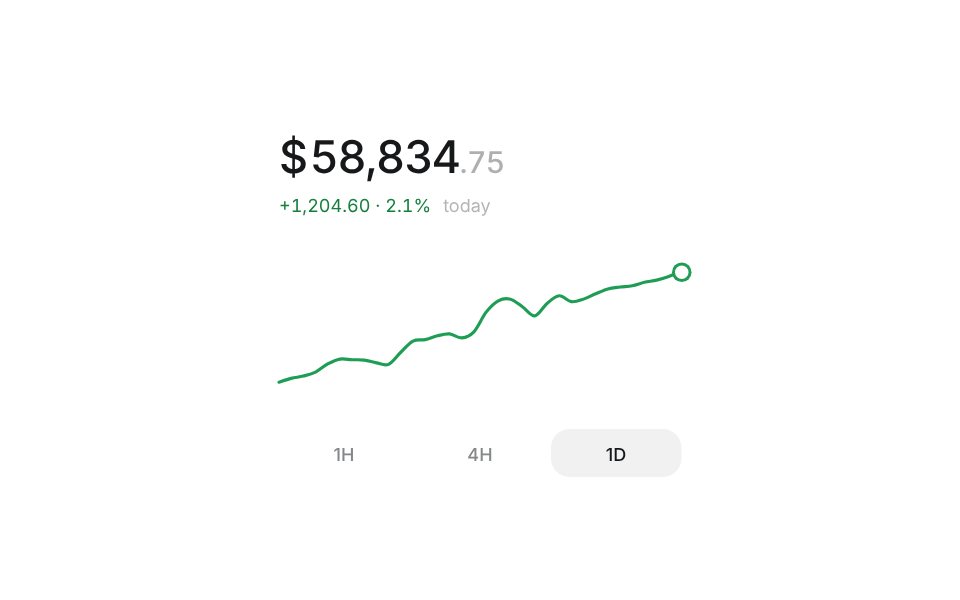
This component runs from a bundled build, so its script is read-only here. Edit the HTML and CSS; the full source is in the Code tab.
Edit every component live, tune it with controls, download the full source and copy the advanced prompts.
$49 one-timePlaceholder price
Test mode: no real payment is taken.
Free: preview, copy buttons and the lesson notes.
A repeating motif adds texture without competing with the text.
Hero backgrounds, section dividers and empty areas.
Scale the tile size, lower the contrast and pick two colours.
Add the "Pull to refresh" component from Bencho (github.com/cabralorenzo/bencho) (MIT) to my React + Tailwind CSS app. Source file: https://github.com/cabralorenzo/bencho/blob/c65992417427bb09e661674ffa800bef29adef49/blocks/pull/Balance.tsx. A repeating motif adds texture without competing with the text. Use it for: Hero backgrounds, section dividers and empty areas. Settings to tune: Scale the tile size, lower the contrast and pick two colours. Support light and dark themes and respect prefers-reduced-motion. Keep the MIT licence notice.
A longer prompt with tuning, accessibility and integration steps.
 Lucas Bassetti
 csemszepp
 MikeAndrewDesigner
 Lucas Bassetti
 Lucas Bassetti
 Lucas Bassetti
 Lucas Bassetti
 Animata