Performance
Needs attentionFrame rate: 60 fps average, p5 59.5 · Long tasks: 0 tasks, 0 ms total, longest 0 ms · Source gzip 3.0 KB · Runtime 225 KB
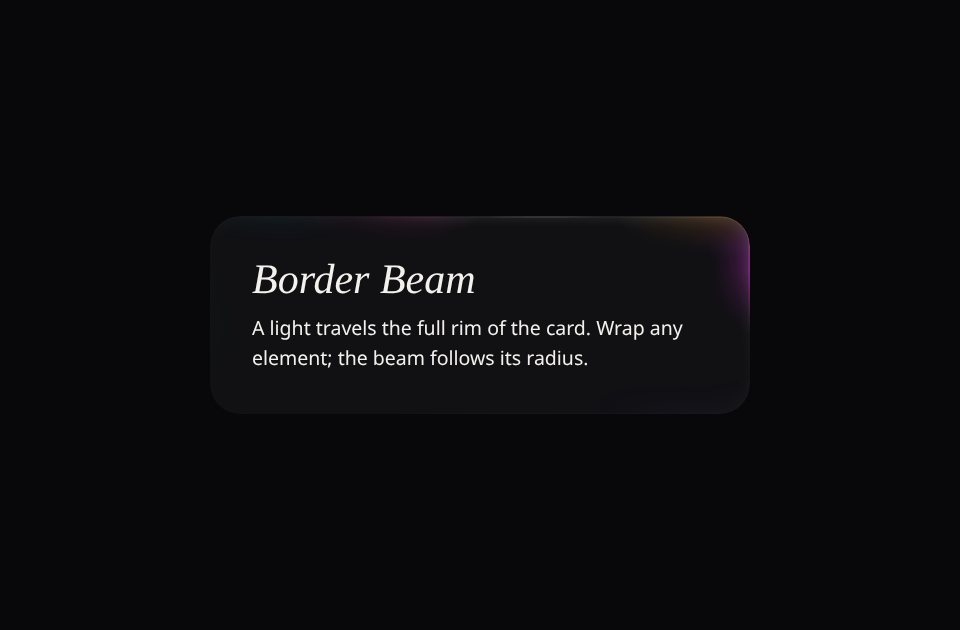
Border Beam · pulseMITSignature effectLibraries.dev · collected
Quality report
The grade and score come from automated checks run at build or test time. If a check did not run, it is marked Not tested — numbers are never invented.
Frame rate: 60 fps average, p5 59.5 · Long tasks: 0 tasks, 0 ms total, longest 0 ms · Source gzip 3.0 KB · Runtime 225 KB
Issues 0 · Screen reader: Needs attention
No continuous motion
No overflow
Frame rate and long-task figures were measured in headless Chromium with software WebGL. They are only comparable between components on this site, and do not represent real devices.
Not applicable: no visible animation at rest. Hover-triggered animation was not tested.
No axe-core violations.
Checked Nov 15, 2026 · Figures come from an automated script, not from hand-written samples.
Shown at real size.
The copy starts with the licence notice. Keep it when you use the code.
<div id="root"></div>:root{--bg:#f3f0ea;--ink:#17181a}:root[data-theme=dark]{--bg:#08080a;--ink:#f3f1ec}html,body{height:100%;margin:0;background:var(--bg);color:var(--ink);overflow:hidden}body{display:grid;place-items:center}#root{display:grid;place-items:center;max-width:100%;box-sizing:border-box}button:focus-visible,input:focus-visible{outline:2px solid #fe3d70;outline-offset:4px}@media(prefers-reduced-motion:reduce){*,*::before,*::after{animation-play-state:paused!important;transition:none!important}}// fx-runtime.js: load before the demo (sets window.FX: theme, reduced motion)
/* Incidental AI Design Academy fx runtime (MIT). Theme from #dark/#light, reduced motion, visibility pause.
Small 2D canvases (≤640×640 device px, by backing size or on-screen box, when the context is created) are CPU-backed via willReadFrequently: sprite-heavy
components redraw many small canvases per frame, and GPU-backed readback/compositing of tiny canvases is the slow path. */
(function(){[window.HTMLCanvasElement,window.OffscreenCanvas].forEach(function(C){if(!C)return;var g=C.prototype.getContext;C.prototype.getContext=function(t,o){var a=this.width*this.height;if(this.isConnected&&this.getBoundingClientRect){var r=this.getBoundingClientRect(),p=window.devicePixelRatio||1;a=Math.max(a,r.width*r.height*p*p)}if(t==='2d'&&a<=409600){var x={};if(o)for(var k in o)x[k]=o[k];if(x.willReadFrequently===undefined)x.willReadFrequently=true;return g.call(this,t,x)}return g.apply(this,arguments)}})})();
(function(){var d=document.documentElement,q=function(){var h=location.hash.slice(1);if(h==='dark'||h==='light')d.dataset.theme=h;else if(!d.dataset.theme)d.dataset.theme=d.getAttribute('data-default')||'dark'};q();addEventListener('hashchange',function(){q();dispatchEvent(new Event('fx-theme'))});
var m=matchMedia('(prefers-reduced-motion: reduce)');window.FX={rm:m.matches,dark:function(){return d.dataset.theme==='dark'},loop:function(f){var on=true,t0=performance.now(),id=0;function step(t){f((t-t0)/1000);if(on&&!FX.rm)id=requestAnimationFrame(step)}if(FX.rm){f(2.2);addEventListener('fx-theme',function(){f(2.2)});return}id=requestAnimationFrame(step);document.addEventListener('visibilitychange',function(){if(document.hidden){on=false;cancelAnimationFrame(id)}else if(!on){on=true;id=requestAnimationFrame(step)}})}};
m.addEventListener&&m.addEventListener('change',function(){location.reload()})})();
// _mount.jsx
// Demo harness (MIT, Incidental AI). Mounts a demo and re-renders on theme change.
import React, { useEffect, useState } from 'react';
import { createRoot } from 'react-dom/client';
export function useTheme() { const [d, setD] = useState(window.FX.dark()); useEffect(() => { const f = () => setD(window.FX.dark()); addEventListener('fx-theme', f); return () => removeEventListener('fx-theme', f); }, []); return d ? 'dark' : 'light'; }
export function mount(App) { createRoot(document.getElementById('root')).render(<App />); }
export const rm = () => window.FX.rm;
// Reduced motion for packages without a pause prop: let them paint a few frames, then hold that still frame.
export function freezeUnderReducedMotion(ms = 700) { if (!window.FX.rm) return; const raf = window.requestAnimationFrame.bind(window), t0 = performance.now(); window.requestAnimationFrame = f => performance.now() - t0 < ms ? raf(f) : 0; }
// demo.jsx (npm i border-beam react react-dom)
import React from 'react'; import { BorderBeam } from 'border-beam'; import { mount, useTheme, rm } from './_mount.jsx';
mount(function App() { const th = useTheme(), d = th === 'dark';
const btn = { border: 0, borderRadius: 999, padding: '14px 26px', font: '600 15px system-ui,sans-serif', cursor: 'pointer', background: d ? '#f3f1ec' : '#17181a', color: d ? '#17181a' : '#fff' };
return <div style={{ display: 'flex', gap: 28, alignItems: 'center', flexWrap: 'wrap', justifyContent: 'center' }}>
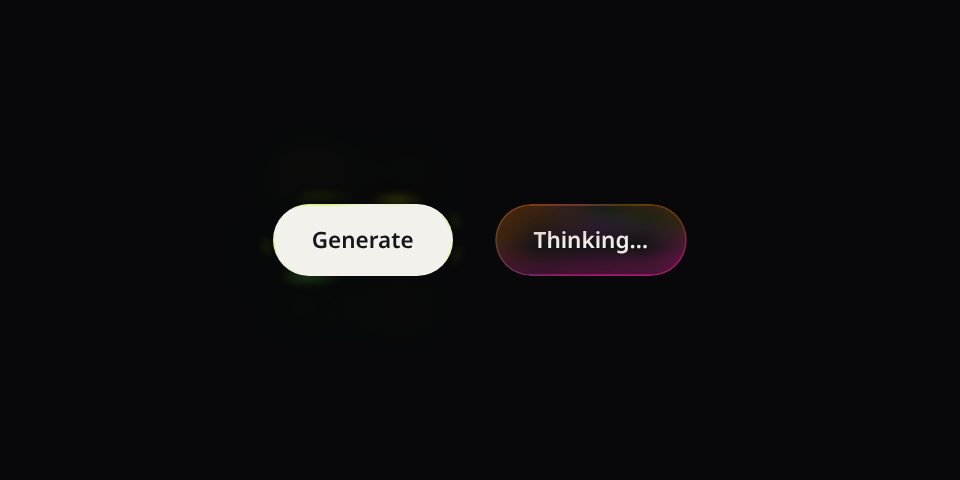
<BorderBeam size="pulse-outside" colorVariant="sunset" theme={th} active={!rm()} borderRadius={999}><button type="button" style={btn}>Generate</button></BorderBeam>
<BorderBeam size="pulse-inner" colorVariant="colorful" theme={th} active={!rm()} borderRadius={999}><button type="button" style={{ ...btn, background: d ? '#151518' : '#fff', color: d ? '#f3f1ec' : '#17181a' }}>Thinking…</button></BorderBeam>
</div>; });Controls · HTML · CSS · JS
Edit the code and tune it with the controls. The preview updates as you type.
This component runs from a bundled build, so its script is read-only here. Edit the HTML and CSS; the full source is in the Code tab.
Edit every component live, tune it with controls, download the full source and copy the advanced prompts.
$49 one-timePlaceholder price
Test mode: no real payment is taken.
Free: preview, copy buttons and the lesson notes.
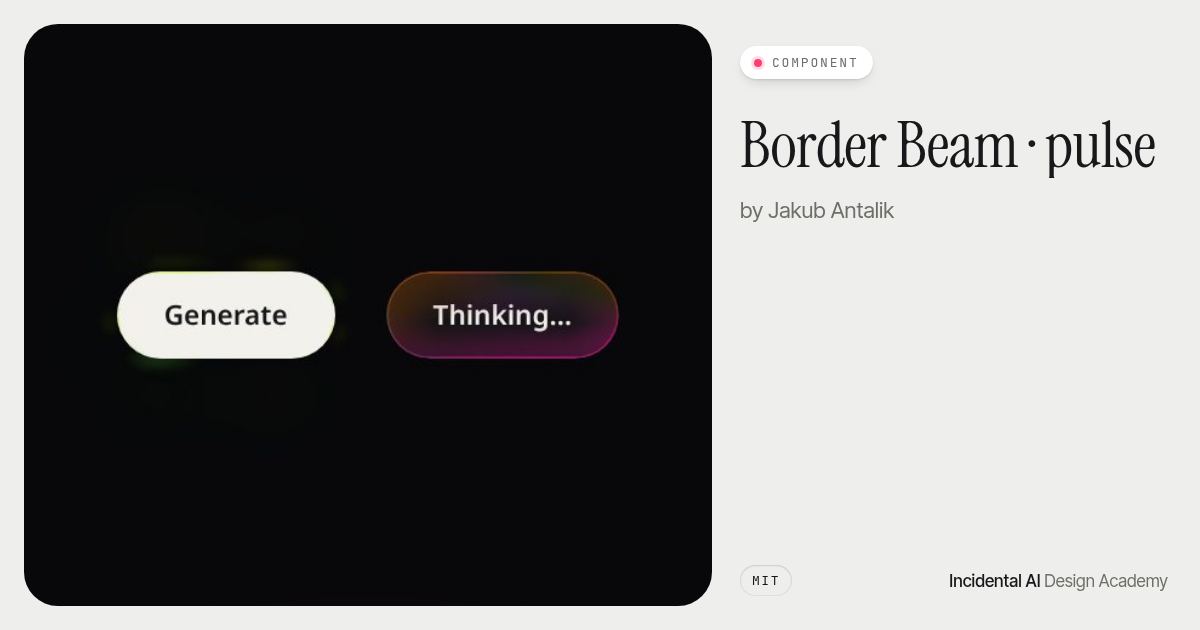
The border breathes inside or blooms outside the button to show a working state.
Generate buttons, thinking states and pending actions.
Choose pulse-inner or pulse-outside, then set colorVariant, duration and glowSize.
Add the "Border Beam pulse" effect to my React app with the MIT npm package border-beam. The border breathes inside or blooms outside the button to show a working state. Use it for: Generate buttons, thinking states and pending actions. Settings to tune: Choose pulse-inner or pulse-outside, then set colorVariant, duration and glowSize. Support light and dark themes and respect prefers-reduced-motion. Keep the package's MIT licence notice.
A longer prompt with tuning, accessibility and integration steps.
 Incidental AI
 Incidental AI
 Jakub Antalik
 Incidental AI
 Incidental AI
 Jakub Antalik
 Incidental AI
 Incidental AI