性能
需注意帧率: 平均 60 fps,p5 59.5 · 长任务: 0 个,共 0 毫秒,最长 0 毫秒 · 源码 gzip 8.3 KB · 运行时 321 KB
Dragging ballMIT图案Bencho
由 Lorenzo Cabra 制作的图案 React 组件。依据 MIT 许可从 Bencho 原样收录,此处为实时预览。
质量报告
等级和分数来自构建或测试时跑过的自动检查。没跑过的项目会标成「未检测」,不会填假数据。
帧率: 平均 60 fps,p5 59.5 · 长任务: 0 个,共 0 毫秒,最长 0 毫秒 · 源码 gzip 8.3 KB · 运行时 321 KB
问题 0 · 读屏: 未通过
没有持续动效
无溢出
帧率和长任务是在无界面的 Chromium 里用软件 WebGL 测的,只适合在本站组件之间比较,不代表真机表现。
不适用:静止时没有可见动画;由悬停触发的动画没有测试。
没有 axe-core 违规。

检测于 2026年11月15日 · 数据来自自动脚本,不是手工填写。
按实际尺寸显示。
复制内容以许可声明开头,使用代码时请保留。
<div id="root"></div>:root{--bg:#f6f4f0;--ink:#17181a;--background:40 20% 96%;--foreground:24 10% 8%;--card:0 0% 100%}html,body{min-height:100%;margin:0;background:var(--bg);color:var(--ink)}html,body{height:100%;overflow:hidden}body{display:grid;place-items:center}#root{display:grid;place-items:center;max-width:100%;max-height:100%;box-sizing:border-box;padding:16px;color:hsl(var(--foreground))}#root.full{width:100%;height:100%;padding:0}@media(prefers-reduced-motion:reduce){*,*::before,*::after{animation-play-state:paused!important;transition-duration:0s!important}}
/*
MIT License
Copyright (c) 2026 Lorenzo Cabra
Permission is hereby granted, free of charge, to any person obtaining a copy
of this software and associated documentation files (the "Software"), to deal
in the Software without restriction, including without limitation the rights
to use, copy, modify, merge, publish, distribute, sublicense, and/or sell
copies of the Software, and to permit persons to whom the Software is
furnished to do so, subject to the following conditions:
The above copyright notice and this permission notice shall be included in all
copies or substantial portions of the Software.
THE SOFTWARE IS PROVIDED "AS IS", WITHOUT WARRANTY OF ANY KIND, EXPRESS OR
IMPLIED, INCLUDING BUT NOT LIMITED TO THE WARRANTIES OF MERCHANTABILITY,
FITNESS FOR A PARTICULAR PURPOSE AND NONINFRINGEMENT. IN NO EVENT SHALL THE
AUTHORS OR COPYRIGHT HOLDERS BE LIABLE FOR ANY CLAIM, DAMAGES OR OTHER
LIABILITY, WHETHER IN AN ACTION OF CONTRACT, TORT OR OTHERWISE, ARISING FROM,
OUT OF OR IN CONNECTION WITH THE SOFTWARE OR THE USE OR OTHER DEALINGS IN THE
SOFTWARE.
---
Not covered by this licence: the Bencho name and the goat mark, and the
photographs shown on bencho.dev (none are included here). Third-party
material keeps its own licence; see THIRD_PARTY.md.
Icon substitution (this copy only): lucide-react (ISC) was replaced with @tabler/icons-react (MIT).
Sample photographs were replaced with Incidental AI assets. The Bencho name and goat mark are not licensed for marketing use.
*/
/* ── Bencho tokens ─────────────────────────────────────────
The custom properties the free blocks read, at the values
bencho.dev draws them with. Light by default; dark under
[data-theme="dark"] on any ancestor, or automatically with
the system setting unless [data-theme="light"] says otherwise.
Map these to your own theme rather than keeping two: a block
only ever reads the names, never the values. */
:root {
--font-ui: "Inter", "Helvetica Neue", Helvetica, Arial, sans-serif;
--bg: #ffffff;
--board: #ffffff;
--card: #f7f7f6;
--surface: #f7f7f6;
--surface-2: #f1f1f0;
--surface-3: #ecebe7;
--ink: #17181a;
--ink-rgb: 23, 24, 26;
--ink-2: #3c3b37;
--ink-3: #5c5b56;
--ink-4: #6f6e68;
--ink-5: #85847e;
--on-ink: #ffffff;
--on-ink-rgb: 255, 255, 255;
--slab: #17181a;
--on-slab: #ffffff;
--slab-dark: #0e0f11;
--fill-slab: #ffffff;
--fill-on: #17181a;
--fill-on-rgb: 23, 24, 26;
--pane: var(--fill-slab);
--pane-edge: rgba(23, 24, 26, 0.08);
--pane-thumb: rgba(23, 24, 26, 0.07);
--inlay: rgba(255, 255, 255, 0.55);
--inlay-hi: rgba(23, 24, 26, 0.09);
--elev-rgb: 255, 255, 255;
--glass-rgb: 255, 255, 255;
--shadow-rgb: 23, 24, 26;
--wash: 0.06;
--pick: #0d99ff;
--signal: #2231dd;
--focus: #2231dd;
--ok: #15803d;
--ember: #b8431c;
color-scheme: light;
}
[data-theme="dark"] {
--bg: #000000;
--board: #1a1a1a;
--card: #0a0a0a;
--surface: #0f0f0f;
--surface-2: #181818;
--surface-3: #202020;
--ink: #ffffff;
--ink-rgb: 255, 255, 255;
--ink-2: #b4b4b4;
--ink-3: #9a9a9a;
--ink-4: #828282;
--ink-5: #6b6b6b;
--on-ink: #000000;
--on-ink-rgb: 0, 0, 0;
--slab: #1a1a1a;
--on-slab: #ffffff;
--slab-dark: #262626;
--fill-slab: #262626;
--fill-on: #ffffff;
--fill-on-rgb: 255, 255, 255;
--pane-edge: rgba(255, 255, 255, 0.08);
--pane-thumb: rgba(255, 255, 255, 0.07);
--inlay: rgba(255, 255, 255, 0.1);
--inlay-hi: rgba(255, 255, 255, 0.09);
--elev-rgb: 32, 32, 32;
--shadow-rgb: 0, 0, 0;
--wash: 0.09;
--pick: #3aa9ff;
--ok: #34d17a;
color-scheme: dark;
}
@media (prefers-color-scheme: dark) {
:root:not([data-theme="light"]) {
--bg: #000000;
--board: #1a1a1a;
--card: #0a0a0a;
--surface: #0f0f0f;
--surface-2: #181818;
--surface-3: #202020;
--ink: #ffffff;
--ink-rgb: 255, 255, 255;
--ink-2: #b4b4b4;
--ink-3: #9a9a9a;
--ink-4: #828282;
--ink-5: #6b6b6b;
--on-ink: #000000;
--on-ink-rgb: 0, 0, 0;
--slab: #1a1a1a;
--on-slab: #ffffff;
--slab-dark: #262626;
--fill-slab: #262626;
--fill-on: #ffffff;
--fill-on-rgb: 255, 255, 255;
--pane-edge: rgba(255, 255, 255, 0.08);
--pane-thumb: rgba(255, 255, 255, 0.07);
--inlay: rgba(255, 255, 255, 0.1);
--inlay-hi: rgba(255, 255, 255, 0.09);
--elev-rgb: 32, 32, 32;
--shadow-rgb: 0, 0, 0;
--wash: 0.09;
--pick: #3aa9ff;
--ok: #34d17a;
color-scheme: dark;
}
}
/* Ball.css */
/*
MIT License
Copyright (c) 2026 Lorenzo Cabra
Permission is hereby granted, free of charge, to any person obtaining a copy
of this software and associated documentation files (the "Software"), to deal
in the Software without restriction, including without limitation the rights
to use, copy, modify, merge, publish, distribute, sublicense, and/or sell
copies of the Software, and to permit persons to whom the Software is
furnished to do so, subject to the following conditions:
The above copyright notice and this permission notice shall be included in all
copies or substantial portions of the Software.
THE SOFTWARE IS PROVIDED "AS IS", WITHOUT WARRANTY OF ANY KIND, EXPRESS OR
IMPLIED, INCLUDING BUT NOT LIMITED TO THE WARRANTIES OF MERCHANTABILITY,
FITNESS FOR A PARTICULAR PURPOSE AND NONINFRINGEMENT. IN NO EVENT SHALL THE
AUTHORS OR COPYRIGHT HOLDERS BE LIABLE FOR ANY CLAIM, DAMAGES OR OTHER
LIABILITY, WHETHER IN AN ACTION OF CONTRACT, TORT OR OTHERWISE, ARISING FROM,
OUT OF OR IN CONNECTION WITH THE SOFTWARE OR THE USE OR OTHER DEALINGS IN THE
SOFTWARE.
---
Not covered by this licence: the Bencho name and the goat mark, and the
photographs shown on bencho.dev (none are included here). Third-party
material keeps its own licence; see THIRD_PARTY.md.
Icon substitution (this copy only): lucide-react (ISC) was replaced with @tabler/icons-react (MIT).
Sample photographs were replaced with Incidental AI assets. The Bencho name and goat mark are not licensed for marketing use.
*/
/* ══ Dragging ball ══════════════════════════════════════════
One circle and its tail. The well is a plain box: the ball
is centred in it by the grid and moved from there by
framer's drag, so the constraint numbers in the component
are distances from the middle and nothing has to be
measured — which matters, because every card here is drawn
at a fraction and a measured rect would be scaled. */
.drg-well {
position: relative;
display: grid;
place-items: center;}
/* undo the library's double-applied scale — see Gooey.tsx.
`move` measures screen pixels, so the layer it draws into
has to be brought back to layout ones. */
.drg-goo > svg {
transform: scale(calc(1 / var(--k, 1)));
transform-origin: 0 0;}
.drg-goo {
display: grid;
place-items: center;
width: 100%;
height: 100%;}
/* NO BACKGROUND. <Liquid> paints the merged silhouette behind
it, and a fill here would lay a hard circle on top of the
liquid edge exactly where the tail is trying to leave it. */
.drg-ball {
grid-area: 1 / 1;
border-radius: 999px;
cursor: grab;
touch-action: none;
will-change: transform;}
.drg-ball:active { cursor: grabbing; }
// bencho source (MIT). npm i liquid-gooey motion react · Tailwind CSS v4

// ── blocks/drag-ball/Ball.tsx  (https://github.com/cabralorenzo/bencho/blob/c65992417427bb09e661674ffa800bef29adef49/blocks/drag-ball/Ball.tsx)
/*
MIT License

Copyright (c) 2026 Lorenzo Cabra

Permission is hereby granted, free of charge, to any person obtaining a copy
of this software and associated documentation files (the "Software"), to deal
in the Software without restriction, including without limitation the rights
to use, copy, modify, merge, publish, distribute, sublicense, and/or sell
copies of the Software, and to permit persons to whom the Software is
furnished to do so, subject to the following conditions:

The above copyright notice and this permission notice shall be included in all
copies or substantial portions of the Software.

THE SOFTWARE IS PROVIDED "AS IS", WITHOUT WARRANTY OF ANY KIND, EXPRESS OR
IMPLIED, INCLUDING BUT NOT LIMITED TO THE WARRANTIES OF MERCHANTABILITY,
FITNESS FOR A PARTICULAR PURPOSE AND NONINFRINGEMENT. IN NO EVENT SHALL THE
AUTHORS OR COPYRIGHT HOLDERS BE LIABLE FOR ANY CLAIM, DAMAGES OR OTHER
LIABILITY, WHETHER IN AN ACTION OF CONTRACT, TORT OR OTHERWISE, ARISING FROM,
OUT OF OR IN CONNECTION WITH THE SOFTWARE OR THE USE OR OTHER DEALINGS IN THE
SOFTWARE.

---

Not covered by this licence: the Bencho name and the goat mark, and the
photographs shown on bencho.dev (none are included here). Third-party
material keeps its own licence; see THIRD_PARTY.md.

Icon substitution (this copy only): lucide-react (ISC) was replaced with @tabler/icons-react (MIT).
Sample photographs were replaced with Incidental AI assets. The Bencho name and goat mark are not licensed for marketing use.
*/
import { useLayoutEffect, useRef, useState } from "react";
import { motion } from "motion/react";
import { Liquid } from "liquid-gooey";

/* ══ Dragging ball ════════════════════════════════════════
   One circle, and the only thing it does is follow your
   finger. What makes it worth a card is the TRAIL: the ball
   itself is pinned to the pointer with no lag at all, and a
   second body chases it a beat behind, so the goo between them
   stretches into a tail while you are moving and collapses
   back into a circle the moment you stop.

   Which is the same construction as the liquid toggle's
   straggler, with the drag standing in for the spring: there
   the thumb was thrown to a destination, here it is held.

   ── the rules this obeys ────────────────────────────────
   The bodies are in FLOW, both in one grid cell — an
   absolutely positioned child measures as a zero-radius box
   and the filter draws nothing. The group's fill is OPAQUE,
   because the contrast step erases anything under about 0.39
   alpha. And the layer takes the 1/k correction, because
   `move` measures screen pixels and every card here is drawn
   at a fraction of its size. */

/* ── inlined from lab/Gooey ──────────────────────── */
/* ══ Gooey ════════════════════════════════════════════════
   What is left of the two library-surfaced components that
   used to live here: the measurement every liquid-gooey group
   on the bench needs. Liquid tabs and the Plus menu are gone;
   this is the part of them that turned out to be the reusable
   half, and Balance, the Selection list, the Humidity wheel
   and the Sleep dial all still call it.

   ── what the library actually does ──────────────────────
   The usual gooey effect runs blur + alpha-contrast over your
   real UI, which is why it is normally confined to decorative
   circles: text goes soft, images smear, and the contrast step
   eats shadows. liquid-gooey splits it in two. An SVG layer
   carries a silhouette of your elements and takes the whole
   filter; your actual DOM rides crisp on top of it, untouched.
   Same liquid, none of the tax — and it is the same discipline
   our own filter needs, since text under an alpha threshold
   loses its edges and then itself.

   ── the two patterns, which are not interchangeable ─────
   MORPH gives the library the position: pass x/y and it
   animates the element and the liquid together, so pieces that
   separate stay bridged until the goo can no longer hold them.
   The split IS the effect.

   MOVE gives the position to you: move the element however you
   like and the surface trails it as liquid rubber with a
   droplet tail. A filter has no memory of motion — a shape
   that crossed two pixels and one that crossed the whole track
   arrive identical — and this is the part that fixes that. */

/* ── the zoom correction, applied to someone else's SVG ──────
   liquid-gooey measures its items with getBoundingClientRect
   and draws them as SVG user units. Those are the same number
   only while no ancestor is scaled — and on this bench every
   component sits inside a scaled card, so the transform lands
   twice and the silhouette drifts from its element in
   proportion to both the scale and the distance from the
   origin. Measured: 0.1px at scale 1, 22px at 1.09, 124px at
   1.4.

   Everything the library computes is in screen px, so scaling
   its layer by 1/k converts the whole coordinate space back to
   layout px in one move, and the card's own transform then
   renders it correctly. Same k = rect.width / offsetWidth the
   rest of the bench uses.

   MOVE ONLY. Morph positions its items with a CSS transform on
   a real wrapper, in layout px, which scales correctly on its
   own — apply this there and you over-correct: the silhouette
   comes out 1/k the size of its button, so the blob is smaller
   than the element and every icon looks off-centre inside it.
   Measured on the plus menu: button 58px, blob 46px, and up to
   10px of offset. Without it, 58 and 58, dead on. */
function useGooScale() {
  const box = useRef<HTMLDivElement | null>(null);
  const [k, setK] = useState(1);
  useLayoutEffect(() => {
    const el = box.current;
    if (!el) return;
    const read = () => {
      const r = el.getBoundingClientRect();
      const next = (r.width / (el.offsetWidth || r.width)) || 1;
      setK((was) => (Math.abs(was - next) < 0.001 ? was : next));
    };
    read();
    const ro = new ResizeObserver(read);
    ro.observe(el);
    /* the card also rescales when the overlay opens, which is a
       transform change and not a resize */
    const t = window.setInterval(read, 500);
    return () => { ro.disconnect(); window.clearInterval(t); };
  }, []);
  return { box, k };
}

const WELL = { w: 300, h: 200 };

/* ── how the grab reads ────────────────────────────────────
   A ball you can drag and a ball you have to GRAB are the
   same interaction with one thing added: the object has to
   answer the hand before it moves. Three beats, and none of
   them is the drag itself —

     hover   it swells a little, so you know it is live
     press   it PINCHES, narrower and taller, the way a soft
             thing does between two fingers
     let go  it rounds back out on a spring

   The pinch is the one doing the work, and it is a pinch
   rather than a uniform shrink on purpose. A circle that gets
   smaller reads as a button being pressed INTO a surface;
   this one is not on a surface, it is in your hand, and what
   a held ball does is narrow across the grip and bulge along
   it. Area is roughly kept — 0.16 out of the width against
   0.08 into the height — so it reads as squeezed rather than
   as resized.

   It goes on the span's transform, which the metaball filter
   honours: the library renders the child inside the filtered
   group rather than drawing a circle from its measurements,
   so the silhouette pinches with it. Verified by pushing a
   scaleX into the node and watching the painted body change
   shape.

   ALL THREE BEATS RIDE THE ONE KNOB, hover included. Grip is
   not "how hard the squeeze is", it is how much the ball
   answers a hand at all — so at 0 it does not swell either,
   and 0 is exactly the block this was before: a circle that
   follows your finger and does nothing else. A knob whose
   bottom end is the old component is the honest kind. */
const SWELL = 0.06;

export function Ball({
  /* how much the body deforms with its own speed, 0..100 */
  stretch = 36,
  /* how quickly it recovers its shape, 0..100 */
  give = 50,
  /* the ball, px */
  size = 56,
  /* how hard it is squeezed while held, 0..100 — 0 is a rigid
     ball, which is a real setting and is what this was */
  grip = 50,
}: {
  stretch?: number;
  give?: number;
  size?: number;
  grip?: number;
} = {}) {
  const g = Math.min(1, Math.max(0, grip / 100));
  /* the library measures in screen pixels and every card on
     this bench is drawn at a fraction — see Gooey.tsx */
  const { box, k } = useGooScale();

  /* ── one note in, one note out, whichever event brings it ──
     The sounds used to hang off `onDragStart`/`onDragEnd`,
     which means a press that never moves is silent — and a
     press that never moves is exactly the case this component
     just grew a squeeze for. Pointer down is the grab.

     Both handlers are idempotent and both are wired to the
     pointer AND the drag, so whichever framer forwards first
     makes the sound and the other does nothing. That way the
     pair can never go out of balance, and it does not depend
     on knowing which events framer's drag lets through. */
  const armed = useRef(false);
  const grab = () => {
    if (armed.current) return;
    armed.current = true;
  };
  const drop = () => {
    if (!armed.current) return;
    armed.current = false;
  };

  /* room to move: half the well less half the ball, so the
     circle can touch each edge and go no further */
  const reach = { x: (WELL.w - size) / 2, y: (WELL.h - size) / 2 };

  return (
    <div
      className="drg-well"
      ref={box}
      style={{ "--k": k, width: WELL.w, height: WELL.h } as React.CSSProperties}
    >
      <Liquid
        className="drg-goo"
        /* small numbers on purpose. The ball is 56px under a
           4.5px blur — twelve to one — which is what keeps the
           silhouette a circle rather than a smudge. */
        blur={4.5}
        contrast={16}
        /* ── THE BALL IS A RAISED SURFACE, NOT INK ────────────
           `--fill-slab` and not `--fill-on`: white under a
           light Fill, the raised grey under a dark one. That is
           the --slab doctrine in CLAUDE.md and it is what makes
           the Fill control safe on a component with no ground
           of its own — the ink version was a near-black disc
           that vanished on a near-black card, which is the trap
           the liquid toggle fell into twice.

           It said `--board` for a long time, which was the same
           colour and so looked like the same decision. It was
           not: --board is the theme's raised grey and
           --fill-slab is THIS component's fill, and the day the
           dark fill moved off --board the ball stayed behind
           and disappeared into the card. Naming the token you
           actually mean is the difference between a value that
           happens to be right and one that stays right.

           No shadow. It carried one — on the group, so it
           followed the silhouette as it stretched — and the
           cost of taking it away is that a white ball on the
           card's own grey is about 1.06:1. The disc reads, but
           it reads as a shape rather than as an object lifted
           off anything, which is the trade. */
        fill="var(--fill-slab, var(--board))"
        filterPadding={80}
      >
        <Liquid.Item
          effect="move"
          /* ── NO TRAIL. STRETCH INSTEAD. ────────────────────
             `trail` is a second body running behind the first,
             and that is what it looks like: drag slowly and
             the goo necks between them into a thin thread,
             drag fast and it gives up and you have two
             circles. Both are the effect working correctly and
             neither is what a ball being thrown around should
             do.

             `stretch` deforms the ONE body along its own
             direction of travel — it lengthens into the move
             and rounds back out when it stops. That is the
             elasticity, and there is nothing to leave behind
             because there is nothing behind it.

             A little wobble on top so the recovery is not a
             dead ease, and springiness is what decides how
             quickly the circle comes back. */
          move={{
            springiness: give / 100,
            stretch: stretch / 100,
            wobble: 0.35,
            trail: 0,
          }}
        >
          <motion.span
            className="drg-ball"
            style={{ width: size, height: size }}
            drag
            /* Numeric, not a ref: the constraint is a distance
               from where the ball already sits, and the ball
               sits in the middle of the well by construction.
               A ref would make it a measurement, and a
               measurement on a scaled card is a rect. */
            dragConstraints={{
              left: -reach.x,
              right: reach.x,
              top: -reach.y,
              bottom: reach.y,
            }}
            /* a little give at the wall, and no throw on
               release — this is a thing you place, not a thing
               you flick */
            dragElastic={0.14}
            dragMomentum={false}
            /* ── the hand, before the move ────────────────
               `whileTap` is the press and it lasts as long as
               the pointer is down, drag included — so the
               pinch is held for the whole gesture and let go
               with it, which is what a grip is. Framer keeps
               these off the drag's own x and y, so nothing
               here fights the drag for the transform.

               A spring rather than an ease: a squeeze that
               arrives on a curve is a shape being animated,
               and one that arrives with a little overshoot is
               a soft thing giving. */
            whileHover={{ scaleX: 1 + SWELL * g, scaleY: 1 + SWELL * g }}
            whileTap={{ scaleX: 1 - 0.16 * g, scaleY: 1 + 0.08 * g }}
            transition={{ type: "spring", stiffness: 500, damping: 18, mass: 0.6 }}
            /* ── SILENT WHILE IT MOVES ────────────────────
               The continuous voice belongs to a value being
               SET — a slider, a dial, a stepper — where the
               sound is telling you where you have got to. This
               is a ball in an empty box: there is no scale to
               be at a point of, so a note per frame was
               reporting nothing and chattering while it did it.

               The two ends keep theirs. Taking hold of it and
               letting go are events, and they are the only two
               this component has. */
            onPointerDown={grab}
            onDragStart={grab}
            onPointerUp={drop}
            onPointerCancel={drop}
            onDragEnd={drop}
          />
        </Liquid.Item>
      </Liquid>
    </div>
  );
}
控件 · HTML · CSS · JS
直接改代码,再用控件微调,预览会随输入实时更新。

在线编辑每个组件,用控件微调,下载完整源码,复制进阶提示词。
一次性 $49占位价格
测试模式:不会真实扣款。
免费:预览、复制按钮和课程说明。
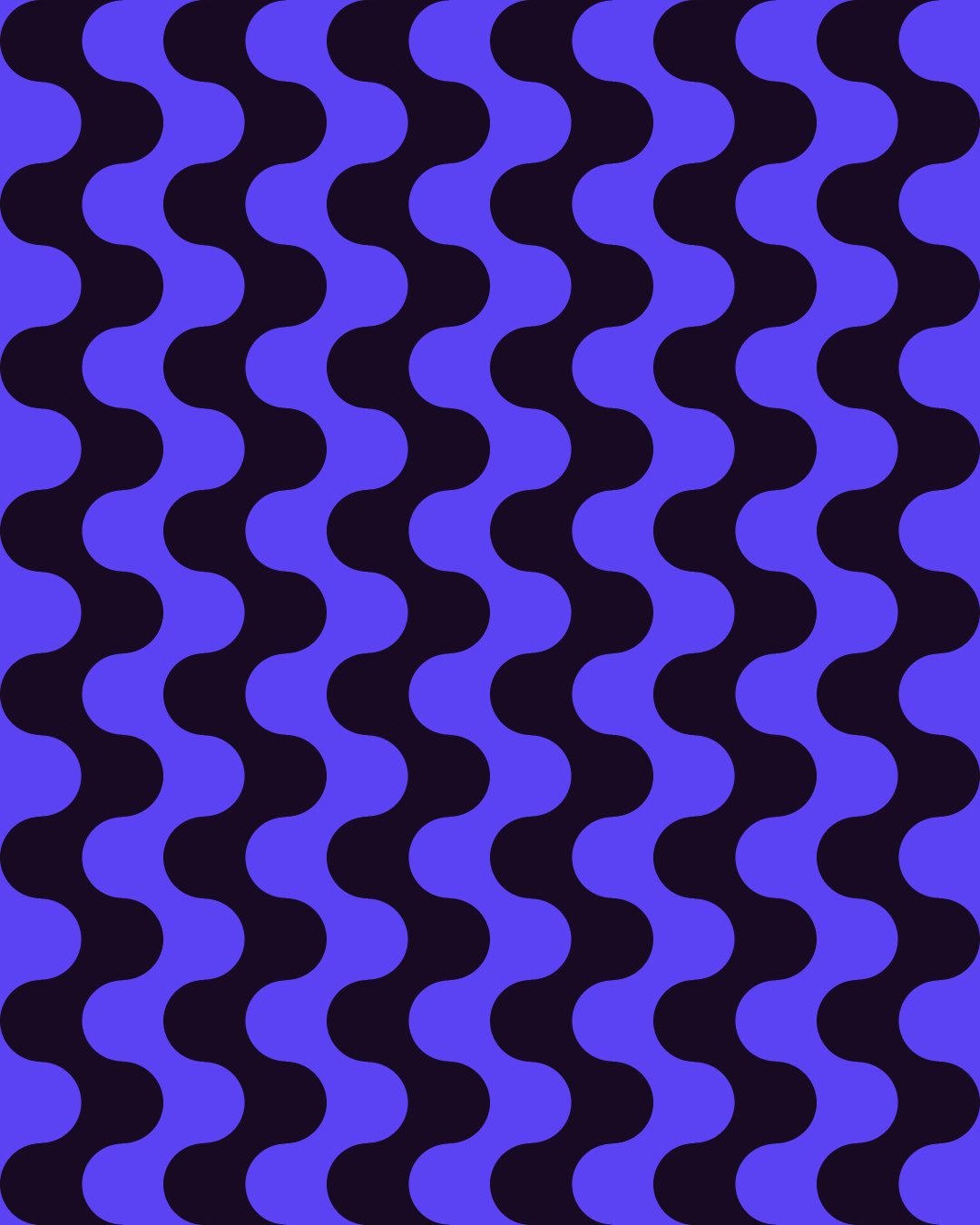
重复的图案增加质感,又不和文字抢戏。
首屏背景、分区分隔和空白区域。
缩放图块大小、降低对比度、选两种颜色。
把 Bencho (github.com/cabralorenzo/bencho)(MIT)中的「拖曳圆球」组件加入我的 React + Tailwind CSS 应用。源文件:https://github.com/cabralorenzo/bencho/blob/c65992417427bb09e661674ffa800bef29adef49/blocks/drag-ball/Ball.tsx。重复的图案增加质感,又不和文字抢戏。 适用场景:首屏背景、分区分隔和空白区域。 可调参数:缩放图块大小、降低对比度、选两种颜色。 支持浅色与深色主题,遵循 prefers-reduced-motion。保留 MIT 许可声明。
更完整的提示词,包含调参、无障碍和接入步骤。
 Lucas Bassetti
 csemszepp
 MikeAndrewDesigner
 Lucas Bassetti
 Lucas Bassetti
 Lucas Bassetti
 Lucas Bassetti
 Animata