性能
通过帧率: 平均 60 fps,p5 59.5 · 长任务: 0 个,共 0 毫秒,最长 0 毫秒 · 源码 gzip 2.0 KB · 运行时 1.9 KB
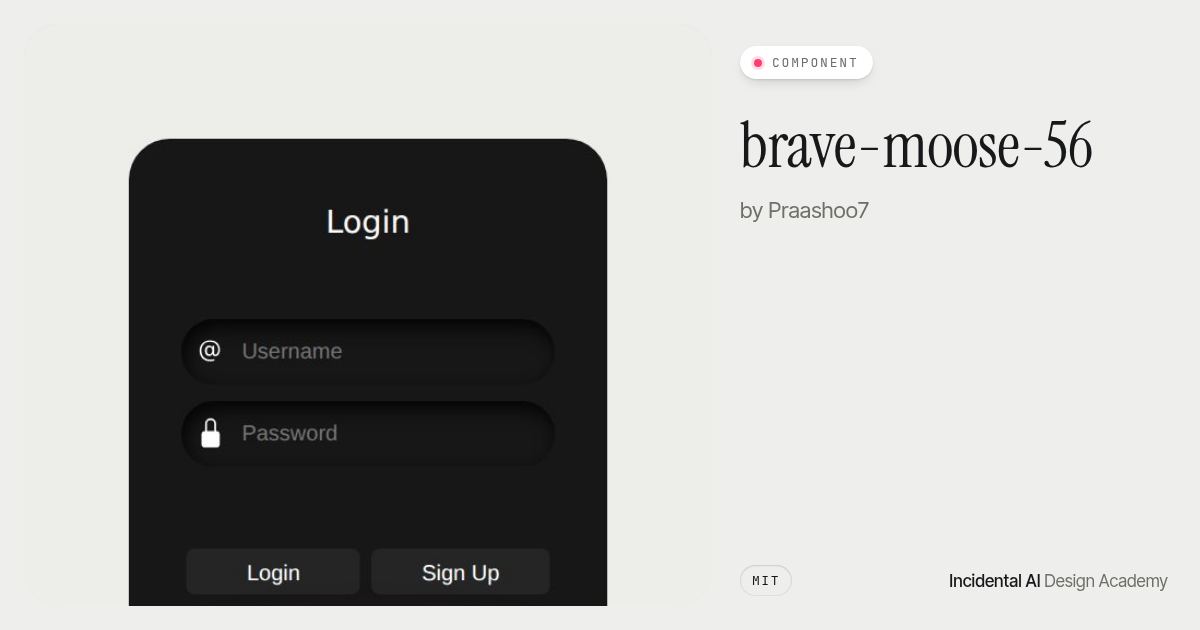
brave-moose-56MIT表单Uiverse.io
Praashoo7 用纯 HTML 和 CSS 做的表单。按 MIT 许可从 Uiverse.io 收录,此处为实时预览。
质量报告
等级和分数来自构建或测试时跑过的自动检查。没跑过的项目会标成「未检测」,不会填假数据。
帧率: 平均 60 fps,p5 59.5 · 长任务: 0 个,共 0 毫秒,最长 0 毫秒 · 源码 gzip 2.0 KB · 运行时 1.9 KB
问题 0 · 读屏: 需注意
没有持续动效
无溢出
帧率和长任务是在无界面的 Chromium 里用软件 WebGL 测的,只适合在本站组件之间比较,不代表真机表现。
不适用:静止时没有可见动画;由悬停触发的动画没有测试。
没有 axe-core 违规。
检测于 2026年11月15日 · 数据来自自动脚本,不是手工填写。
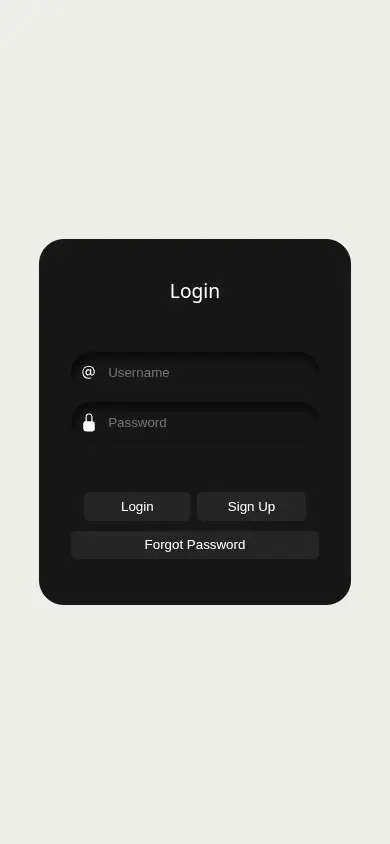
按实际尺寸显示。
复制内容以许可声明开头,使用代码时请保留。
<form class="form">
<p id="heading">Login</p>
<div class="field">
<svg class="input-icon" xmlns="http://www.w3.org/2000/svg" width="16" height="16" fill="currentColor" viewBox="0 0 16 16">
<path d="M13.106 7.222c0-2.967-2.249-5.032-5.482-5.032-3.35 0-5.646 2.318-5.646 5.702 0 3.493 2.235 5.708 5.762 5.708.862 0 1.689-.123 2.304-.335v-.862c-.43.199-1.354.328-2.29.328-2.926 0-4.813-1.88-4.813-4.798 0-2.844 1.921-4.881 4.594-4.881 2.735 0 4.608 1.688 4.608 4.156 0 1.682-.554 2.769-1.416 2.769-.492 0-.772-.28-.772-.76V5.206H8.923v.834h-.11c-.266-.595-.881-.964-1.6-.964-1.4 0-2.378 1.162-2.378 2.823 0 1.737.957 2.906 2.379 2.906.8 0 1.415-.39 1.709-1.087h.11c.081.67.703 1.148 1.503 1.148 1.572 0 2.57-1.415 2.57-3.643zm-7.177.704c0-1.197.54-1.907 1.456-1.907.93 0 1.524.738 1.524 1.907S8.308 9.84 7.371 9.84c-.895 0-1.442-.725-1.442-1.914z"></path>
</svg>
<input autocomplete="off" placeholder="Username" class="input-field" type="text">
</div>
<div class="field">
<svg class="input-icon" xmlns="http://www.w3.org/2000/svg" width="16" height="16" fill="currentColor" viewBox="0 0 16 16">
<path d="M8 1a2 2 0 0 1 2 2v4H6V3a2 2 0 0 1 2-2zm3 6V3a3 3 0 0 0-6 0v4a2 2 0 0 0-2 2v5a2 2 0 0 0 2 2h6a2 2 0 0 0 2-2V9a2 2 0 0 0-2-2z"></path>
</svg>
<input placeholder="Password" class="input-field" type="password">
</div>
<div class="btn">
<button class="button1"> Login </button>
<button class="button2">Sign Up</button>
</div>
<button class="button3">Forgot Password</button>
</form>/* From Uiverse.io by Praashoo7 - Tags: neumorphism, login, form */
.form {
display: flex;
flex-direction: column;
gap: 10px;
padding-left: 2em;
padding-right: 2em;
padding-bottom: 0.4em;
background-color: #171717;
border-radius: 25px;
transition: .4s ease-in-out;
}
.form:hover {
transform: scale(1.05);
border: 1px solid black;
}
#heading {
text-align: center;
margin: 2em;
color: rgb(255, 255, 255);
font-size: 1.2em;
}
.field {
display: flex;
align-items: center;
justify-content: center;
gap: 0.5em;
border-radius: 25px;
padding: 0.6em;
border: none;
outline: none;
color: white;
background-color: #171717;
box-shadow: inset 2px 5px 10px rgb(5, 5, 5);
}
.input-icon {
height: 1.3em;
width: 1.3em;
fill: white;
}
.input-field {
background: none;
border: none;
outline: none;
width: 100%;
color: #d3d3d3;
}
.form .btn {
display: flex;
justify-content: center;
flex-direction: row;
margin-top: 2.5em;
}
.button1 {
padding: 0.5em;
padding-left: 1.1em;
padding-right: 1.1em;
border-radius: 5px;
margin-right: 0.5em;
border: none;
outline: none;
transition: .4s ease-in-out;
background-color: #252525;
color: white;
}
.button1:hover {
background-color: black;
color: white;
}
.button2 {
padding: 0.5em;
padding-left: 2.3em;
padding-right: 2.3em;
border-radius: 5px;
border: none;
outline: none;
transition: .4s ease-in-out;
background-color: #252525;
color: white;
}
.button2:hover {
background-color: black;
color: white;
}
.button3 {
margin-bottom: 3em;
padding: 0.5em;
border-radius: 5px;
border: none;
outline: none;
transition: .4s ease-in-out;
background-color: #252525;
color: white;
}
.button3:hover {
background-color: red;
color: white;
}控件 · HTML · CSS · JS
直接改代码,再用控件微调,预览会随输入实时更新。
在线编辑每个组件,用控件微调,下载完整源码,复制进阶提示词。
一次性 $49占位价格
测试模式:不会真实扣款。
免费:预览、复制按钮和课程说明。
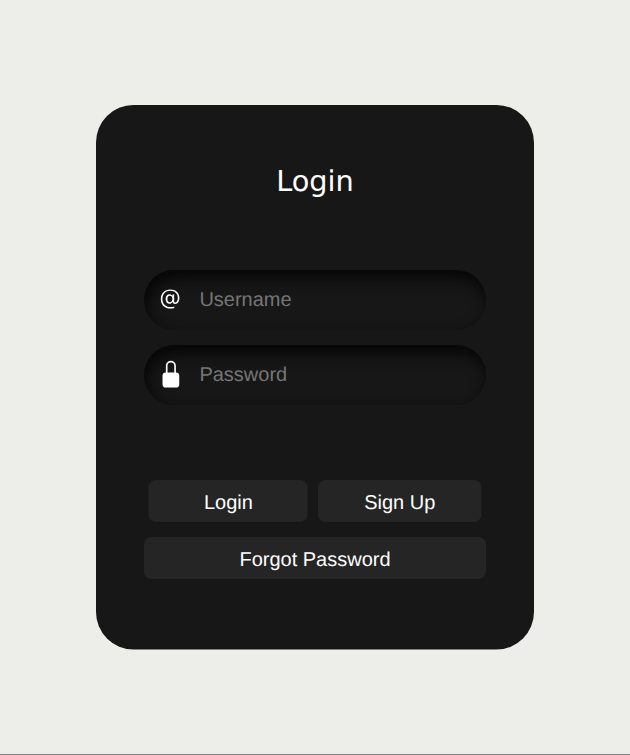
带图标的输入框嵌在近黑卡片的深凹槽里,悬停时卡片微微放大,表单显得扎实又专注。
深色主题的应用和后台登录页。
改 #171717 背景、输入框内阴影、25px 圆角,以及 1.05 的悬停放大和 0.4s 时长。
用纯 HTML、CSS 和 JavaScript(不用框架)做一个「深色圆角登录表单」组件。带图标的输入框嵌在近黑卡片的深凹槽里,悬停时卡片微微放大,表单显得扎实又专注。 适用场景:深色主题的应用和后台登录页。 开放这些可调项:改 #171717 背景、输入框内阴影、25px 圆角,以及 1.05 的悬停放大和 0.4s 时长。 支持浅色和深色主题,遵守 prefers-reduced-motion 并给出静止画面,保证文字清晰、控件可用键盘操作。请写原创代码,不要从付费或受限的组件库复制。
更完整的提示词,包含调参、无障碍和接入步骤。
 PriyanshuGupta28
 rahilansari261
 reshades
 ahmed150up
 omar-alghaish
 Lorenzo Cabra
 vinodjangid07
 John-CFO