性能
通过帧率: 平均 60 fps,p5 59.5 · 长任务: 0 个,共 0 毫秒,最长 0 毫秒 · 源码 gzip 2.2 KB · 运行时 2.2 KB
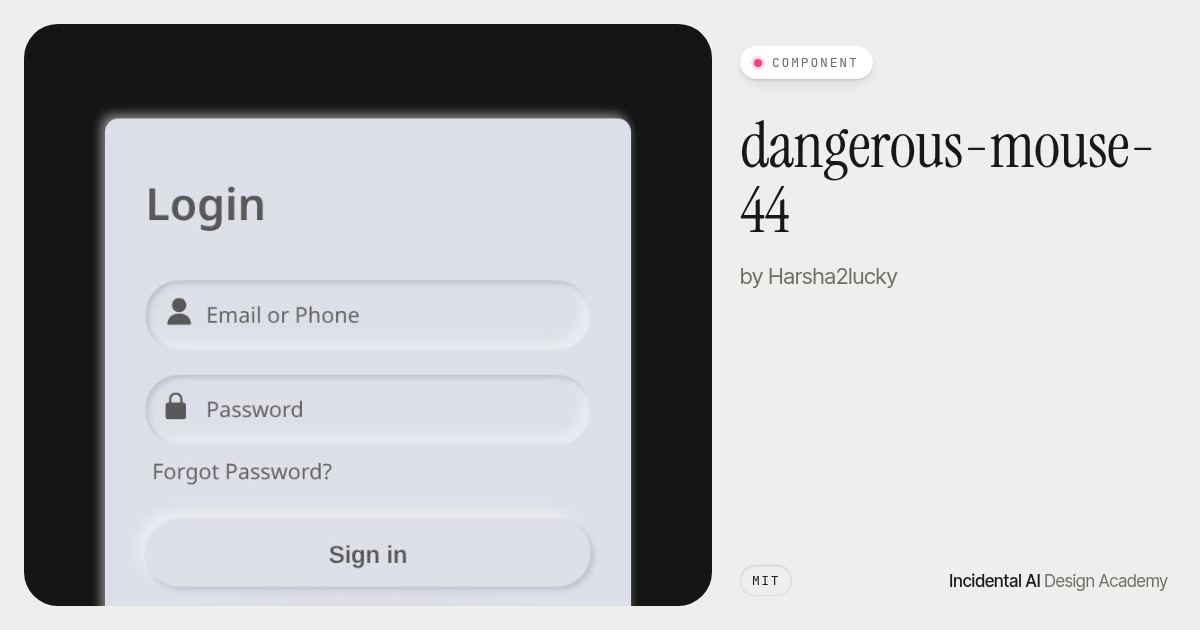
dangerous-mouse-44MIT表单Uiverse.io
Harsha2lucky 用纯 HTML 和 CSS 做的表单。按 MIT 许可从 Uiverse.io 收录,此处为实时预览。
质量报告
等级和分数来自构建或测试时跑过的自动检查。没跑过的项目会标成「未检测」,不会填假数据。
帧率: 平均 60 fps,p5 59.5 · 长任务: 0 个,共 0 毫秒,最长 0 毫秒 · 源码 gzip 2.2 KB · 运行时 2.2 KB
问题 2 · 读屏: 需注意
没有持续动效
无溢出
帧率和长任务是在无界面的 Chromium 里用软件 WebGL 测的,只适合在本站组件之间比较,不代表真机表现。
不适用:静止时没有可见动画;由悬停触发的动画没有测试。
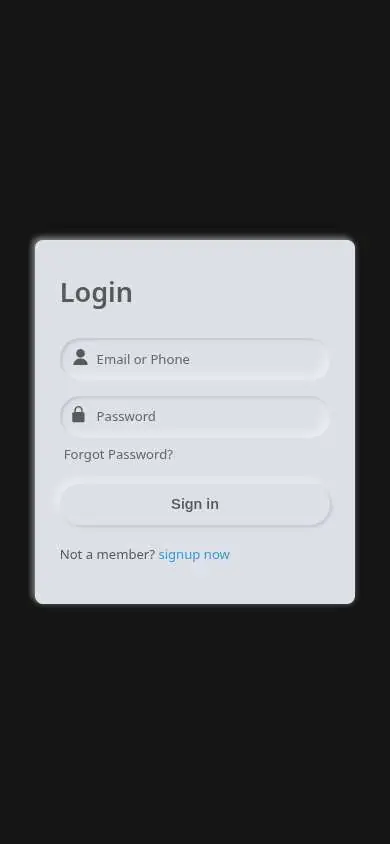
检测于 2026年11月15日 · 数据来自自动脚本,不是手工填写。
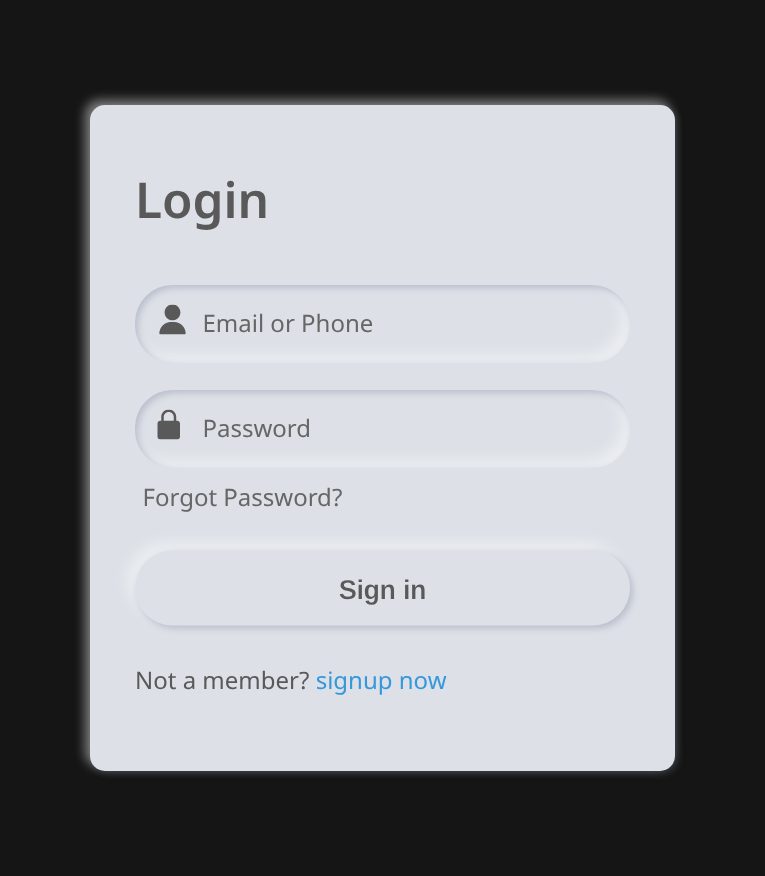
按实际尺寸显示。
复制内容以许可声明开头,使用代码时请保留。
<div class="content">
         <div class="text">
            Login
         </div>
         <form action="#">
            <div class="field">
               <input required="" type="text" class="input">
               <span class="span"><svg class="" xml:space="preserve" style="enable-background:new 0 0 512 512" viewBox="0 0 512 512" y="0" x="0" height="20" width="50" xmlns:xlink="http://www.w3.org/1999/xlink" version="1.1" xmlns="http://www.w3.org/2000/svg"><g><path class="" data-original="#000000" fill="#595959" d="M256 0c-74.439 0-135 60.561-135 135s60.561 135 135 135 135-60.561 135-135S330.439 0 256 0zM423.966 358.195C387.006 320.667 338.009 300 286 300h-60c-52.008 0-101.006 20.667-137.966 58.195C51.255 395.539 31 444.833 31 497c0 8.284 6.716 15 15 15h420c8.284 0 15-6.716 15-15 0-52.167-20.255-101.461-57.034-138.805z"></path></g></svg></span>
               <label class="label">Email or Phone</label>
            </div>
            <div class="field">
               <input required="" type="password" class="input">
               <span class="span"><svg class="" xml:space="preserve" style="enable-background:new 0 0 512 512" viewBox="0 0 512 512" y="0" x="0" height="20" width="50" xmlns:xlink="http://www.w3.org/1999/xlink" version="1.1" xmlns="http://www.w3.org/2000/svg"><g><path class="" data-original="#000000" fill="#595959" d="M336 192h-16v-64C320 57.406 262.594 0 192 0S64 57.406 64 128v64H48c-26.453 0-48 21.523-48 48v224c0 26.477 21.547 48 48 48h288c26.453 0 48-21.523 48-48V240c0-26.477-21.547-48-48-48zm-229.332-64c0-47.063 38.27-85.332 85.332-85.332s85.332 38.27 85.332 85.332v64H106.668zm0 0"></path></g></svg></span>
               <label class="label">Password</label>
            </div>
            <div class="forgot-pass">
               <a href="#">Forgot Password?</a>
            </div>
            <button class="button">Sign in</button>
            <div class="sign-up">
               Not a member?
               <a href="#">signup now</a>
            </div>
         </form>
</div>/* From Uiverse.io by Harsha2lucky - Tags: flat design, neumorphism, sign-in, form, sign-up, light&dark */
.content {
width: 330px;
padding: 40px 30px;
background: #dde1e7;
border-radius: 10px;
box-shadow: -3px -3px 7px #ffffff73,
2px 2px 5px rgba(94,104,121,0.288);
}
.content .text {
font-size: 33px;
font-weight: 600;
margin-bottom: 35px;
color: #595959;
}
.field {
height: 50px;
width: 100%;
display: flex;
position: relative;
}
.field:nth-child(2) {
margin-top: 20px;
}
.field .input {
height: 100%;
width: 100%;
padding-left: 45px;
outline: none;
border: none;
font-size: 18px;
background: #dde1e7;
color: #595959;
border-radius: 25px;
box-shadow: inset 2px 2px 5px #BABECC,
inset -5px -5px 10px #ffffff73;
}
.field .input:focus {
box-shadow: inset 1px 1px 2px #BABECC,
inset -1px -1px 2px #ffffff73;
}
.field .span {
position: absolute;
color: #595959;
width: 50px;
line-height: 55px;
}
.field .label {
position: absolute;
top: 50%;
transform: translateY(-50%);
left: 45px;
pointer-events: none;
color: #666666;
}
.field .input:valid ~ label {
opacity: 0;
}
.forgot-pass {
text-align: left;
margin: 10px 0 10px 5px;
}
.forgot-pass a {
font-size: 16px;
color: #666666;
text-decoration: none;
}
.forgot-pass:hover a {
text-decoration: underline;
}
.button {
margin: 15px 0;
width: 100%;
height: 50px;
font-size: 18px;
line-height: 50px;
font-weight: 600;
background: #dde1e7;
border-radius: 25px;
border: none;
outline: none;
cursor: pointer;
color: #595959;
box-shadow: 2px 2px 5px #BABECC,
-5px -5px 10px #ffffff73;
}
.button:focus {
color: #3498db;
box-shadow: inset 2px 2px 5px #BABECC,
inset -5px -5px 10px #ffffff73;
}
.sign-up {
margin: 10px 0;
color: #595959;
font-size: 16px;
}
.sign-up a {
color: #3498db;
text-decoration: none;
}
.sign-up a:hover {
text-decoration: underline;
}控件 · HTML · CSS · JS
直接改代码,再用控件微调,预览会随输入实时更新。
在线编辑每个组件,用控件微调,下载完整源码,复制进阶提示词。
一次性 $49占位价格
测试模式:不会真实扣款。
免费:预览、复制按钮和课程说明。
浅灰卡片带亮暗两层阴影,里面是内凹的带图标输入框,像从页面里塑出来的。
安静的登录页和软 UI 仪表盘。
改 #dde1e7 背景、-3px 和 2px 的阴影、330px 宽度和 10px 圆角。
用纯 HTML、CSS 和 JavaScript(不用框架)做一个「软 UI 灰色登录表单」组件。浅灰卡片带亮暗两层阴影,里面是内凹的带图标输入框,像从页面里塑出来的。 适用场景:安静的登录页和软 UI 仪表盘。 开放这些可调项:改 #dde1e7 背景、-3px 和 2px 的阴影、330px 宽度和 10px 圆角。 支持浅色和深色主题,遵守 prefers-reduced-motion 并给出静止画面,保证文字清晰、控件可用键盘操作。请写原创代码,不要从付费或受限的组件库复制。
更完整的提示词,包含调参、无障碍和接入步骤。
 PriyanshuGupta28
 rahilansari261
 reshades
 Praashoo7
 ahmed150up
 omar-alghaish
 Lorenzo Cabra
 vinodjangid07