性能
通过帧率: 平均 60 fps,p5 59.9 · 长任务: 0 个,共 0 毫秒,最长 0 毫秒 · 源码 gzip 2.1 KB · 运行时 2.4 KB
brown-falcon-18MIT卡片Uiverse.io
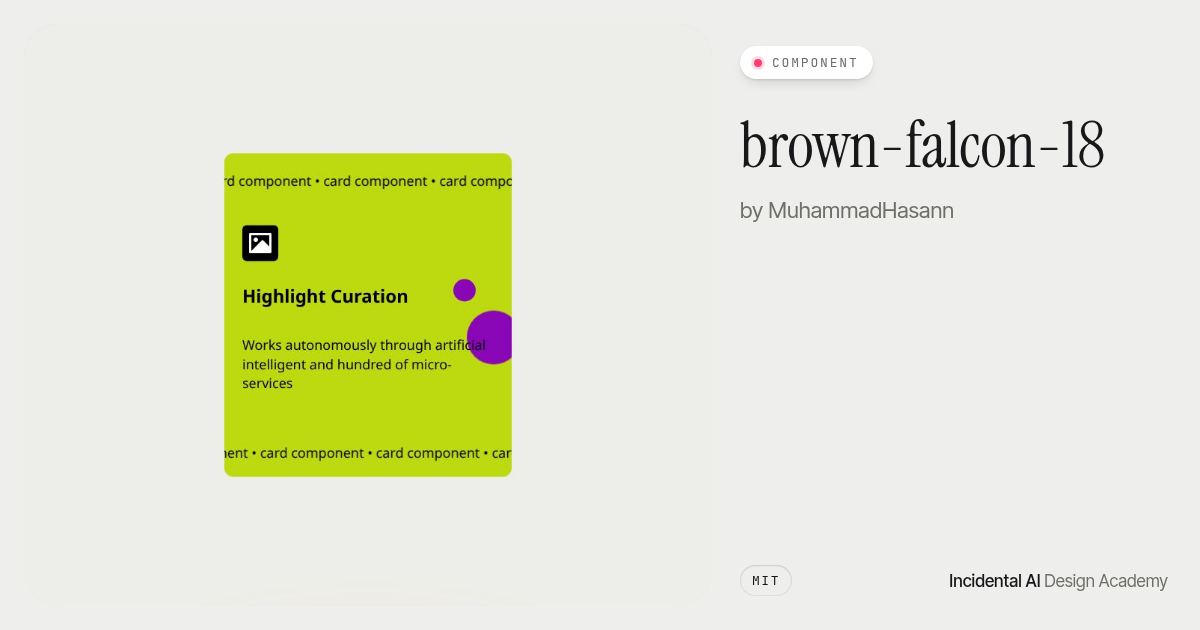
MuhammadHasann 用纯 HTML 和 CSS 做的卡片。按 MIT 许可从 Uiverse.io 收录,此处为实时预览。
质量报告
等级和分数来自构建或测试时跑过的自动检查。没跑过的项目会标成「未检测」,不会填假数据。
帧率: 平均 60 fps,p5 59.9 · 长任务: 0 个,共 0 毫秒,最长 0 毫秒 · 源码 gzip 2.1 KB · 运行时 2.4 KB
问题 0 · 读屏: 需注意
已响应减弱动效
无溢出
帧率和长任务是在无界面的 Chromium 里用软件 WebGL 测的,只适合在本站组件之间比较,不代表真机表现。
没有 axe-core 违规。
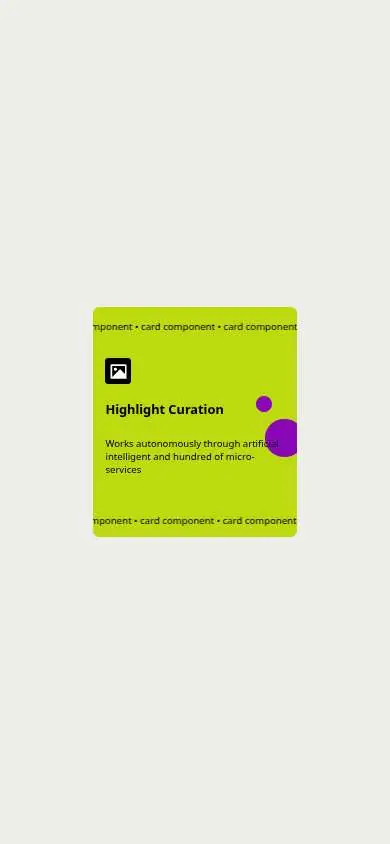
检测于 2026年11月15日 · 数据来自自动脚本,不是手工填写。
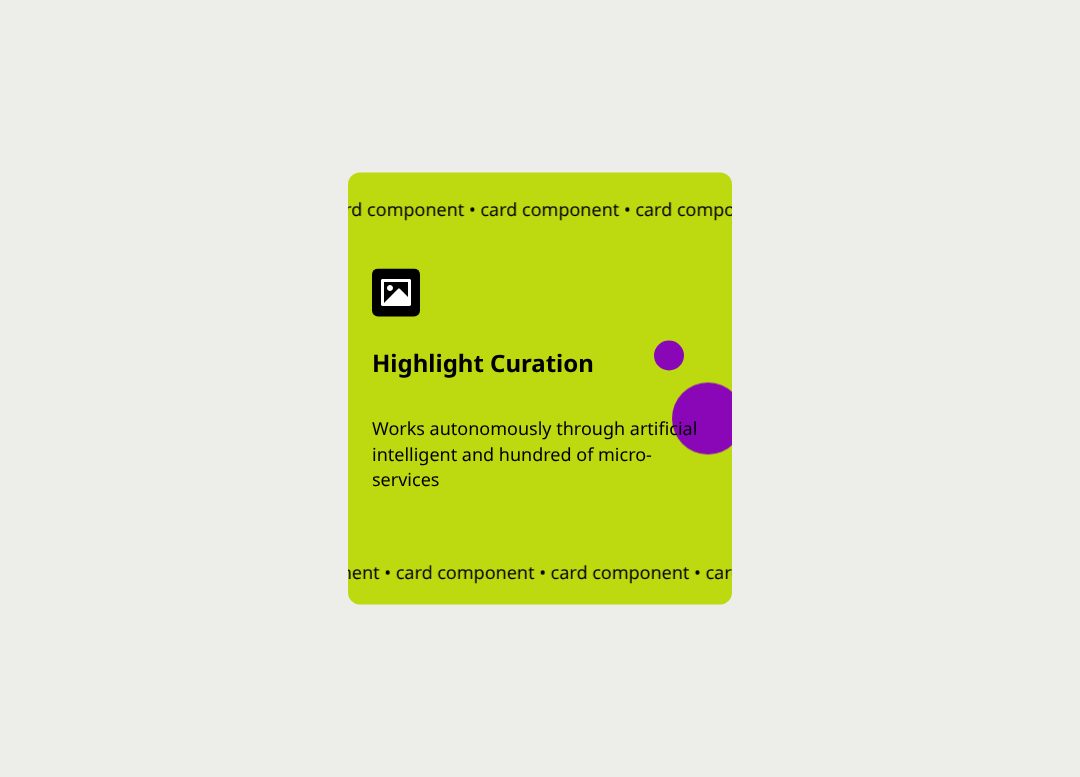
按实际尺寸显示。
复制内容以许可声明开头,使用代码时请保留。
<div class="card">
  <div data-position="top" class="carousel">
    <span class="carousel__text"
      >• card component • card component • card component • card component •
      card component • card component</span
    >
  </div>
  <div class="image">
    <svg viewBox="0 0 24 24" xmlns="http://www.w3.org/2000/svg">
      <path
        d="M20 5H4V19L13.2923 9.70649C13.6828 9.31595 14.3159 9.31591 14.7065 9.70641L20 15.0104V5ZM2 3.9934C2 3.44476 2.45531 3 2.9918 3H21.0082C21.556 3 22 3.44495 22 3.9934V20.0066C22 20.5552 21.5447 21 21.0082 21H2.9918C2.44405 21 2 20.5551 2 20.0066V3.9934ZM8 11C6.89543 11 6 10.1046 6 9C6 7.89543 6.89543 7 8 7C9.10457 7 10 7.89543 10 9C10 10.1046 9.10457 11 8 11Z"
      ></path>
    </svg>
  </div>
  <span class="title">Highlight Curation</span>
  <p class="paragraph">
    Works autonomously through artificial intelligent and hundred of
    micro-services
  </p>
  <div data-direction="right" data-position="bottom" class="carousel">
    <span class="carousel__text"
      >• card component • card component • card component • card component •
      card component • card component</span
    >
  </div>
</div>/* From Uiverse.io by MuhammadHasann - Tags: animation, card, rounded */
.card {
--lime-500: #bdd910;
--violet-700: #8a07b8;
overflow: hidden;
position: relative;
display: flex;
flex-direction: column;
justify-content: center;
gap: 0.75rem;
padding: 1rem;
width: 14rem;
height: auto;
min-height: 16rem;
background-color: var(--lime-500);
border-radius: 0.5rem;
}
.card::before {
content: "";
position: absolute;
top: 7rem;
right: 2rem;
width: 1.25rem;
aspect-ratio: 1 / 1;
background-color: var(--violet-700);
border-radius: 9999px;
}
.card::after {
content: "";
position: absolute;
top: 8.75rem;
right: -0.5rem;
width: 3rem;
aspect-ratio: 1 / 1;
background-color: var(--violet-700);
border-radius: 9999px;
}
.card .carousel {
position: absolute;
left: 0;
animation: carousel 10s linear var(--carousel_direction, normal) infinite;
}
.card .carousel[data-direction="right"] {
--carousel_direction: reverse;
}
.card .carousel[data-position="top"] {
top: 0.75rem;
}
.card .carousel[data-position="bottom"] {
bottom: 0.75rem;
}
.card .carousel .carousel__text {
font-size: 0.75rem;
color: black;
text-wrap: nowrap;
}
@keyframes carousel {
to {
transform: translate(-50%);
}
}
.card .image {
position: relative;
z-index: 10;
display: flex;
justify-content: center;
align-items: center;
padding: 0.25rem;
margin-bottom: 0.5rem;
width: fit-content;
aspect-ratio: 1 / 1;
background-color: black;
border-radius: 0.25rem;
}
.card .image svg {
width: 1.5rem;
fill: white;
}
.card .title {
position: relative;
z-index: 10;
font-size: 1rem;
color: black;
font-weight: bold;
}
.card .paragraph {
position: relative;
z-index: 10;
padding-right: 0.25rem;
font-size: 0.75rem;
color: black;
}控件 · HTML · CSS · JS
直接改代码,再用控件微调,预览会随输入实时更新。
在线编辑每个组件,用控件微调,下载完整源码,复制进阶提示词。
一次性 $49占位价格
测试模式:不会真实扣款。
免费:预览、复制按钮和课程说明。
亮黄绿卡片顶部有一条滚动的文字带,再加图标、标题和短文案,大胆得像海报。
功能亮点、AI 工具卡片和醒目的落地页板块。
设置 --lime-500(#bdd910)和 --violet-700(#8a07b8),改 14rem 宽度和跑马灯速度。
用纯 HTML、CSS 和 JavaScript(不用框架)做一个「带跑马灯的黄绿卡片」组件。亮黄绿卡片顶部有一条滚动的文字带,再加图标、标题和短文案,大胆得像海报。 适用场景:功能亮点、AI 工具卡片和醒目的落地页板块。 开放这些可调项:设置 --lime-500(#bdd910)和 --violet-700(#8a07b8),改 14rem 宽度和跑马灯速度。 支持浅色和深色主题,遵守 prefers-reduced-motion 并给出静止画面,保证文字清晰、控件可用键盘操作。请写原创代码,不要从付费或受限的组件库复制。
更完整的提示词,包含调参、无障碍和接入步骤。
 Yaya12085
 Lucas Bassetti
 Lucas Bassetti
 Lucas Bassetti
 Lucas Bassetti
 shadowmurphy
 DellBee
 Aryan-81